Ever found the perfect photo, only to realize it’s too blurry, pixelated, or just plain wrong? You're not alone. Grainy images and distracting backgrounds can sink a marketing campaign, derail a product launch, or just ruin a great memory. The old fix involved hours of tedious, soul-crushing manual editing in complex software. The new, smarter fix? AI image enhancement tools that deliver stunning, professional-quality results in seconds.
But with a flood of options on the market, from developer-friendly APIs to one-click mobile apps, choosing the right one feels like a daunting task. How do you know which platform has the best upscaler, the most reliable background remover, or the most natural face enhancer? Which one offers an API that won't give your engineering team a headache?
This guide cuts through the noise. We're diving deep into the top 12 tools on the market, including powerhouses like PixelPanda, Adobe, and Topaz Labs. We’ll dissect their core features, expose their real-world pros and cons, and help you find the perfect solution for your specific needs. Whether you're a developer building the next big app, an ecommerce seller desperate for clean product shots, or a designer chasing pixel-perfect quality, we've got you covered.
Each entry includes screenshots and direct links to get you started immediately. We'll analyze everything from performance trade-offs to pricing models, so you can make an informed decision without wasting time or money. For those who want to understand the technology on a deeper level, you can explore a comprehensive guide to AI image enhancement for a broader perspective. Let's find the right tool to rescue your visuals.
1. PixelPanda
PixelPanda isn't just another entry on a list of AI image enhancement tools; it’s a full-fledged creative production studio packed into a powerful, API-first platform. It earns the top spot by bridging the gap between developers needing a scalable backend and marketing teams who want a no-code solution for generating stunning visuals. Where many tools focus on a single function, PixelPanda delivers an entire suite of interconnected capabilities.
The platform excels at turning mediocre product shots into professional, studio-quality assets in seconds. Its AI models are particularly adept at handling tricky details like hair and fur, ensuring clean, edge-perfect cutouts. This makes it an invaluable resource for e-commerce brands that need to process thousands of images without sacrificing quality. For a deeper dive into its precision, you can explore their guide on how to remove the background from a product photo.
Why It Stands Out
What truly sets PixelPanda apart is its holistic approach. It's not just about fixing images; it's about creating new ones. The platform integrates generative AI features like AI photoshoots, avatars, and even UGC-style videos with realistic lip-syncing in over 35 languages. This positions it as a one-stop-shop for a brand’s entire visual content pipeline, from initial product photos to dynamic social media campaigns.
Key Features & Use Cases
| Feature | Best For |
|---|---|
| One-Click Background Removal | E-commerce stores creating clean, consistent product listings. |
| 4x Upscaling & Face Enhancement | Revitalizing low-resolution photos for marketing materials. |
| Smart Inpainting & Text Removal | Cleaning up user-generated content or removing watermarks. |
| UGC-Style Video Generation | Marketers creating engaging, multi-language video ads at scale. |
| REST API & SDKs | Developers integrating automated image processing into their apps. |
Practical Considerations
- Pricing: PixelPanda operates on a flexible credit system. You can get started with a generous trial of 100 free credits (no credit card required). Paid plans start around $39/month (billed annually), with credits that roll over.
- Performance: Image processing is impressively fast, typically taking 15-20 seconds. Video generation is more resource-intensive, starting at 75 credits per video, which could be a consideration for high-volume video producers.
- Limitations: While the AI is robust, highly brand-specific or legally sensitive imagery will still benefit from a final human review to ensure perfect alignment and compliance.
Website: PixelPanda
2. Adobe (Photoshop, Lightroom, Camera Raw)
Let's talk about the 800-pound gorilla in the creative room: Adobe. Instead of being a single-trick pony, Adobe has woven powerful AI image enhancement tools directly into its flagship products like Photoshop, Lightroom, and Camera Raw. This isn't a simple web uploader; it's a full-blown creative ecosystem on steroids, designed for professionals who demand granular control and a seamless workflow from capture to final edit. For photographers, the AI Denoise and Super Resolution features in Lightroom are game-changers, rescuing noisy low-light shots and doubling image resolution with startling clarity.
Meanwhile, Photoshop’s Generative Remove and Fill tools feel like actual magic. Need to zap a tourist out of your perfect landscape shot or extend a background to fit a specific layout? The AI handles it with contextual awareness that often leaves you speechless. This integrated approach is Adobe’s killer feature, eliminating the need to jump between different apps for different enhancement tasks.
Core Features & Use Cases
- Best For: Photographers, designers, and creative professionals already invested in the Adobe ecosystem.
- Standout Features:
- Super Resolution & AI Denoise: Essential for anyone working with RAW files, turning noisy or low-res images into clean, crisp, and printable assets.
- Generative Remove/Fill: A lifesaver for marketers and e-commerce managers needing to clean up product photos or create versatile ad creatives.
- Cross-Device Syncing: Start an edit on your desktop, tweak it on your iPad, and send it from your phone.
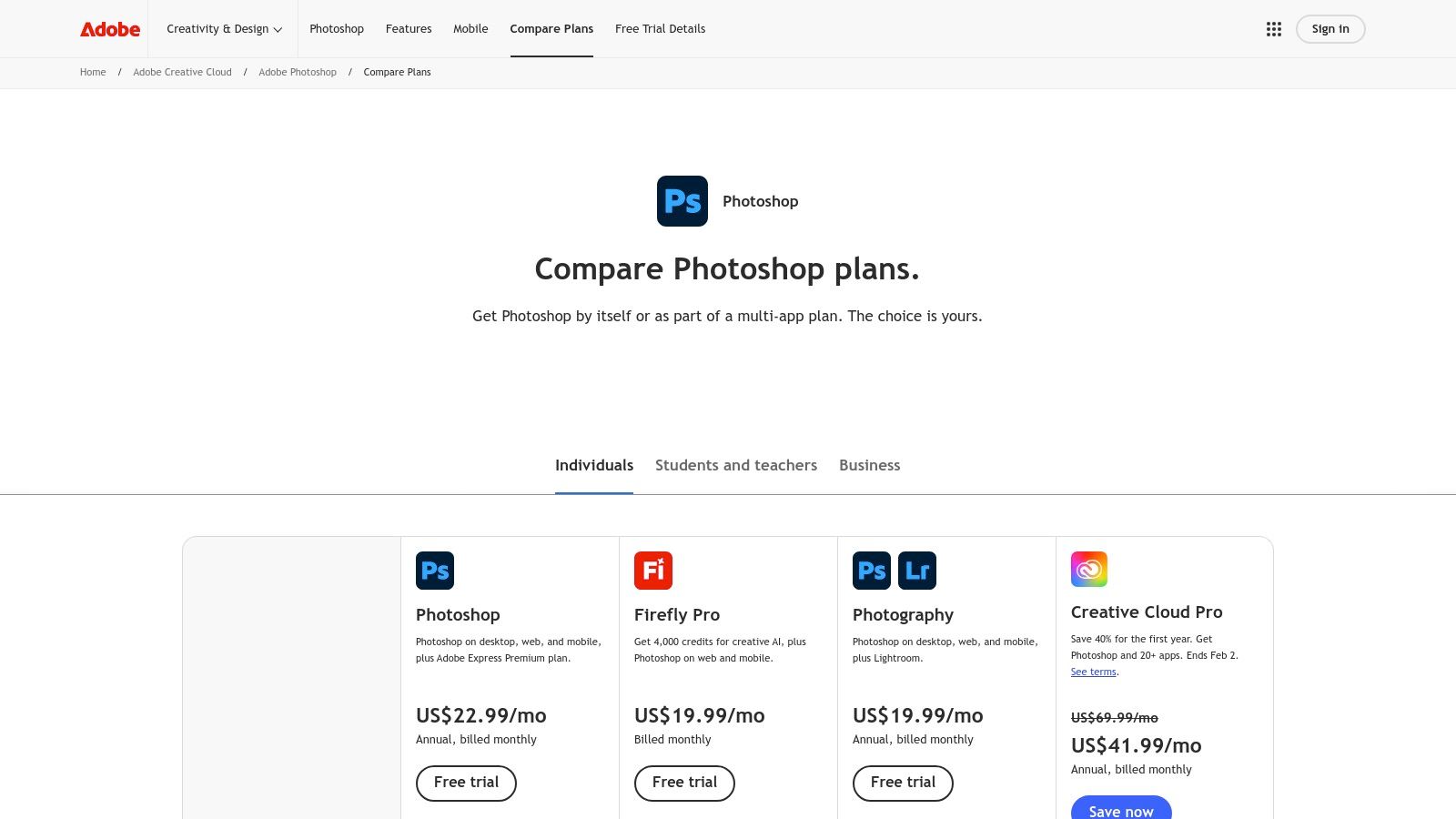
The downside? It's a commitment. Adobe operates on a subscription model (starting around $9.99/month for the Photography Plan), and there's a definite learning curve. But for those who need professional-grade power, the vast library of tutorials and third-party plugin support make it an unbeatable powerhouse.
Website: Adobe Photoshop Pricing
3. Topaz Labs – Topaz Photo
If Adobe is the creative ecosystem, Topaz Labs is the specialist surgeon. This desktop application is obsessed with one thing: delivering jaw-dropping perceptual quality. Topaz Photo consolidates its legendary tools like Gigapixel AI and DeNoise AI into a single, streamlined workflow that focuses on upscaling, sharpening, and noise reduction with an almost fanatical attention to detail. This isn't just about making pixels bigger; it's about intelligently reconstructing detail that wasn't there, making it an indispensable tool for photographers needing to rescue a slightly soft shot or dramatically crop an image without losing quality.
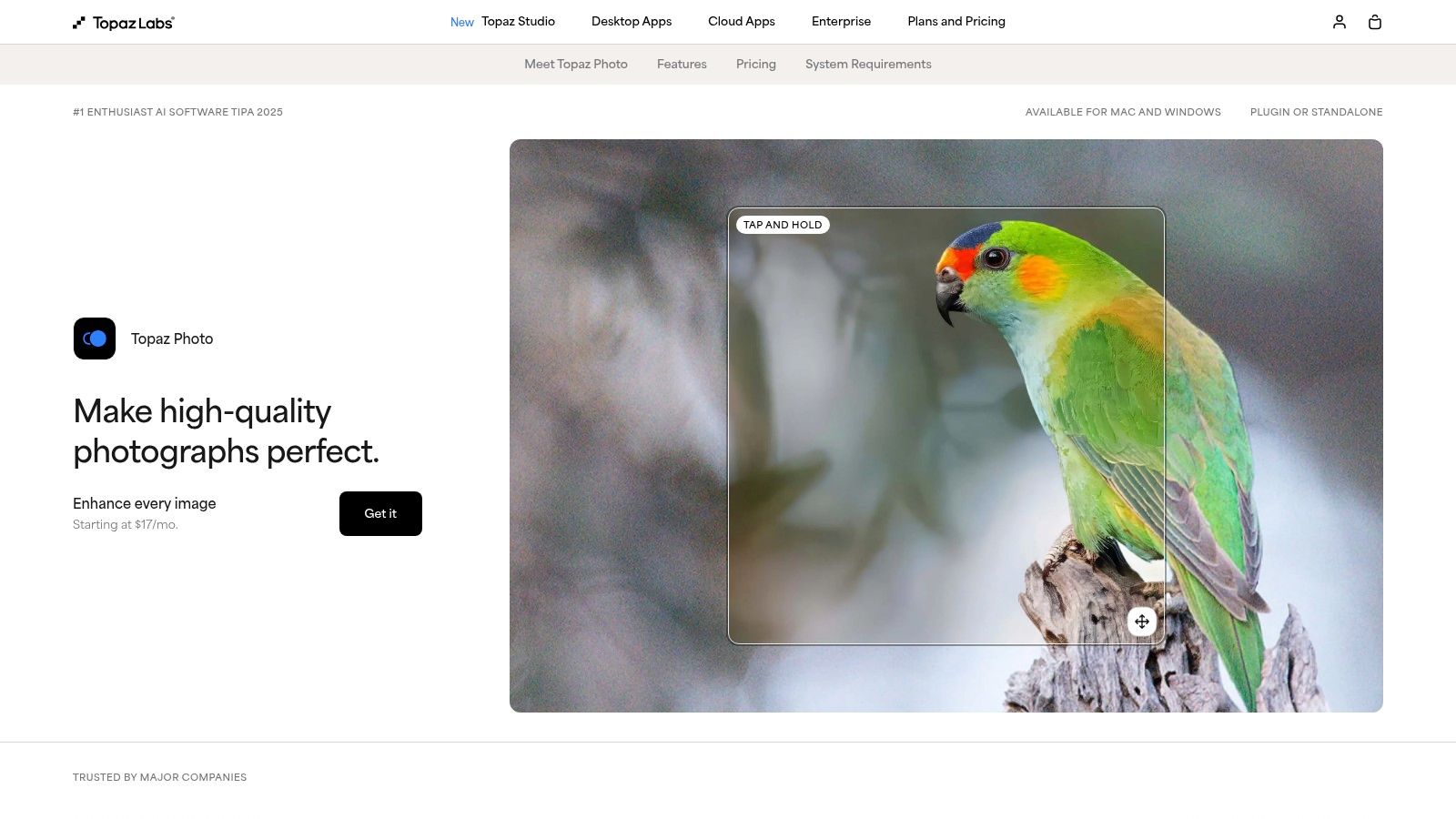
What sets Topaz apart is its local processing power. It leverages your computer's GPU to do the heavy lifting, giving you more control and privacy than purely cloud-based services. The "Recover Faces" feature is particularly impressive, restoring realistic facial details in low-resolution portraits with uncanny accuracy. For professionals who need the absolute best-in-class results for specific enhancement tasks, especially for print or large-format displays, Topaz often outperforms the generalists.
Core Features & Use Cases
- Best For: Professional photographers, print studios, and anyone who needs the highest possible quality for upscaling and noise reduction.
- Standout Features:
- Dedicated Upscaling & Sharpening Models: Produces incredibly clean and detailed enlargements, ideal for restoring old family photos or preparing wildlife shots for large prints.
- Recover Faces: A magical tool for event and portrait photographers who need to salvage faces from wide group shots or slightly out-of-focus images.
- Local GPU Processing: Offers speed and security, making it a reliable choice for batch-processing large volumes of sensitive client images without uploading them.
The downside is its specialization and cost. It's a one-time purchase (around $199) with an optional renewal for updates, which can be steep for casual users. Plus, it's a dedicated desktop app for Windows/Mac, so there’s no on-the-go mobile editing. But for those who refuse to compromise on final image quality, Topaz Photo is in a league of its own.
Website: Topaz Photo AI
4. ON1 – Resize AI
If your primary goal is turning digital images into stunning, large-scale prints, then ON1 Resize AI should be on your radar. Unlike all-in-one editors, Resize AI focuses on one task and does it exceptionally well: upscaling images with a proprietary deep learning model designed to create realistic detail for physical printing. It's built for photographers who need to blow up a crop from a wedding shoot or artists looking to upscale AI-generated art into gallery-worthy pieces without losing an ounce of fidelity.
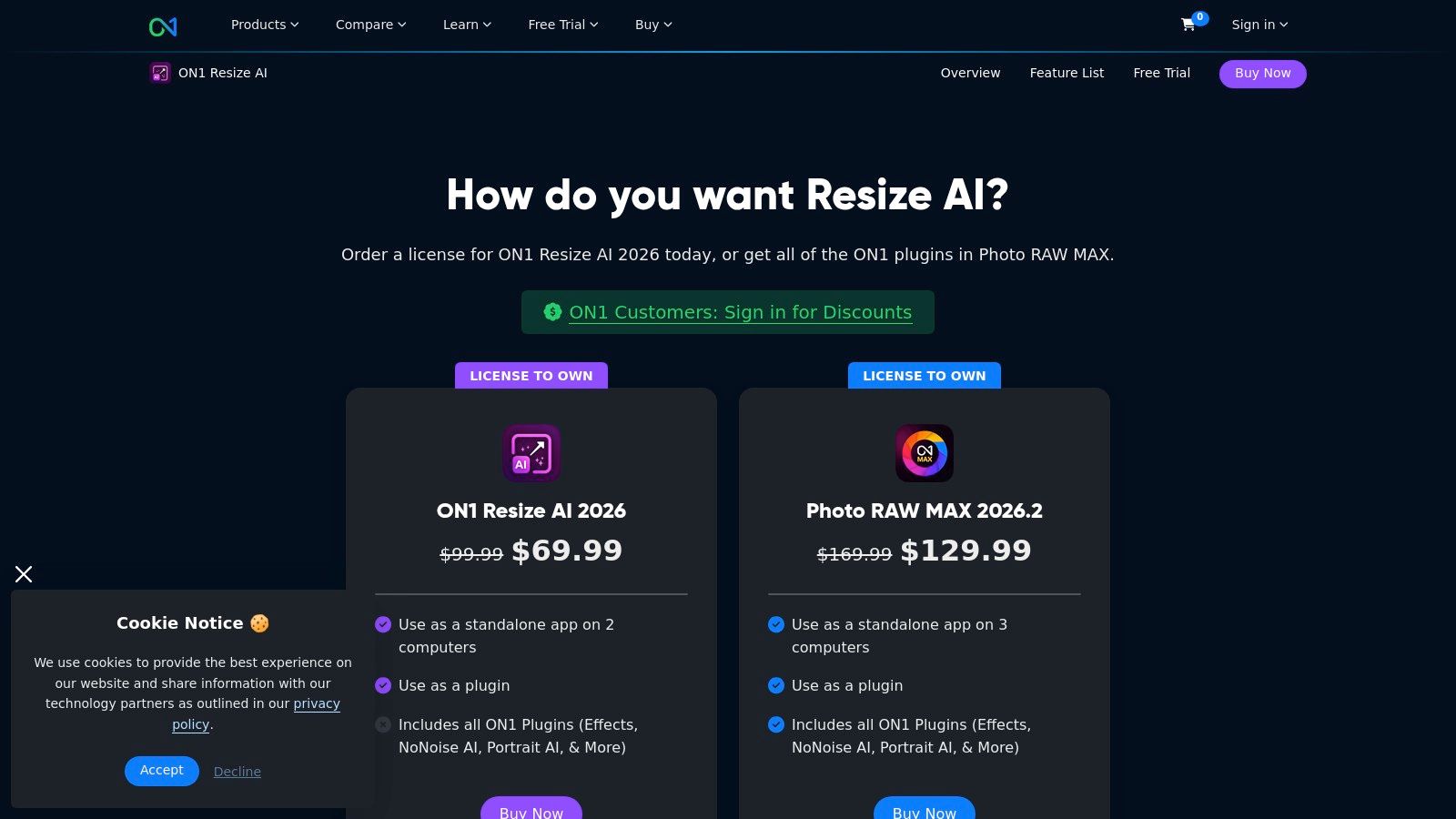
What makes it a standout choice is its business model and workflow integration. It offers a perpetual license, a rare treat in a subscription-dominated world, and slots directly into Adobe workflows as a plug-in for Photoshop or Lightroom. This allows users to leverage its powerful resizing engine without leaving their familiar editing environment, making it one of the most practical ai image enhancement tools for print-focused professionals.
Core Features & Use Cases
- Best For: Photographers, print labs, and digital artists who frequently need to enlarge images for high-quality printing.
- Standout Features:
- Proprietary Upscaling Model: Excels at creating natural-looking textures and details when enlarging photos for print.
- Face Recovery AI: A dedicated model specifically trained to reconstruct and sharpen facial details during the upscaling process.
- Plug-in & Standalone Versatility: Use it within your existing Adobe suite or as a dedicated app with robust batch processing and printing options.
The main tradeoff is its specialized focus; it won't replace a full editor for general enhancements. However, for those tired of subscriptions, ON1 Resize AI is available for a one-time purchase of $99.99 (or included in their Photo RAW MAX suite). This makes it an incredibly cost-effective tool for anyone who needs best-in-class image enlargement without the monthly fees.
Website: ON1 Resize AI
5. Skylum – Luminar Neo
If the Adobe ecosystem feels like a sprawling metropolis, Luminar Neo by Skylum is the sleek, ultra-modern boutique hotel just around the corner. It's an AI-forward photo editor that cleverly balances powerful features with an approachable, intuitive interface. Rather than burying its AI capabilities deep in menus, Luminar puts them front and center with tools like Upscale AI, Supersharp AI, and Noiseless AI, making complex restorations a one-click affair. This focus on simplicity makes it one of the best AI image enhancement tools for those who want professional results without a steep learning curve.
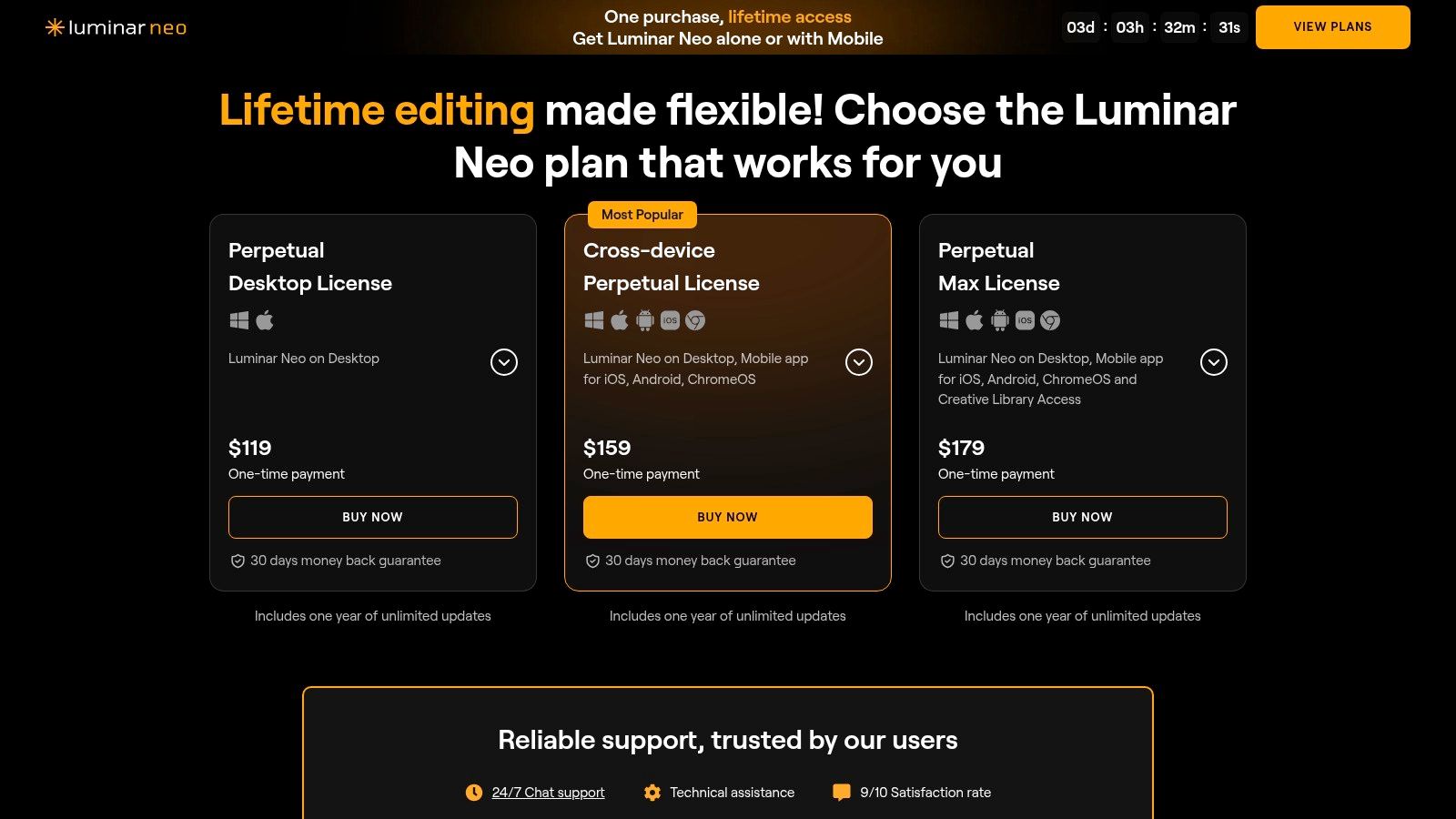
What makes Luminar Neo particularly compelling is its versatility. It operates as a robust standalone application for quick edits but also integrates seamlessly as a plug-in for Photoshop and Lightroom. This allows users to leverage its powerful AI presets and non-destructive editing engine directly within their existing workflows. For teams and individuals wary of endless subscription fees, Luminar’s option to purchase a perpetual 'lifetime' license is a breath of fresh air.
Core Features & Use Cases
- Best For: Hobbyist photographers, content creators, and professionals looking for powerful, fast AI edits without the complexity of Adobe.
- Standout Features:
- One-Click AI Tools: Supersharp AI and Noiseless AI are perfect for marketers and social media managers needing to quickly fix blurry or grainy event photos.
- Versatile Workflow: Use it as a quick standalone editor or as a powerful plug-in to supercharge your Adobe creative process.
- Flexible Licensing: The perpetual license is a huge plus for small businesses and freelancers wanting to manage software costs without recurring subscriptions.
The main drawback can be keeping track of which features are included in different license tiers or updates. However, for those seeking an accessible yet potent alternative that prioritizes speed and AI-driven results, Luminar Neo is a fantastic choice that democratizes high-end photo enhancement.
Website: Luminar Pricing
6. Let’s Enhance (Claid)
If you're looking for a workhorse that specializes in upscaling and cleaning images without the complexity of a full-blown editor, Let’s Enhance is your go-to. It operates as both a user-friendly web app and a powerful API (under the Claid.ai brand), making it incredibly versatile. This tool excels at taking low-resolution images, removing compression artifacts, and spitting out crisp, high-resolution versions ready for e-commerce, print, or digital marketing. It's less about creative manipulation and more about technical perfection and automation.
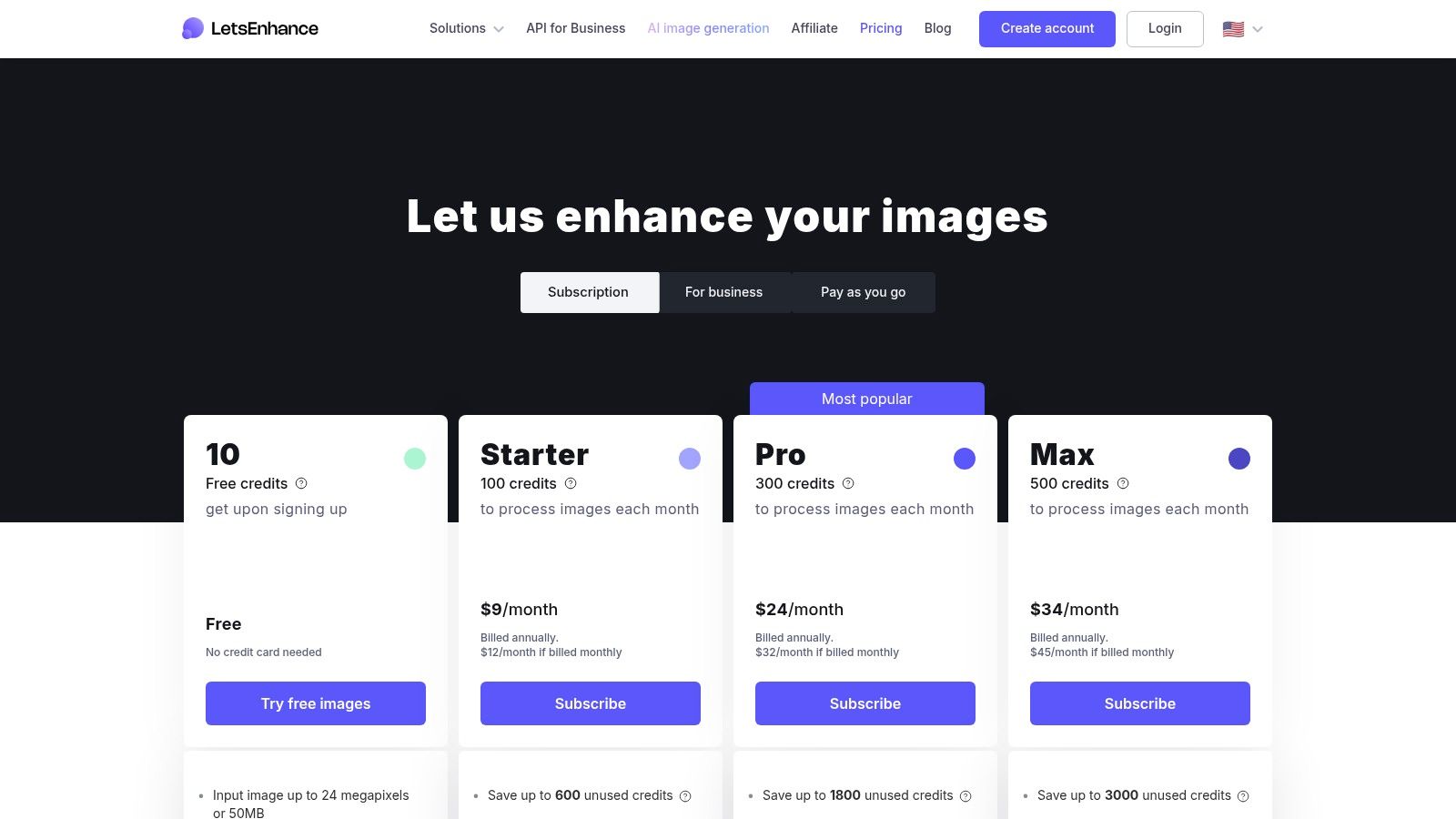
The platform’s strength lies in its focused, preset-driven approach. You can quickly apply settings optimized for online marketplaces or high-quality printing, taking the guesswork out of the enhancement process. Its straightforward, credit-based system (1 credit = 1 image) also makes costs predictable, which is a massive plus for businesses processing images at scale. While it may not offer the creative bells and whistles of a tool like Photoshop, its dedication to being one of the best ai image enhancement tools for resolution and clarity is undeniable.
Core Features & Use Cases
- Best For: E-commerce businesses, developers needing an API, and anyone who needs to batch process and upscale images for specific outputs like print or web.
- Standout Features:
- High-Resolution Upscaling: Can upscale images up to a massive 256MP (personal) or 500MP (business), perfect for large-format printing.
- E-commerce & Print Presets: One-click solutions to normalize colors and tones, ensuring product photos look consistent and professional.
- API for Automation (Claid.ai): Allows developers to integrate enhancement directly into their workflows, ideal for user-generated content platforms or online marketplaces. For a deeper dive, check out this comparison between PixelPanda and Claid.
The pricing is credit-based, with free tiers that may include watermarks. Personal plans offer credit rollovers, while business tiers unlock higher resolutions and team features. It’s an efficient, results-oriented tool that delivers on its promise of making your images bigger and better with minimal fuss.
Website: Let’s Enhance Pricing
7. VanceAI
If you're looking for a versatile toolkit that balances online convenience with offline privacy, VanceAI is a compelling contender. It operates as a comprehensive suite of AI image enhancement tools, accessible through a web browser or a downloadable PC application. This dual-access model is its standout feature, catering to users who want quick, one-off enhancements online or prefer the security and speed of local processing for bulk projects without uploading sensitive images to the cloud. It’s a flexible approach that respects different user workflows and privacy concerns.
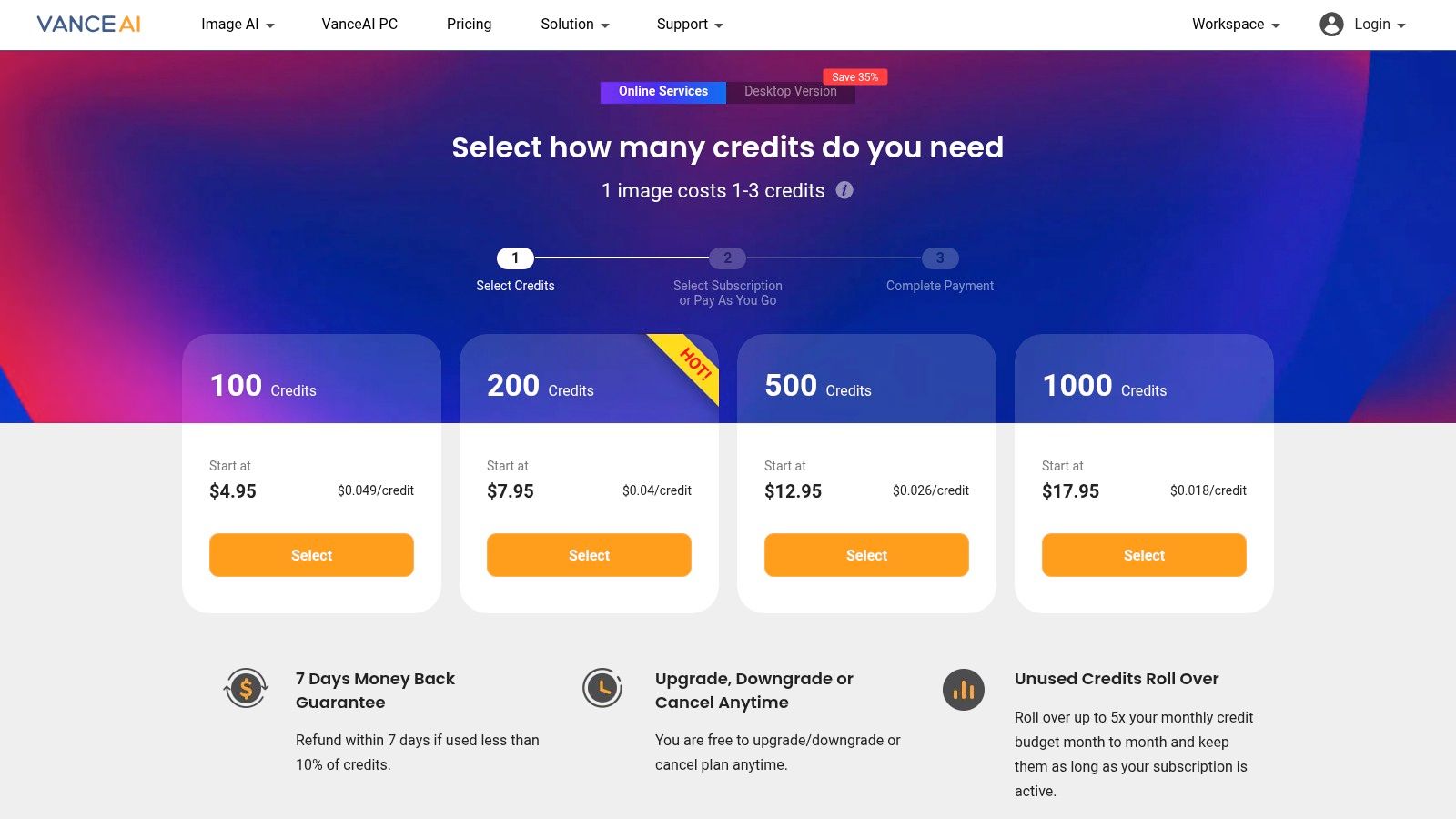
VanceAI covers all the essential bases, from upscaling and sharpening to denoising and background removal, making it a solid all-in-one solution. The platform’s pricing structure is equally flexible, offering both pay-as-you-go credit packs and monthly subscriptions. This allows casual users to buy credits for a specific project while letting power users benefit from a recurring plan, which even includes the option for unlimited local processing via the PC app.
Core Features & Use Cases
- Best For: E-commerce sellers needing quick batch processing and users who prioritize data privacy with a local processing option.
- Standout Features:
- VanceAI PC App: Offers the peace of mind of offline processing, which is ideal for confidential or proprietary images. Subscribers can get unlimited local runs.
- Flexible Pricing: Pay-as-you-go credit packs or monthly plans with rollover credits mean you only pay for what you need, reducing wasted spend.
- Batch Processing: A huge time-saver for anyone managing large product catalogs or photo libraries, allowing for simultaneous enhancement of multiple images.
The main drawback is that pricing tiers can change, and more complex tasks like photo restoration might consume more credits than a simple upscale. However, with a 14-day money-back guarantee and its unique hybrid online/offline model, VanceAI provides a powerful and adaptable set of AI image enhancement tools for a wide range of needs.
Website: VanceAI Pricing
8. Icons8 Smart Upscaler
If you're looking for a straightforward, no-fuss upscaler that excels at batch processing, Icons8 Smart Upscaler should be on your radar. This tool is built for speed and efficiency, stripping away complex interfaces to focus on one primary job: making your images bigger and clearer. It’s less of an all-in-one editor and more of a specialized utility, perfect for when you have a folder of 100 product shots or user-generated photos that all need a resolution bump before they can go live.
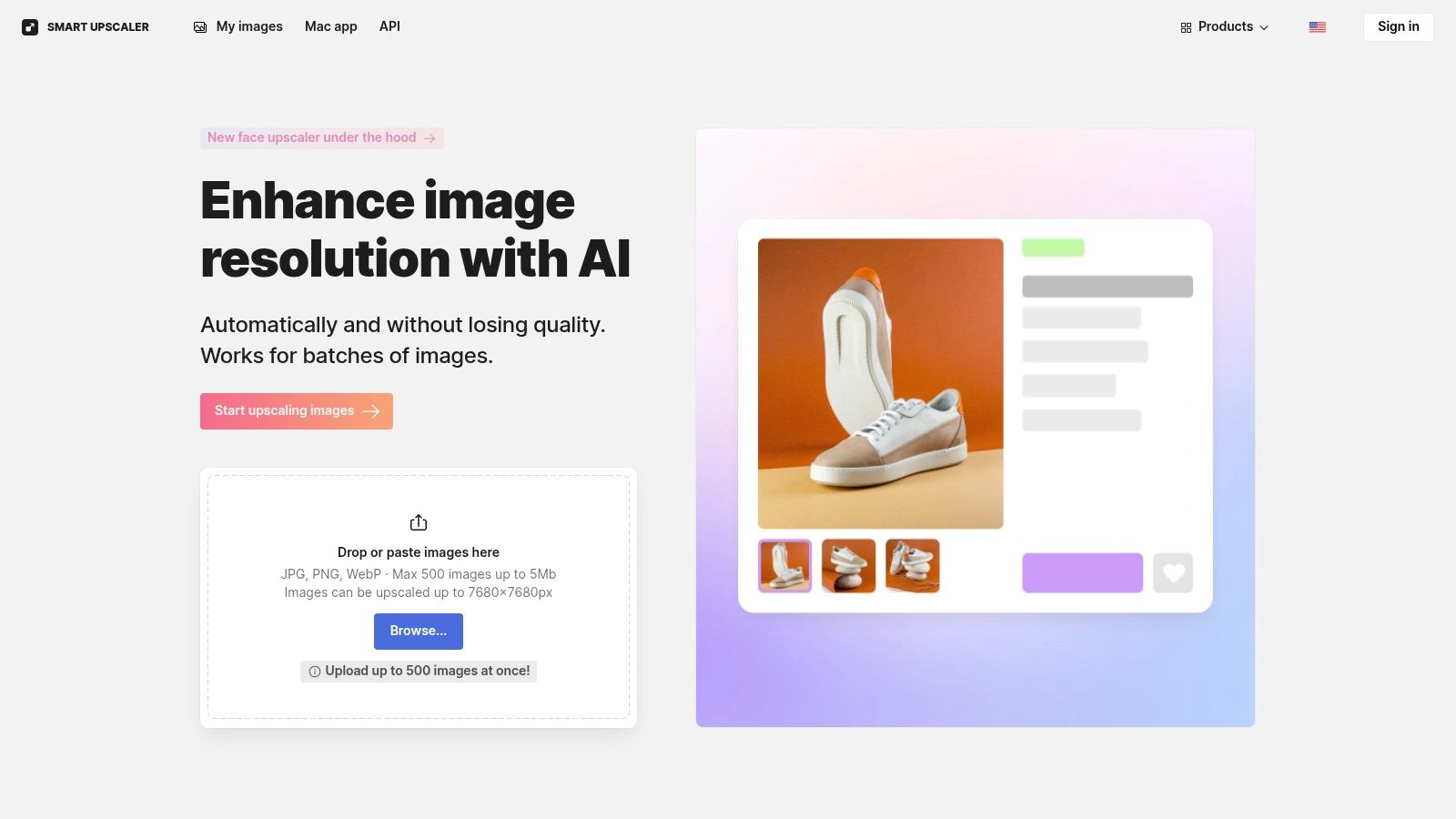
The platform’s major differentiator is its developer-friendly approach and transparent pricing. With a robust API, it's a fantastic choice for teams looking to automate their image enhancement pipelines. Whether you're building an app or streamlining a content workflow, Icons8 provides the backend muscle without the front-end clutter, making it one of the most practical ai image enhancement tools for programmatic use. Want a deeper dive into how this technology works? You can learn more about how to upscale images with AI to understand the magic behind the curtain.
Core Features & Use Cases
- Best For: Developers, e-commerce managers, and marketers who need to upscale images in bulk.
- Standout Features:
- Batch Processing: Upload and process up to 500 images at once, a huge time-saver for large-scale projects.
- Developer API: Easily integrate upscaling into your own applications or automated workflows.
- Flexible Pricing: Choose from prepaid packages, monthly subscriptions, or an unlimited plan, offering predictability for teams.
The main drawbacks are the 5MB per-image upload limit on the web interface and the watermarks on free test images. However, for those who value efficiency and automation over a vast feature set, Icons8 delivers a clean and powerful solution. Pricing is flexible, with prepaid credits and subscriptions available.
Website: Icons8 Smart Upscaler
9. Clipdrop (by Stability AI)
Backed by the power of Stability AI, Clipdrop is less of a single tool and more of a Swiss Army knife for quick-fire AI image enhancements. It presents a suite of creative utilities in a clean, snappy web interface, making it a go-to for marketers and designers who need to perform multiple distinct tasks without getting bogged down in complex software. Need to yank a background, upscale a logo, remove unwanted text from a meme, and relight a product shot all in the same five minutes? Clipdrop has a dedicated tool for each.
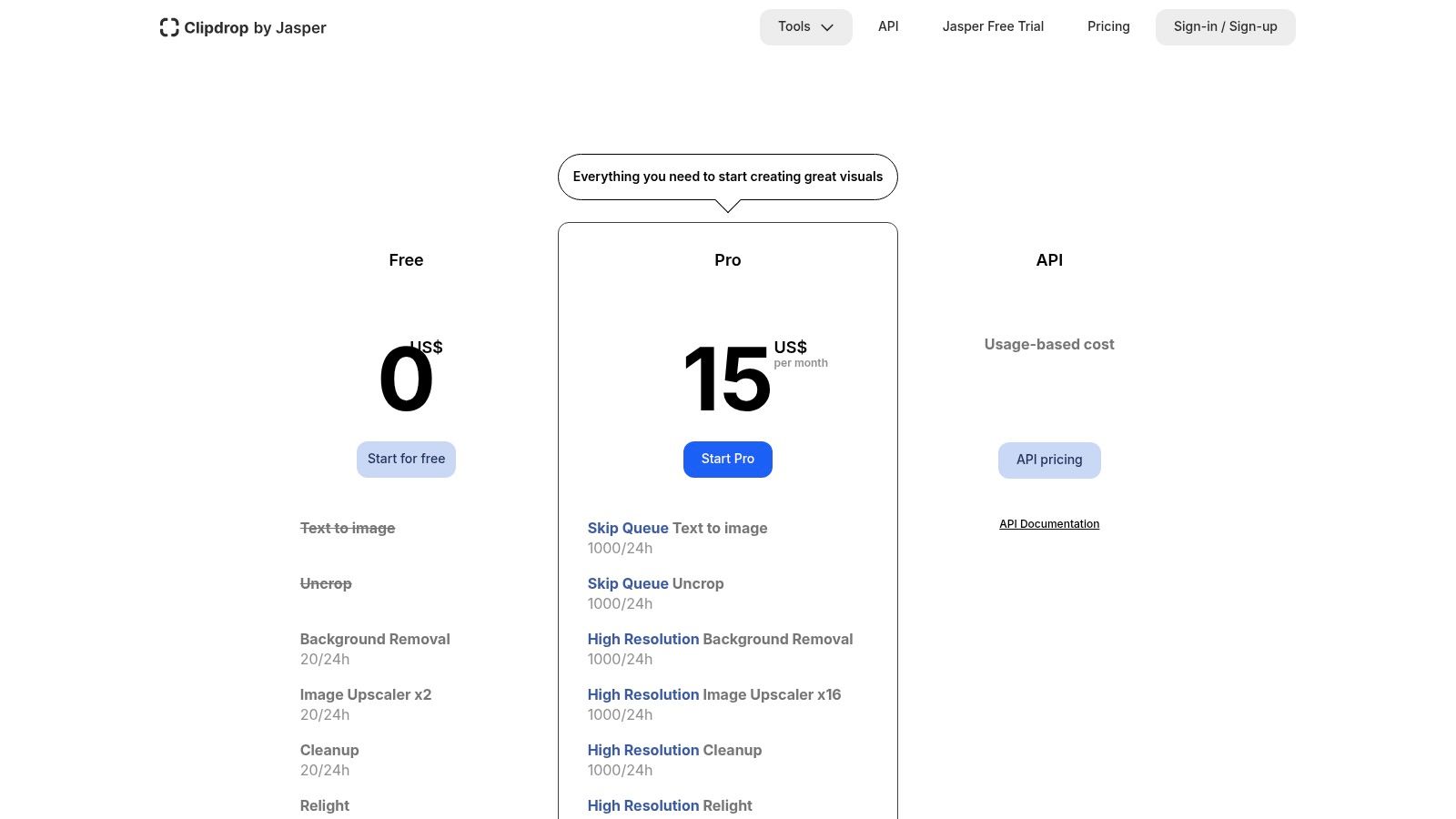
This modular, task-based approach is its main draw. Instead of a single "enhance" button, you pick the specific job you need done, from upscaling an image up to 16x to using generative tools like Uncrop or Reimagine. It’s incredibly fast and convenient, offering a usage-based API that makes it a prime candidate for developers looking to integrate these AI image enhancement tools directly into their own applications.
Core Features & Use Cases
- Best For: Designers, marketers, and developers needing a versatile, fast web-based toolset or a flexible API for various image manipulation tasks.
- Standout Features:
- 16x Image Upscaler: Perfect for e-commerce managers who need to turn low-res supplier photos into high-quality, zoomable product images for their online stores.
- Generative Suite (Uncrop, Text Remover): A content creator's dream for repurposing visuals, extending backgrounds for different social media formats, or cleaning up existing images.
- Usage-Based API: Allows developers and SaaS platforms to integrate powerful image processing without committing to a hefty subscription, paying only for what they use.
The primary limitation is the quota system. Even on paid plans (starting at $9/month), many powerful operations are capped per 24-hour period, which can be a bottleneck for high-volume users. However, for those needing a wide array of reliable AI tools in one convenient place, Clipdrop is a formidable contender.
Website: Clipdrop Pricing
10. Upscale.media (by Pixelbin)
If you're managing a massive e-commerce catalog or need to automate image processing at scale, Upscale.media is built for you. Backed by Pixelbin, this tool zeroes in on the high-volume, low-cost enhancement needs of businesses. It's less about single-image artistry and more about creating a powerful, automated pipeline to upscale product shots, clean up backgrounds, and enhance faces across thousands of images without breaking the bank. It offers a straightforward web interface for quick jobs and a robust API for developers to integrate directly into their workflows.
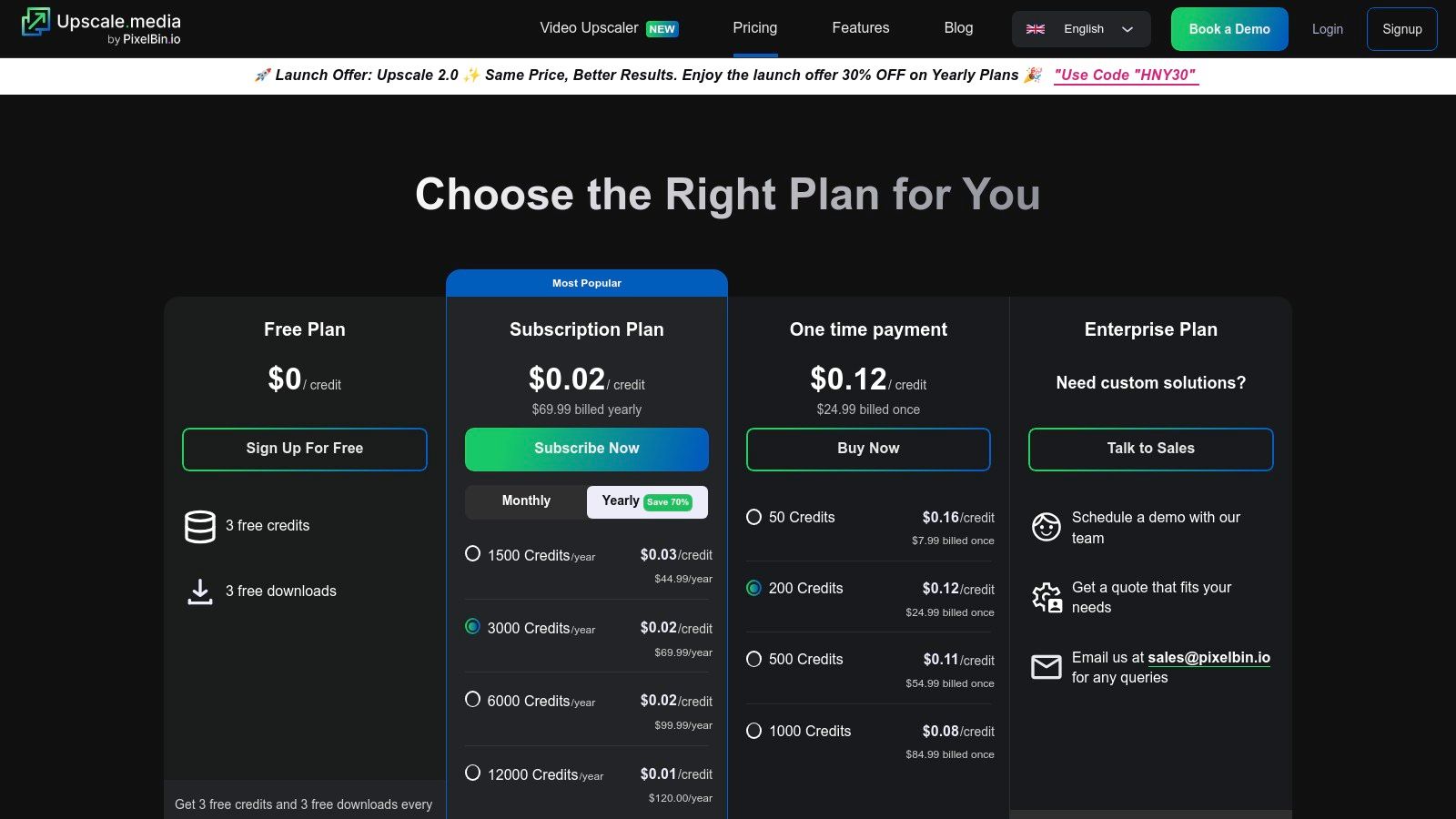
The platform's standout feature is its pricing model. Instead of a rigid monthly subscription, you can buy one-time credit packs or annual bundles, making the per-image cost incredibly low at higher volumes. This credit-based system is perfect for projects with fluctuating needs, allowing you to use your purchased enhancements whenever you need them without worrying about a monthly subscription expiring. This focus on bulk processing makes it one of the most practical AI image enhancement tools for commercial use cases.
Core Features & Use Cases
- Best For: E-commerce sellers, developers, and marketers who need to batch-process a high volume of images cost-effectively.
- Standout Features:
- Bulk API & Console: Developers can automate upscaling and background cleanup for entire product catalogs, saving countless manual hours.
- Credit-Based Pricing: Purchase one-time credit packs or annual plans, offering flexibility and low per-image costs for large-scale operations.
- Face & Background Enhancement: Specifically tuned tools that are invaluable for cleaning up user-generated content or standardizing profile pictures for platforms.
The main drawback is that the credit system requires you to monitor your usage, and refunds are generally not offered, so it’s wise to use the free monthly credits to test the service thoroughly. However, for businesses needing a scalable and affordable solution, Upscale.media provides an enterprise-grade engine without the enterprise-level price tag.
Website: Upscale.media Pricing
11. Remini
If you’ve ever scrolled through social media and seen a miraculously restored old family photo, chances are you’ve witnessed Remini in action. This tool is the king of consumer-focused AI image enhancement, specializing in one thing and doing it exceptionally well: bringing blurry, low-resolution faces back to life with a single tap. Designed for mobile-first users, Remini turns grainy, forgotten photos into share-worthy memories, making it a household name for quick, dramatic restorations.
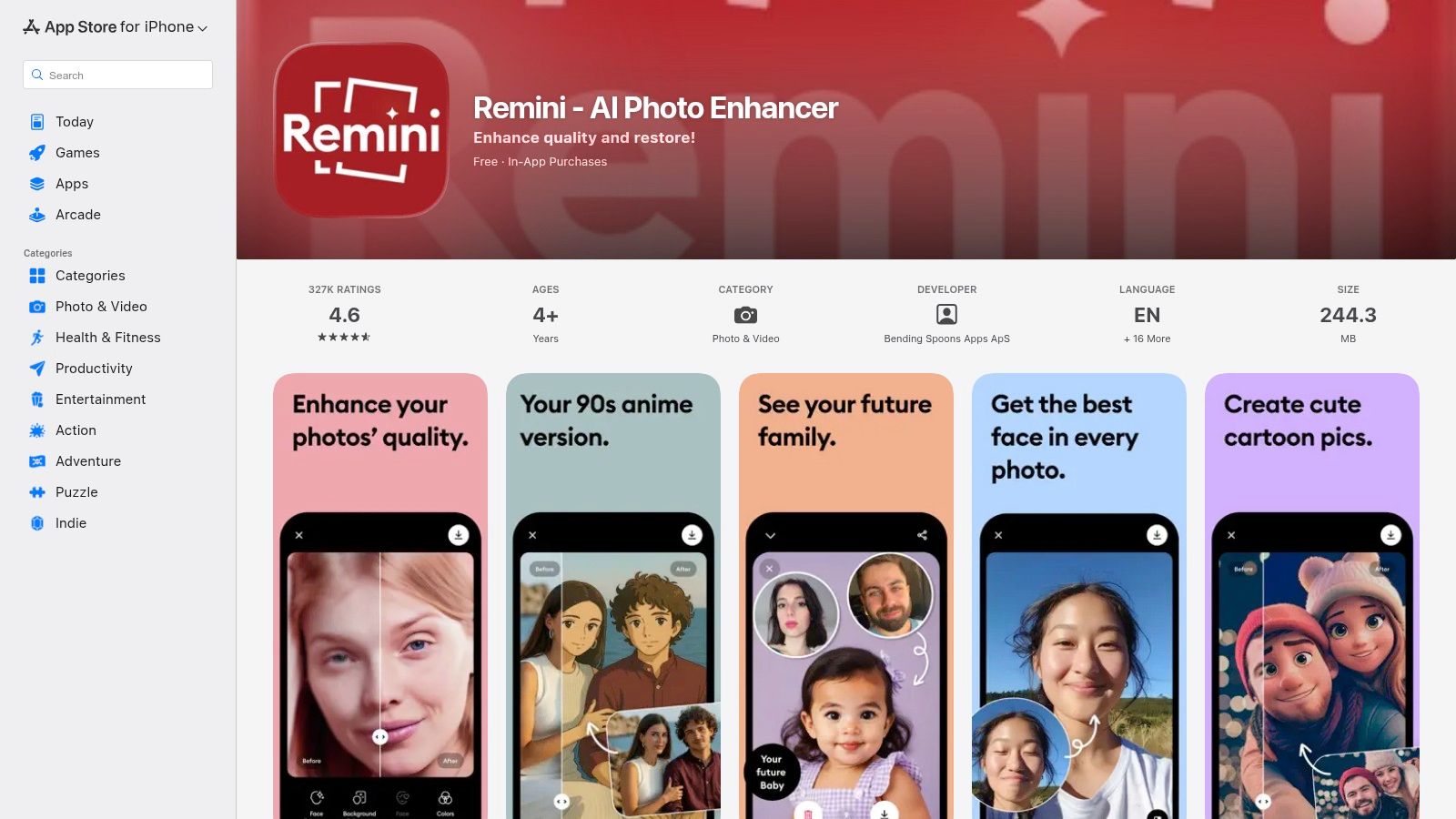
Unlike professional suites, Remini's magic lies in its simplicity. There are no complex sliders or layers to navigate; you upload a photo, press a button, and the AI works its magic to deblur, enhance details, and sharpen faces. It's the go-to solution for anyone needing to quickly rescue a cherished but technically flawed picture without any prior editing knowledge. The platform’s extreme ease of use has made it a viral sensation, proving that powerful AI tools don’t need to be complicated.
Core Features & Use Cases
- Best For: Everyday users, social media enthusiasts, and anyone wanting to restore old family photos without a learning curve.
- Standout Features:
- One-Tap Face Restoration: Its primary function and biggest strength. Incredibly effective at reconstructing facial details in blurry or old photos.
- Video Enhancement: Paid tiers unlock the ability to apply the same clarifying AI to short video clips, a unique feature in the consumer space.
- Cross-Platform Availability: Seamlessly available and easy to use on iOS, Android, and the web, ensuring accessibility for all users.
The main drawback is its aggressive monetization model. The free version is heavily supported by ads and watermarks, while paid plans can be confusing, often billed weekly and varying by region. However, for those looking for the fastest path from a blurry photo to a crystal-clear memory, Remini is undeniably one of the most effective ai image enhancement tools available.
Website: Remini on App Store
12. Deep-Image.ai
If you're less interested in a full-blown creative suite and more focused on a powerful, automatable engine for upscaling and enhancement, Deep-Image.ai deserves a hard look. This tool is built with a clear purpose: to serve high-volume workflows for e-commerce, real estate, and print. It skips the frills of a complex editor and instead delivers a specialized set of AI image enhancement tools that can be plugged directly into your existing systems via a robust API. It's less about artistic tinkering and more about programmatic, consistent quality improvement at scale.
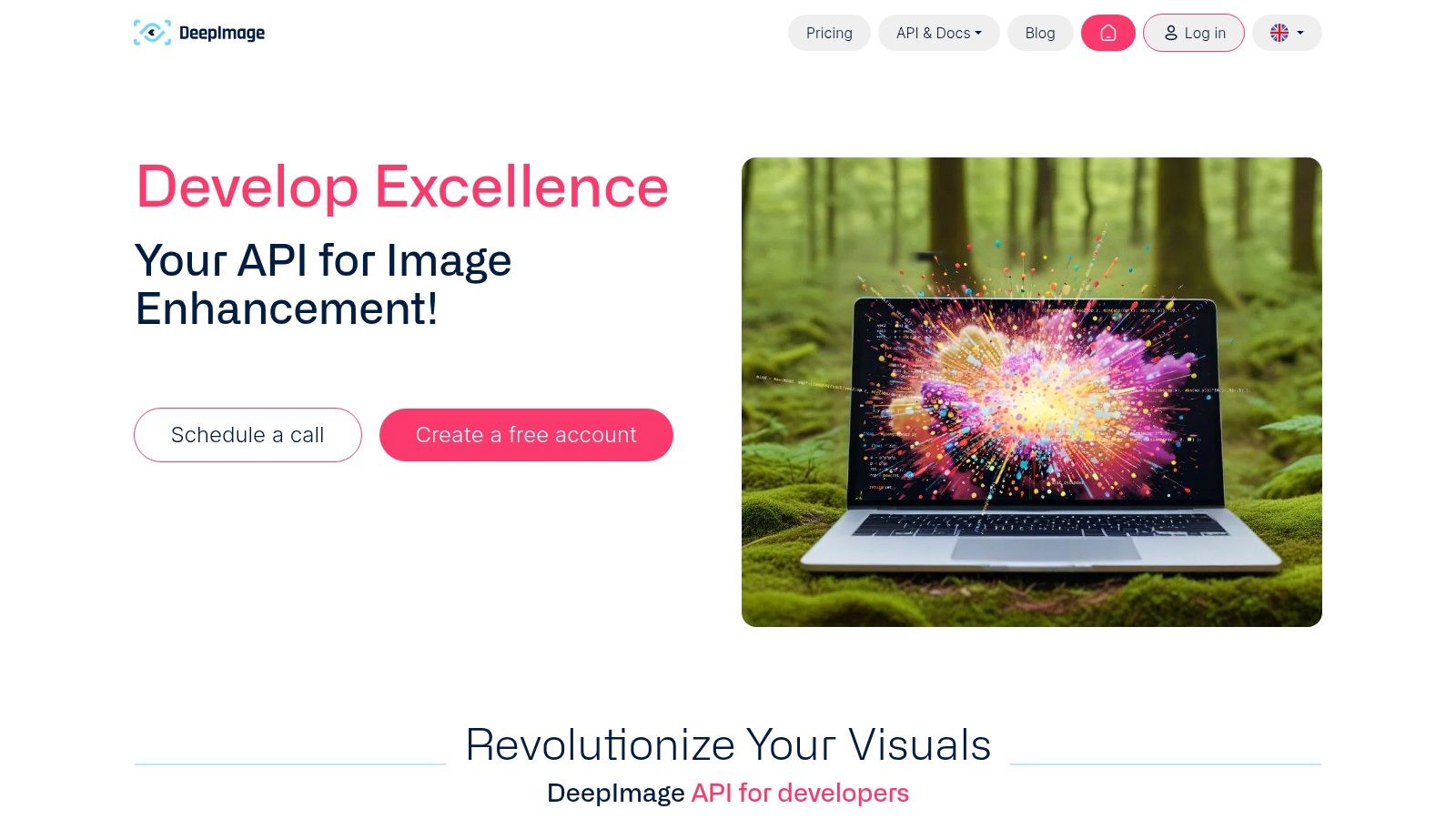
The platform's strength lies in its developer-first approach and transparent pricing. You can batch upload entire product catalogs for 4x upscaling, background removal, and artifact cleanup without manual intervention. This focus on automation makes it a workhorse for businesses that need to process thousands of images efficiently, ensuring every product photo or property listing looks sharp and professional without tying up a designer's time.
Core Features & Use Cases
- Best For: Developers, e-commerce platforms, and marketing teams needing to automate image processing in bulk.
- Standout Features:
- Robust API: Well-documented API for seamless integration into websites, apps, and content management systems. A dream for automating catalog updates.
- Batch Processing: Upload and enhance entire folders of images at once, a massive time-saver for large-scale projects.
- Clear PAYG & Subscription Models: Transparent, per-image pricing that scales predictably, whether you need 100 credits or 5,000.
The trade-off is its utilitarian interface and limited creative scope; it does a few things exceptionally well but isn't a replacement for a full editor. Processed files also have storage time limits, so you'll need your own asset management plan. However, for teams where automation and efficiency are paramount, Deep-Image.ai is a powerful, no-nonsense solution.
Website: Deep Image AI API
Top 12 AI Image Enhancement Tools Comparison
| Product | Key features | Quality & speed (★) | Pricing / Value (💰) | Target audience & USP (👥 ✨) |
|---|---|---|---|---|
| PixelPanda 🏆 | BG removal, text/watermark remove, 4× upscaling, face & hair enhancement, smart inpaint, text‑to‑image, UGC video | ★★★★☆ — images ~15–20s; videos ~1–2min | 💰 100 free credits; plans from ~$39/mo (annual) or $59/mo monthly; images ≈1 credit, videos ≥75 credits | 👥 Marketers, e‑commerce teams, developers; ✨Studio‑quality outputs at scale, dev‑friendly API/SDKs, transparent PNGs |
| Adobe (Photoshop / Lightroom / Camera Raw) | Super Resolution, AI denoise, Generative Remove/Fill, cross‑device cloud sync | ★★★★★ — professional RAW workflow and reliability | 💰 Subscription (Creative Cloud) — varies; high ecosystem value | 👥 Pro photographers & creatives; ✨Industry‑standard tools, deep integrations and extensive tutorials |
| Topaz Labs – Topaz Photo | Dedicated upscaling, Recover Faces, denoise, sharpening, local/cloud GPU rendering | ★★★★☆ — top perceptual quality for portraits & crops | 💰 Desktop app / subscription; higher cost for casual users | 👥 Photographers needing best-upscale quality; ✨Superior face recovery & local GPU batch processing |
| ON1 – Resize AI | Diffusion-based upscaling, face recovery, print/export controls, Photoshop/Lightroom plugin | ★★★★☆ — print‑focused, realistic detail | 💰 Perpetual license or bundle; good for print workflows | 👥 Print professionals & users preferring perpetual license; ✨High‑quality enlargements and plugin support |
| Skylum – Luminar Neo | Upscale AI, Supersharp, Noiseless, generative editing, non‑destructive presets | ★★★☆☆ — approachable AI edits | 💰 Perpetual or subscription options; mid-range pricing | 👥 Enthusiasts & pros wanting easy AI edits; ✨User‑friendly UI and lifetime license choices |
| Let’s Enhance (Claid) | Web + API upscaling, e‑commerce/print presets, outputs up to 500MP | ★★★☆☆ — browser‑centric, reliable high‑res | 💰 Credit‑based (1 image = 1 credit); personal rollover on some tiers | 👥 E‑commerce & print teams; ✨High‑resolution outputs and simple web/API workflow |
| VanceAI | Upscaler, denoise, restore, BG removal; PC app for local processing | ★★★☆☆ — flexible local/cloud runs | 💰 Credit packs & monthly plans; optional PC license for local/unlimited processing | 👥 Privacy-conscious users & SMEs; ✨Local processing option and flexible payment |
| Icons8 Smart Upscaler | Batch up to 500, API, Mac app (GoProd), exports up to 7680×7680 | ★★★☆☆ — effective bulk upscales | 💰 Prepaid, limited monthly, or unlimited plans; predictable pricing | 👥 Teams needing bulk upscales & predictable costs; ✨Clear pricing and developer-friendly API |
| Clipdrop (by Stability AI) | BG removal, relight, uncrop, text remover, upscaler up to 16×, API | ★★★★☆ — fast multi‑tool web experience | 💰 Pro plans with higher quotas; usage‑based API | 👥 Designers & marketers; ✨Wide set of quick web tools with API access |
| Upscale.media (by Pixelbin) | Face enhancement, BG cleanup, API, credit packs, free monthly credits | ★★★☆☆ — low per‑image cost at scale | 💰 One‑time credit packs, annual subs; low per‑image pricing for volume | 👥 E‑commerce catalogs & high‑volume sellers; ✨Low cost per image and bulk API |
| Remini | One‑tap face & old‑photo restoration, deblur, mobile apps, video enhance on paid tiers | ★★★☆☆ — instant social‑ready results | 💰 Freemium with ads/watermarks; subscriptions for full access | 👥 Consumers & social users; ✨Very easy mobile-first restoration |
| Deep-Image.ai | 2×/3×/4× upscaling, large outputs, API keys, batch upload | ★★★☆☆ — utilitarian but scalable | 💰 Clear per‑image pricing; PAYG & subscription options | 👥 E‑commerce, real estate, developers; ✨Developer-friendly API and transparent pricing |
Choosing Your Perfect Pixel Partner: What's Next?
And there you have it, our grand tour of the digital darkroom, a journey through the silicon sorcery of today’s leading ai image enhancement tools. We've gone from the heavyweight champions like Adobe’s suite, where manual control is king, to the specialized ninjas like Topaz Photo AI, which can sharpen a blurry memory into a crystal-clear masterpiece. We’ve seen how platforms like Clipdrop and Let’s Enhance are pushing the boundaries of what’s possible with a simple API call.
The digital landscape is no longer just about slapping on a filter. It's about algorithmic precision, neural network artistry, and a whole lot of math doing the heavy lifting behind the scenes. What was once the exclusive domain of a seasoned photo editor with a Wacom tablet and a gallon of coffee is now accessible, scalable, and automated. This shift is a game-changer for everyone.
The Big Takeaway: It's All About Your Workflow
If there's one golden nugget to take away from this sprawling list, it's this: there is no single "best" tool. The concept is a myth. The real question is, what’s the best tool for your specific mission? The answer hinges entirely on your unique context, your technical needs, and your budget.
Think of it like choosing a vehicle. You wouldn't take a Ferrari off-roading, and you wouldn't enter a Formula 1 race with a minivan. The same logic applies here.
- For the Solo Artist & Photographer: If you're a creative professional meticulously crafting each image, your priorities are granular control, RAW file support, and uncompromising quality. Desktop applications like Adobe Photoshop/Lightroom, Topaz Photo AI, and Luminar Neo are your studios. They give you the levers and dials to perfect every pixel.
- For the High-Volume E-commerce Seller: Your world is about speed, consistency, and scale. You need to process thousands of product photos, remove backgrounds flawlessly, and ensure every image is crisp and uniform. Your heroes are API-first platforms like PixelPanda, Let's Enhance, and Upscale.media. These are the workhorses built for automation.
- For the Developer & SaaS Builder: You're not just editing an image; you're building a feature. Your concerns are API reliability, clear documentation, SDK support, and predictable pricing. You need a partner whose tech seamlessly integrates into your product. PixelPanda, with its comprehensive API and developer-centric approach, is designed specifically for this use case.
- For the Marketer & Content Creator: You're in a constant battle for attention. You need to churn out eye-catching visuals for social media, ads, and blog posts quickly. Web-based tools like VanceAI, Remini, and Clipdrop offer a fantastic blend of power and simplicity, letting you enhance, upscale, and create without a steep learning curve.
Your Action Plan: From Reading to Doing
You've absorbed the information, now it's time to put it into practice. Don't get stuck in analysis paralysis. The best way forward is to get your hands dirty and test these tools with your own real-world assets.
- Identify Your Champion: Pick two or three tools from our list that seem to align perfectly with your primary use case.
- Prepare Your Test Subjects: Grab a handful of your most challenging images. Find that blurry product shot, that poorly lit portrait, or that low-resolution graphic you’ve been meaning to fix.
- Run the Gauntlet: Sign up for the free trials or use the free credits offered by most of these services. Run your test images through each platform.
- Compare the Results: Don't just look at the final image quality. Consider the entire experience. How fast was the processing? How intuitive was the interface or API? Did it produce any weird artifacts?
This hands-on approach will reveal more than any review ever could. You’ll quickly discover which platform "speaks your language" and delivers the results your projects demand. The era of manual, tedious image editing is fading fast. Your perfect pixel partner is out there, ready to help you create stunning visuals faster and more efficiently than ever before.
Ready to see how a truly unified and developer-first API can transform your image and video workflows? Stop juggling multiple services and discover the power of a single, scalable solution. Try PixelPanda and see how our comprehensive suite of ai image enhancement tools can automate everything from background removal to 4K upscaling.