I can still feel the hand cramps from my early days spent meticulously tracing product photos with Photoshop's Pen Tool. One slip-up, and you'd have to start all over again. It was a tedious, pixel-by-pixel battle. Thankfully, those days are a distant memory. Now, you can remove a background with AI in literally seconds. This isn't just about saving time; it's a fundamental shift in how we handle visual content.
The Magic Behind Instant AI Background Removalixelpanda.ai/free-tools/background-remover”>Background Removal
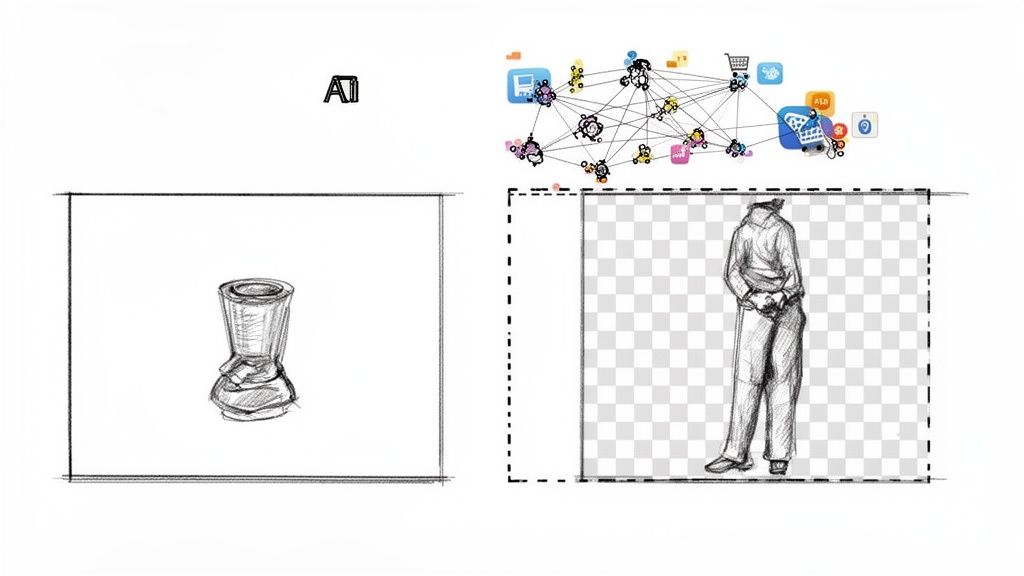
What feels like a magic trick is really just some seriously clever machine learning at work. The tech behind it is called semantic segmentation, which is a high-tech way of saying the AI can identify, classify, and isolate every single object in a picture.
It doesn’t just see a jumble of pixels. It understands context. The AI recognizes "that's a person," "that's a dog," and "that's the sky behind them." This deep understanding is what allows it to create such clean cutouts, even with notoriously tricky subjects.
This changes the game for a few huge reasons:
- Warp Speed: A task that used to eat up minutes—or even hours—is over in the time it takes to upload a file.
- Insane Accuracy: Good AI models are trained on millions of images. They've seen it all, from wispy hair and fluffy pet fur to sheer fabrics and intricate details.
- Effortless Scale: Editing one photo is easy. Editing ten thousand? That used to be a nightmare. AI makes processing massive image batches completely automatic, a must-have for any serious ecommerce store.
From Pixels To Perfection
So, what's happening under the hood? Think of it like teaching a toddler to recognize a car. You show them a picture of a sedan, an SUV, a truck. After seeing enough examples, they can spot a "car" in a new photo, no matter the make or model.
AI models learn the same way, but with pixels. They're fed enormous datasets where every object has been painstakingly labeled by humans. Through this intense training, the AI develops an intuition for what belongs in the foreground versus the background. When you give it a new image, it applies that knowledge to create a pixel-perfect mask, effectively "cutting out" your subject with an accuracy that can be hard to believe.
The real superpower of AI isn't just speed—it's the ability to infer context. It doesn't just see a line; it understands that the gap between a person's arm and their torso should be transparent. That's a tiny detail that takes forever to get right by hand.
The Business Impact of Automation
The commercial side of this is exploding. The market for background removal software is already huge, hitting $500 million in 2025 and projected to grow at a 15% CAGR through 2033. This isn't surprising. E-commerce brands and marketing teams are scrambling to produce clean, professional product shots without getting bogged down in Photoshop. These tools can slash visual workflow times by up to 80%.
Here’s a quick look at how traditional background removal stacks up against modern AI solutions, focusing on speed, cost, and scalability.
Manual Editing vs AI Background Removal
| Metric | Manual Editing (e.g., Photoshop Pen Tool) | AI Background Removal (e.g., PixelPanda) |
|---|---|---|
| Speed | 5-30 minutes per image | 2-5 seconds per image |
| Cost | High (skilled labor, software licenses) | Low (affordable subscriptions, pay-as-you-go) |
| Scalability | Extremely limited, linear effort | Virtually unlimited, processes 1000s of images |
| Consistency | Varies by editor and fatigue level | Perfectly consistent every single time |
| Skill Required | Advanced design skills | None. Just upload and download. |
As you can see, for any business dealing with more than a handful of images, the choice is pretty clear.
This technology is the engine behind the clean, uniform look of modern online retail. For marketers, it means no more bottlenecks waiting for a designer to whip up ad creatives. For developers, it unlocks the ability to build automated systems that can process user-generated content or populate entire product catalogs on the fly. To get a better sense of the bigger picture, it's worth exploring the general discussion of how Artificial Intelligence is used in eCommerce.
Getting That Perfect Cutout—No Code Required
Ready to see the magic happen without touching a single line of code? This is for all the marketers, designers, and online store owners out there who need incredible results, and need them now. We're diving into the simple, drag-and-drop world of graphical user interface (GUI) tools that let you remove a background with AI in just a few clicks.
Forget about clunky software installations or navigating a maze of confusing menus. The whole point of these tools is to be intuitive. You pick your image, upload it, and let the AI do the heavy lifting. The best part? You often get an instant preview of a clean, professional cutout before you even commit.
Let's walk through a real-world scenario. You're a social media manager, and a new product photo just landed in your inbox. The product itself is fantastic, but the background is a cluttered, off-brand mess. Your mission, should you choose to accept it, is to get this image ready for an Instagram post in the next ten minutes. This is where a good GUI tool becomes your best friend.
From Cluttered Photo to Clean Cutout
First things first, you need to pick your image. We’ll grab a tough one for this example: a model with wispy, flyaway hair standing against a busy city street. This is the exact kind of photo that gives even seasoned photo editors nightmares.
With a tool like PixelPanda's interactive demo, you just drag that file right into your browser. No setup, no fuss. The AI immediately gets to work, figuring out that the model is the star of the show and generating a preview with the background completely gone. You can see right away how it handled those tricky edges and preserved the fine hair details.
It's one thing to snip the background from a coffee mug, but it’s a whole different ballgame when you're dealing with fine strands of hair or the delicate pattern on a lace dress. High-quality AI models are trained on these exact challenges to deliver a result that looks natural, not like it was cut out with a digital cookie-cutter.
Choosing Your Export Settings
Once the AI has worked its magic, you need to save your masterpiece. This is where picking the right file format is crucial, and your choice depends entirely on what you plan to do with the image next.
Here’s a quick rundown of your best options:
- PNG (Portable Network Graphics): This is your champion of transparency. If you want to drop your cutout onto a new background or layer it into a design, PNG is the only way to go. It keeps the background totally transparent and delivers a crisp, high-quality image.
- JPG (Joint Photographic Experts Group): This format is a web workhorse, perfect when you don't need transparency. If you’ve placed your product on a solid white background and need a smaller file size for faster page loads, JPG is an excellent choice.
- WebP: A more modern format that gives you the best of both worlds—great compression and transparency support. It often results in smaller file sizes than both PNG and JPG, making it a fantastic pick for websites (just double-check compatibility for older browsers).
For our Instagram post, a high-resolution PNG is the clear winner. It gives us the creative freedom to use the cutout anywhere. For a deeper dive, check out our guide on how to remove the background from a product photo for more e-commerce specific tips.
The shift towards AI in visual content is happening fast. A stunning 62% of marketers are already using generative AI to create new images. This wave is fueling a market for background removal tools expected to hit $500 million in 2025, while the broader AI photo editing industry is set to explode from $450 million in 2024 to a massive $5 billion by 2035. For e-commerce sellers and agencies, this kind of automation means clawing back hours of tedious manual work on every single image. You can dig into more of these AI photography trends at autophoto.ai.
Taking the Plunge: Automating Your Workflow with an API
One-off edits in a GUI are great for a handful of images, but the real power kicks in when you weave AI background removal directly into your software. For developers, this is where things get exciting. An API (Application Programming Interface) is your ticket to building automated visual pipelines that can chew through thousands—or even millions—of images without anyone lifting a finger.
Think about it from an e-commerce perspective. A seller uploads a new product photo. Instantly, your system fires it off to an API, which strips the background, creates a few resized versions for the web and mobile, and pushes it live to the storefront. This all happens in seconds. This isn’t some far-off fantasy; it's exactly what smart, efficient teams are building today.
For most businesses and developers, this kind of integration is surprisingly straightforward. You can tap into available Rest APIs to connect your platform to the AI service, creating a workflow that’s not just fast, but built to scale.
Making Your First API Call (It’s Easier Than You Think)
Diving into an API for the first time can feel a bit intimidating, but most modern services make it pretty painless with clear documentation and simple endpoints. Your first mission is usually a POST request. You’re essentially just sending an image—either as a file or a URL—to the service’s endpoint and getting a clean, transparent version back.
A good API will have documentation that looks something like this, laying out all the parameters you can use to customize the output.
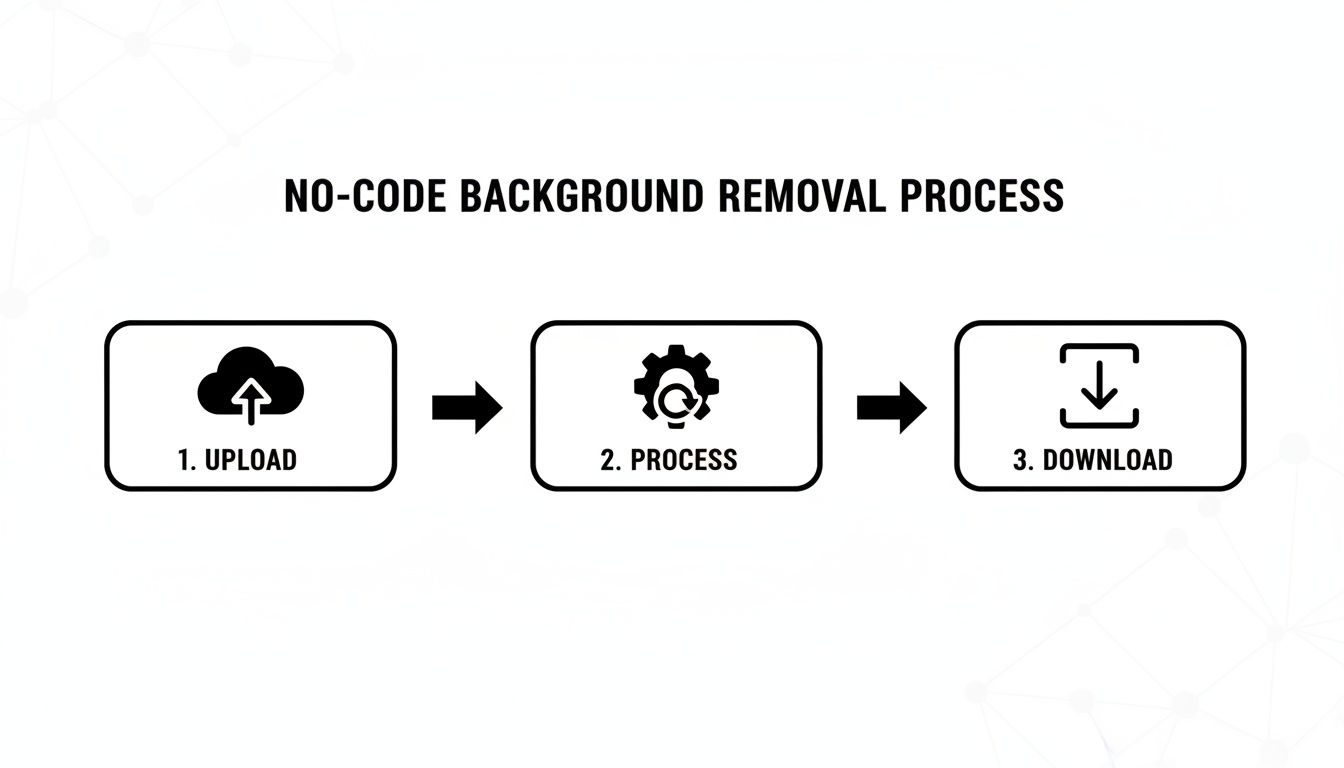
This documentation is your treasure map. It shows you how to handle authentication, format your requests, and interpret the responses, making the whole process a lot less mysterious.
The entire back-and-forth usually breaks down into three simple parts:
- Authentication: You'll get an API key to prove you are who you say you are.
- Request: You send the image data over, maybe with a few options like asking for a transparent PNG.
- Response: The API does its thing and sends back the result, typically a link to your freshly edited image.
The beauty here is that what works for one image works for a million. It’s the foundation for any serious automated visual workflow. To see this in action, poke around the PixelPanda developer documentation for some great examples and code snippets.
From One Image to Ten Thousand: Batch Processing Done Right
Okay, let’s scale up. Imagine an online marketplace adding 10,000 new products from hundreds of different sellers. Doing those by hand? Not a chance. This is the perfect job for a well-designed batch processing system.
Instead of sending one image, waiting for the result, and then sending the next (a synchronous process), you’ll want to go asynchronous. This means you can fire off a huge batch of images all at once and let the service work on them in the background.
For huge jobs, webhooks are your best friend. Instead of your app constantly bugging the API with "Are you done yet?" messages, you give the API a callback URL. Once an image is ready, the API pings your webhook. This is way more efficient and frees up your application to do other things.
Planning for When Things Go Wrong
In the real world, things break. Files get corrupted, an API might have a momentary hiccup—you need to build your integration to handle it all with grace. A robust system doesn't fall over at the first sign of trouble.
Your code should be ready to interpret different HTTP status codes:
200 OK: Success! Everything worked perfectly.400 Bad Request: Whoops. Something was wrong with your request, like a weird image format or a missing parameter.403 Forbidden: Your API key might be wrong, or maybe you've hit your monthly limit.500 Internal Server Error: The problem is on their end. The best move here is to wait a bit and try again, ideally with an exponential backoff strategy so you don't overwhelm the server.
Building in this kind of error handling is what separates a simple script from a production-ready powerhouse. It’s this level of automation that’s fueling a massive industry boom. The background removal software market hit $1.78 billion in 2025 and is on track to reach an incredible $5.65 billion by 2033. This growth is directly tied to the explosion in AI content, with over 15 billion AI-generated images flooding the internet since 2022 alone.
Nailing the Details: Getting Flawless Cutouts on Tricky Subjects
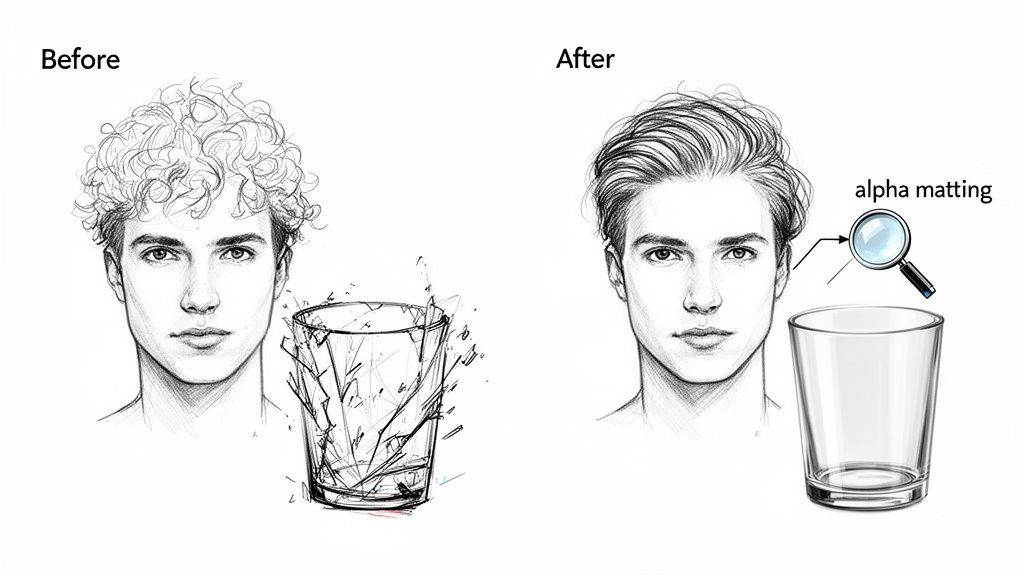
Let's get real. Any decent AI can cut out a coffee mug. But what about the stuff that makes designers sweat? I'm talking about frizzy hair, the delicate wisps of animal fur, or a cocktail in a fancy glass. These are the real tests that separate the good tools from the genuinely great ones.
A lesser tool will leave you with chunky, amateurish edges that just scream "bad Photoshop job." But the truly advanced AI models can handle these nightmare scenarios with a finesse that honestly feels like magic.
The secret ingredient here is a technique called alpha matting. Instead of making a simple "yes" or "no" decision for each pixel, it calculates a transparency value. This is how you get those soft, feathered edges that capture every last strand of hair. It's the difference between a hack job and a pro-level cutout.
How to Give Your AI a Head Start
You can dramatically boost your results before you even upload a single file. Think of it like this: a great AI can clean up a messy photo, but giving it a clean photo to start with? That's when you get perfection.
A few quick checks on your source images will pay you back tenfold:
- Lighting is Everything: An AI loves sharp, clear shadows. It helps it "see" the edges. Soft, diffused lighting can sometimes blur the line between your subject and the background, confusing the algorithm.
- Resolution Rules: More pixels mean more data. A high-resolution photo gives the AI the fine-grained detail it needs to map out every curve and texture with precision.
- Pump Up the Contrast: The bigger the difference in color and brightness between your subject and its background, the easier the AI's job is. A model in a black dress against a white wall? Easy peasy. A fluffy white cat on a white rug? That’s a tough one for any tool.
Getting these things right from the get-go is the fastest way to remove a background with ai and get a clean, professional result every single time.
Here's a pro tip: Don't expect the AI to fix a blurry photo. Its job is to cut things out, not sharpen them. If the edge of your subject is blurry in the original image, the cutout will be blurry too. Garbage in, garbage out.
The Ultimate Challenge: Transparency
Alright, let's talk about the final boss of background removal: see-through stuff. Think wine glasses, sheer fabrics, smoke, or even a splash of water. Your average, run-of-the-mill tool will just treat these like solid objects, completely killing the effect.
This is where a superior AI, like the one we've built into PixelPanda, really flexes its muscles. It's been trained on millions of images to understand and preserve different levels of opacity.
Instead of just cutting a harsh outline, it generates a sophisticated alpha channel that mirrors the object's real-life transparency. So when you drop that cutout of a wine glass onto a new beach background, you'll actually see the sand and waves through the glass. It’s a game-changer.
Standard vs. Professional: A Side-by-Side Look
The difference is truly in the details. A standard cutout might look okay from a distance, but a professional one stands up to close inspection. Here's a quick breakdown of what you're really getting.
| Feature | Standard AI Cutout | Professional AI Cutout (PixelPanda) |
|---|---|---|
| Hair & Fur | Looks clumpy, with weird halos and lost strands. | Captures individual hairs for soft, natural edges. |
| Semi-Transparency | Objects look flat, solid, and totally unrealistic. | Transparency is perfectly preserved for a true-to-life look. |
| Complex Edges | Jagged or artificially smooth lines on intricate shapes. | Razor-sharp lines that follow the subject's true contour. |
| Color Bleed | Ugly fringes of the old background color seep into the edges. | Edges are "decontaminated," leaving pure, clean subject colors. |
At the end of the day, getting flawless results on the tough stuff all comes down to the quality of the AI model. While prepping your images is a huge help, it's the algorithm's intelligence that delivers that truly professional finish.
Choosing the Right AI Background Removal Service
Alright, you're ready to unleash the power of AI on your image backgrounds, but a quick search reveals a dizzying number of options. How do you pick a winner? This isn't just about finding the lowest price per image; it's a strategic move that balances quality, speed, and your budget.
Getting this wrong can be painful. You could end up with a sluggish service that clogs up your workflow, a surprise bill that makes your CFO wince, or sloppy cutouts that need hours of manual fixing. Let's walk through the three big pillars to look at so you can find a partner that actually works for you.
Evaluating Performance and Scalability
When you're churning through thousands of images, speed isn't a luxury—it's everything. The performance of a service directly impacts how fast you can get your products or content to market. The metric you really want to watch is the API response time. This is the stopwatch time from when you send an image to when you get the finished product back. For anything happening in real-time, a delay of more than a few seconds is a total non-starter.
But speed alone is just one part of the puzzle. You also have to think about rate limits, which are basically the service's built-in speed bumps. Imagine you're launching a huge holiday campaign and suddenly your API access gets cut off an hour in because you hit your daily limit. Your entire visual pipeline would grind to a halt.
Look for a service that offers:
- Honest Documentation: The provider should be totally transparent about their average response times and any rate limits. No hidden surprises.
- Serious Throughput: Can their system actually handle huge batches of images all at once without collapsing into a digital heap?
- Room to Grow: Does their infrastructure have the muscle to scale with you as your business explodes?
Here’s a pro tip: before you sign any contracts, run your own stress test. Throw a few hundred of your images at the service during your busiest time of day and see how it holds up. The results will tell you more than any sales page ever could.
Understanding the True Cost
AI pricing models can be notoriously tricky. That shiny "price per image" on the homepage rarely tells the full story. To get a real sense of the cost, you have to look at the total picture.
Some services will push you into a monthly subscription with a fixed number of credits, while others are purely pay-as-you-go. A subscription might look cheaper per image, but you could end up paying for credits you never use. On the flip side, pay-as-you-go is flexible but can get pricey if your volume suddenly skyrockets.
The real hidden cost? The "human-in-the-loop" tax. If an AI boasts 95% accuracy, that sounds amazing, right? But if you're processing 100,000 images, that means 5,000 of them will need a human to review and fix them. The cost of that manual labor can easily eclipse what you're paying for the API.
To sidestep any nasty surprises, map out your estimated monthly volume and run the numbers on a few different pricing models. And don't forget to check for overage fees or extra charges for add-on features. If you're weighing your options, our deep dive comparing PixelPanda vs. Remove.bg gives you a good look at how different services structure their costs.
Quality Assurance for Automated Workflows
This is it—the most critical piece of the puzzle. When you're trusting an AI with your entire product catalog, how can you be sure the quality is up to snuff without checking every single image by hand? You need a smart Quality Assurance (QA) plan.
A fantastic place to start is by creating what I call a "golden set." This is your own hand-picked collection of the toughest images you have—think frizzy hair, delicate jewelry, or semi-transparent cocktail glasses. Run this "torture test" set through any service you're considering. The results will give you a brutally honest look at its true capabilities.
For ongoing QA, a spot-checking system is your best friend. Just randomly pull a small percentage of images from each batch—say, 1%—and give them a quick manual review. If you start noticing the same mistakes popping up, you’ll know it’s time to have a chat with your provider. Some of the more advanced teams I've seen even build their own automated checks to flag images with fuzzy edges or weird color artifacts for a human to look at.
Ultimately, your goal is to find a service that delivers consistently great results you can depend on. That’s what frees up your team to stop pixel-pushing and start focusing on the creative work that actually drives your business forward.
AI Background Removal Service Evaluation Checklist
Choosing the right partner is a big decision. This checklist is designed to help you methodically compare different services, ensuring you cover all the critical technical and business factors before making a commitment.
| Evaluation Criteria | Questions to Ask | What to Look For |
|---|---|---|
| API Performance | How fast is the average API response time? What are the rate limits? | Sub-second response times for real-time needs. Clearly documented, high, and flexible rate limits. |
| Quality & Accuracy | How well does it handle complex edges like hair, fur, and semi-transparent objects? | Clean, precise cutouts with no halos or lost detail. A "golden set" test passes with flying colors. |
| Scalability | Can the service handle large, concurrent batch jobs? Does it offer bulk processing endpoints? | A robust infrastructure that doesn't slow down under pressure. Options for high-volume processing. |
| Cost Structure | What is the true cost per image at our expected volume? Are there hidden fees? | A transparent pricing model (subscription or PAYG) that fits your usage patterns. No surprise overage charges. |
| Ease of Integration | Is the API documentation clear? Are there SDKs for our programming language? | Well-written, comprehensive documentation. Official SDKs for languages like Python, Node.js, PHP. |
| Features & Formats | Does it support the input/output file formats we need (e.g., PNG, WEBP)? Can it handle high-res images? | Support for your required formats and resolutions without downscaling. Features like custom backgrounds or color adjustments. |
| Support & Reliability | What is the service's uptime history? What kind of customer support is available? | A public status page showing high uptime (99.9%+). Access to responsive technical support (email, chat, or phone). |
By systematically going through these questions, you can move beyond the marketing hype and make an informed decision based on what truly matters for your specific workflow and business goals.
Got Questions About AI Background Removal? We've Got Answers.
So, you're ready to jump into the world of AI background removal, but a few questions are probably rattling around in your head. It's totally normal. Is it legal? Is it magic? Will it work on that blurry photo from 2007? Let’s clear the air and tackle the questions I hear all the time.
Can I Legally Use This on Any Image I Find?
This is a big one, and the short answer is: it all comes down to copyright. If you took the photo yourself or have a proper license to use it (like from a stock photo site), go nuts. Edit away!
But if you just grabbed a random image off a Google search or someone's portfolio, you're walking on thin ice. Removing the background doesn't magically transfer ownership to you. The original creator still holds the rights, and using their work without permission—even modified—can get you into hot water.
Think of it like this: The AI is just a fancy pair of digital scissors. The real issue isn't the tool you're using, but whether you had permission to cut up the photo in the first place.
What Happens If I Use a Low-Resolution Image?
Technically, sure, an AI can try to process a low-res image. But are you going to like the results? Almost certainly not. Think of it this way: an AI needs good information to make good decisions, and pixels are its information.
Feed it a blurry, pixelated photo, and the AI is basically guessing where the edges are. You'll end up with:
- Jagged, "stair-stepped" edges where the algorithm couldn't find a smooth line.
- Lost details, especially fine hair or textures, because they were just a mush of pixels to begin with.
- A final cutout that just looks soft and unprofessional.
My advice? Always, always start with the highest quality image you can get. Garbage in, garbage out.
Can AI Do This for Videos, Too?
You bet it can! In the video world, this process is often called rotoscoping, and AI has completely changed the game. Before, a visual effects artist would have to manually trace the subject frame by agonizing frame. It was tedious, expensive work.
Now, an AI can analyze the entire video and generate a dynamic mask that follows the subject automatically. Keep in mind, this is a much heavier lift for the computer. A one-minute video at 30 frames per second requires the AI to process 1,800 separate images. But for creators who want to pop themselves into a new scene without a green screen, it's a massive shortcut.
How Does the AI Actually Know What to Cut Out?
It's not magic, it's just a whole lot of training. These AI models have been shown millions upon millions of images where humans have meticulously outlined every object imaginable—people, cars, dogs, you name it.
Through this massive learning process, the AI develops a kind of "object recognition." When you give it your photo, it performs what's called semantic segmentation. It doesn't just see pixels and colors; it sees a person or a product. It uses that contextual understanding to make an incredibly educated guess about what you want to keep, then creates a precise mask to isolate it from the background.
Ready to stop wondering and start creating? With PixelPanda, you get an API built for accuracy and scale, turning hours of manual editing into seconds of automated perfection. Try PixelPanda for free and see the difference for yourself.