Key Takeaway
Your X profile photo is your digital handshake — AI headshots let you create multiple professional variations in minutes, giving you the flexibility to test what resonates with your audience without the cost of traditional photography.
Table of Contents
- Why Your X Profile Photo Matters More Than You Think
- AI Headshots vs Traditional Photography: The Reality Check
- Choosing the Right AI Headshot Generator for Personal Branding
- Preparing Your Source Photos for Best Results
- Step-by-Step: Creating Your Professional AI Headshot
- Optimizing Your AI Headshot for X’s Algorithm
- A/B Testing Your Profile Photo for Maximum Engagement
- Common Mistakes That Make AI Headshots Look Fake
- Frequently Asked Questions
Why Your X Profile Photo Matters More Than You Think

Your X profile photo appears in every reply, quote tweet, and thread you post. For founders building in public, consultants selling expertise, or creators monetizing their audience, that tiny circle is working 24/7 to either build credibility or undermine it.
Research from MIT Media Lab shows that profile photos influence perceived trustworthiness within 100 milliseconds. On X, where users scroll at breakneck speed, your headshot needs to communicate professionalism, approachability, and authority before someone even reads your bio.
The challenge? Traditional headshot sessions cost $200-$800, require scheduling, and deliver one look. If you’re testing different personal brand angles — technical expert versus approachable mentor — you need multiple variations. That’s where AI headshots for personal brand building become invaluable.
AI-generated headshots solve three critical problems for X users building authority:
- Speed: Generate 50+ professional variations in under 10 minutes versus weeks of photographer scheduling
- Cost: Pay $20-$40 one-time instead of hundreds per session
- Iteration: Test different backgrounds, outfits, and expressions to see what drives profile clicks
For solo founders juggling product development and marketing, this efficiency matters. The time saved on coordinating photoshoots can go directly into building your product or creating content that attracts customers.
AI Headshots vs Traditional Photography: The Reality Check
Let’s address the elephant in the room: can AI headshots actually compete with professional photography? The answer depends entirely on your use case and expectations.
| Factor | AI Headshots | Traditional Photography |
|---|---|---|
| Cost | $20-$40 one-time | $200-$800 per session |
| Time to delivery | 10-30 minutes | 1-2 weeks (scheduling + editing) |
| Number of variations | 50-200 options | 15-30 final edits |
| Realism at 400x400px | 95% indistinguishable | 100% authentic |
| Best for | Social media, testing, rapid iteration | Print materials, large format, corporate sites |
Here’s what most people miss: X profile photos display at 400×400 pixels maximum. At that resolution, modern AI headshots are virtually indistinguishable from professional photography. The slight imperfections that might be visible in a 4K billboard vanish at social media dimensions.
“The goal isn’t photographic perfection — it’s communicating credibility at a glance while your audience decides whether to keep scrolling.”
Traditional photography still wins for certain scenarios: executive team pages, speaker headshots for conference websites, or any application requiring print-quality resolution. But for X, LinkedIn, and other social platforms where you need fresh variations to test different positioning, AI headshots deliver 90% of the impact at 5% of the cost.
The technology has improved dramatically since 2022. Early AI headshots suffered from uncanny valley issues — weird teeth, mismatched lighting, floating hair strands. Current generators like those powering ShipPost’s AI headshot tool use diffusion models trained on millions of professional portraits, producing results that pass the scroll test even for discerning audiences.
Key Takeaway
For social media profile photos under 500px, AI headshots deliver professional results indistinguishable from traditional photography at a fraction of the time and cost.
Choosing the Right AI Headshot Generator for Personal Branding
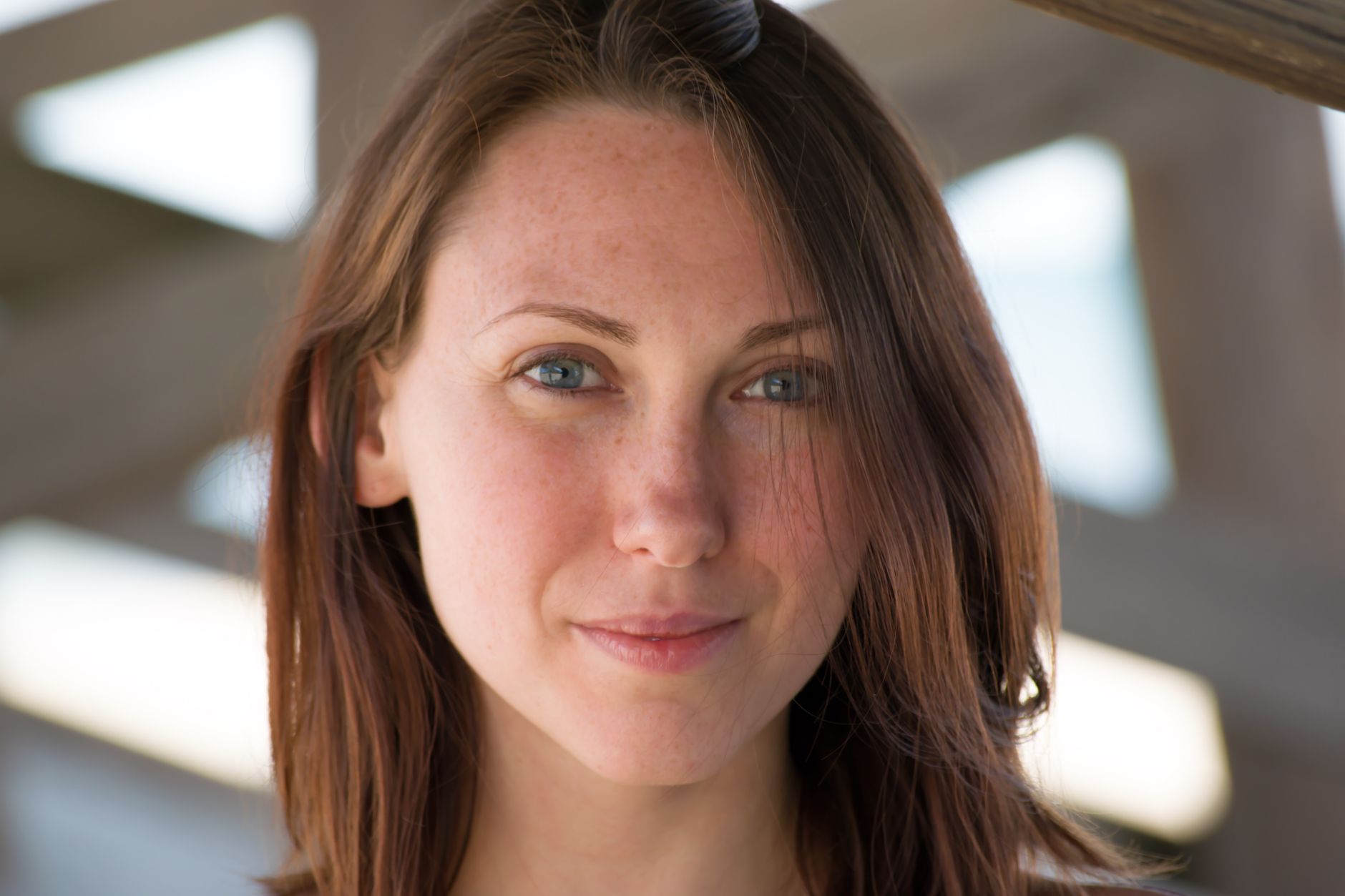
Not all AI headshot generators produce equal results. The market exploded in 2023-2024, creating a minefield of tools that promise professional photos but deliver cartoon-like renderings or obvious AI artifacts.
When evaluating AI headshot generators for your personal brand on X, prioritize these factors:
Training Data Quality and Diversity
The best generators train on professionally shot portraits across diverse demographics, lighting conditions, and backgrounds. This produces natural-looking results regardless of your skin tone, age, or facial structure. Ask whether the tool’s training data includes professional headshots specifically, not just general portrait photos scraped from the internet.
Control Over Output Style
Your personal brand dictates your headshot style. A crypto founder might want edgy, high-contrast lighting. A life coach needs warm, approachable energy. Look for generators offering style presets like “corporate professional,” “creative entrepreneur,” or “approachable consultant” rather than one-size-fits-all outputs.
Background Options and Customization
X profile photos work best with simple, non-distracting backgrounds. The ideal generator lets you choose solid colors, subtle gradients, or professional office settings. Avoid tools that only offer complex backgrounds that compete for attention with your face.
Tools like ShipPost’s AI background remover let you isolate your subject and place it on any background, giving you complete control over the final composition even if your source photos have messy backgrounds.
Resolution and File Format
X recommends profile photos at 400×400 pixels minimum, but accepts up to 2048×2048. Generate headshots at higher resolution so you can crop or reframe without quality loss. PNG format preserves quality better than JPEG for profile photos with solid backgrounds.
Look for generators that explicitly mention training on professional portrait datasets, not generic photo collections.
Most services offer 10-20 headshots for $15-$25. Try before committing to larger packages.
Reputable generators offer satisfaction guarantees if the outputs don’t meet professional standards.
Ensure you own the rights to use generated images for commercial purposes like promoting your business.
Preparing Your Source Photos for Best Results
AI headshot quality depends heavily on your input photos. Feed the algorithm low-quality selfies with bad lighting, and you’ll get professional-looking images of a poorly-lit subject. The AI can’t invent facial features it can’t see.
Follow this preparation checklist to maximize your results:
Lighting Requirements
Take source photos in bright, even lighting. Natural light from a window works better than harsh overhead fluorescents. Avoid strong shadows across your face — the AI interprets these as facial features and may amplify them in the final output.
If shooting indoors, position yourself facing a window during daytime. The soft, diffused light creates the clean canvas AI generators work best with. Avoid direct sunlight, which creates harsh shadows and squinting.
Camera Angles and Framing
Professional headshots typically shoot from slightly above eye level, creating a subtle downward angle that’s universally flattering. Hold your phone or camera 6-12 inches above eye level when taking source photos.
Frame yourself from mid-chest up, ensuring your entire head and shoulders are visible with some space above your head. Tight crops or photos where your face fills the entire frame give the AI less context to work with.
Expression and Posture
Your expression should match your personal brand positioning. Founders and consultants typically want confident but approachable — a slight smile with engaged eyes. Coaches and creators can lean warmer with fuller smiles.
Take 20-30 source photos with varied expressions: neutral professional, slight smile, genuine smile, serious/thoughtful. This gives the AI more data points and increases your chances of getting outputs that capture your personality.
Background and Clothing Considerations
While the AI will replace your background, start with simple, uncluttered backgrounds. Busy patterns or multiple people in the frame confuse the algorithm.
Wear clothing that aligns with your target audience’s expectations. B2B consultants: business casual or formal. Crypto founders: smart casual. Coaches: approachable but put-together. The AI will preserve your clothing style, so choose outfits you’d wear in a professional setting.
Solid colors photograph better than busy patterns. Navy, black, white, and gray are safe choices that work across industries. Avoid bright reds or neons that can cause color bleeding in AI processing.
Step-by-Step: Creating Your Professional AI Headshot
Once you’ve gathered quality source photos, the actual generation process takes minutes. Here’s the exact workflow that produces professional results:
Mix of expressions, angles, and lighting conditions. More variety produces better outputs.
Choose business professional, creative, or approachable based on your personal brand positioning.
Solid colors work best for X profile photos. Choose neutral grays, blues, or subtle gradients.
Most services take 10-45 minutes to process your photos and generate 50-100 variations.
Download 5-10 favorites that best represent your personal brand. Look for natural expressions and accurate facial features.
Use tools like ShipPost’s AI photo enhancer to adjust brightness, contrast, or sharpness without losing quality.
The selection phase matters more than most people realize. You’ll likely receive 50+ options that all look “professional.” The winners are photos where:
- Your eyes look engaged and natural (not glazed or oddly focused)
- Your expression matches your brand personality
- The lighting appears even and professional without looking over-processed
- Your facial features look accurate (AI sometimes smooths or alters nose/jaw shapes)
- The overall image feels authentic, not uncanny or too perfect
Get feedback from trusted colleagues or friends. Show them 3-5 finalists and ask which feels most “you” and most professional. Outside perspectives catch issues you might miss after staring at dozens of variations.
Key Takeaway
The best AI headshot isn’t the most polished — it’s the one that looks authentically like you while communicating the professionalism your audience expects.
Optimizing Your AI Headshot for X’s Algorithm

X’s algorithm treats profile photos differently than regular image posts. Understanding these technical requirements ensures your headshot displays correctly and makes the right impression.
Technical Specifications
X recommends profile photos at 400×400 pixels minimum, but accepts up to 2048×2048 pixels. Upload at the higher resolution — X will automatically scale down for display while preserving quality for when users click to expand.
File size limits sit at 2MB for profile photos. PNG format preserves quality better than JPEG, especially for headshots with solid backgrounds where JPEG compression can create visible artifacts.
The Circle Crop Challenge
X displays profile photos in a circular frame. This crops the corners of your square image, potentially cutting off parts of your head or shoulders if not properly framed.
Before uploading, use a circle crop preview tool to ensure your face sits properly within the circular frame. Leave 15-20% margin around your head to account for the circle crop. Your eyes should sit roughly in the upper third of the circle for optimal framing.
Color and Contrast Optimization
X’s interface uses white backgrounds in light mode and dark backgrounds in dark mode. Your headshot needs to work against both. Test your selected photo against white and black backgrounds to ensure it maintains visibility and impact.
Avoid pure white or pure black backgrounds in your headshot. These blend into X’s interface depending on the user’s theme settings. Medium grays, soft blues, or subtle gradients maintain separation from the UI while remaining professional.
High contrast between your face and background helps your profile photo stand out in crowded feeds. If you’re wearing dark clothing, choose a lighter background. Light clothing works better with medium to dark backgrounds.
Mobile Display Considerations
Over 80% of X users access the platform via mobile devices where your profile photo displays at 48×48 pixels in the timeline. At this size, fine details disappear — what matters is overall composition, contrast, and whether your face is clearly recognizable.
Zoom out on your selected headshot until it’s thumbnail-sized. If you can still clearly see your eyes and expression, it will work well on mobile. If details blur together, choose a tighter crop or higher contrast version.
A/B Testing Your Profile Photo for Maximum Engagement
Your profile photo directly impacts engagement rates. A 2023 study analyzing 50,000 X accounts found that profiles with professional headshots received 38% more profile visits and 24% higher reply rates than those with casual photos or logos.
But which professional headshot performs best? The only way to know is systematic testing.
Setting Up Your Test
Choose 2-3 finalist headshots that represent different approaches: one with a serious expression, one smiling, one with a different background color. Run each for 2-3 weeks while keeping all other variables constant (bio, banner, posting frequency).
Track these metrics for each variation:
- Profile visits (available in X Analytics)
- New follower rate
- Average engagement rate on posts (likes + replies + retweets / impressions)
- Reply rate from new accounts
- Click-through rate on pinned post or bio link
The winner isn’t necessarily the photo you personally prefer. Data reveals which headshot resonates with your target audience.
What the Data Usually Shows
Across industries, certain patterns emerge consistently:
Smiling vs. serious: Slight smiles outperform serious expressions for coaches, creators, and community-focused brands. B2B consultants and technical founders see better results with professional but neutral expressions.
Background colors: Medium blue backgrounds (similar to LinkedIn’s brand color) signal professionalism and increase perceived trustworthiness. Warm grays work well for approachable positioning. Avoid bright or saturated colors that distract from your face.
Tight vs. loose framing: Tighter crops (head and upper shoulders only) perform better on mobile where profile photos display small. Looser framing works when your audience primarily uses desktop.
“Your best-performing headshot might surprise you — what feels too formal or too casual to you often resonates perfectly with your target audience.”
Similar to how e-commerce brands use A/B testing for product images, testing your profile photo systematically removes guesswork from personal branding decisions.
Common Mistakes That Make AI Headshots Look Fake

Even with quality AI generators, certain mistakes immediately flag a headshot as artificial. Avoid these to maintain authenticity:
Over-Smoothing and Plastic Skin
AI generators sometimes over-smooth skin texture, creating a plastic, airbrushed look that screams “fake.” This happens most often when using “beauty enhancement” features or filters.
Natural skin includes pores, slight texture variations, and maybe a few freckles or blemishes. Photos without any texture look artificial. If your generated headshot looks like a wax figure, regenerate without beauty filters or choose a different output.
Inconsistent Lighting Direction
Professional photographers use specific lighting setups that create consistent shadow patterns. AI sometimes generates images where the light source appears to come from multiple directions simultaneously — shadows under the nose don’t match shadows under the chin.
Review your selected headshot carefully. Shadows should all point the same direction. If they don’t, the image will trigger subconscious “something’s off” reactions even if viewers can’t articulate why.
Uncanny Valley Eyes
Eyes are the hardest feature for AI to render convincingly. Look for these red flags:
- Pupils that aren’t perfectly round or are different sizes
- Catchlights (reflections in the eyes) that don’t match the supposed lighting setup
- Irises that look painted on rather than having natural texture
- Whites of eyes that are too white (natural eyes have slight color variation)
If the eyes don’t look right, reject that output. Eyes communicate more than any other facial feature — they’re worth being picky about.
Background Inconsistencies
Even with solid color backgrounds, AI sometimes creates subtle artifacts: slight color variations, odd shadows, or textures that don’t make sense. These details matter less at profile photo size but can undermine credibility if someone views the full-resolution image.
Using dedicated background tools like ShipPost’s background remover gives you more control. Remove the AI-generated background entirely and replace it with a clean solid color or professional gradient.
Clothing and Accessory Glitches
AI struggles with complex patterns, jewelry, and accessories. Common issues include:
- Shirt collars that don’t align properly
- Necklaces or glasses with impossible geometry
- Patterns that warp or repeat unnaturally
- Buttons that aren’t quite symmetrical
Stick with simple, solid-color clothing in your source photos. The AI handles these far more reliably than patterned shirts or complex accessories.
Key Takeaway
The goal is “professionally authentic,” not “impossibly perfect” — slight imperfections actually increase perceived authenticity and trustworthiness.
Maintaining Brand Consistency Across Platforms
Once you’ve created your professional AI headshot for X, the question becomes: should you use the same photo everywhere?
Brand consistency matters, but platform context matters more. Your X headshot optimizes for small circular display and quick recognition. LinkedIn allows rectangular photos and larger display sizes. Instagram profile photos appear even smaller than X.
The strategic approach: use the same general look (outfit, expression, background style) across platforms, but optimize the specific crop and framing for each platform’s technical requirements.
For example, your X headshot might be a tight crop from mid-chest up. The same AI-generated photo could work on LinkedIn with a looser crop showing more of your torso and creating a more formal impression. Instagram might use an even tighter crop focused primarily on your face.
This maintains visual consistency — people recognize you across platforms — while optimizing for each platform’s display characteristics and audience expectations.
When to Update Your Headshot
Personal brands evolve. Your positioning six months ago might not match where you’re taking your business today. Update your AI headshot when:
- Your personal brand positioning shifts (technical expert to thought leader, for example)
- Your appearance changes significantly (new hairstyle, facial hair, glasses)
- You’re launching a new product or service that requires different positioning
- Engagement metrics decline and testing shows a new headshot improves performance
- Your current photo is over 2 years old (people expect some recency)
The beauty of AI headshots: updating costs $20-40 and takes 30 minutes instead of scheduling another photography session. This flexibility lets you iterate on your personal brand without the friction of traditional photography.
Beyond the Profile Photo: Building a Complete Visual Brand
Your profile photo is just one element of your X visual identity. A complete personal brand on X includes:
Banner image: The large horizontal image at the top of your profile. Use this space to communicate your value proposition, showcase social proof, or reinforce your positioning. Tools like AI background generators can create professional banner backgrounds that complement your headshot.
Content visuals: The images you share in posts. Maintain consistent color schemes, typography, and style that align with your headshot’s professional tone. If your headshot uses cool blues and grays, carry those colors into your content graphics.
Video thumbnails: If you share video content, your thumbnail should feature a similar look to your headshot — same background style, similar framing, consistent lighting. This creates instant recognition when people scroll past your content.
Think of your AI headshot as the anchor of your visual brand system. Every other visual element should complement and reinforce the professionalism and positioning it communicates.
Frequently Asked Questions
Can people tell if I’m using an AI-generated headshot?
At social media profile photo sizes (400×400 pixels or smaller), modern AI headshots are virtually indistinguishable from professional photography. Most people cannot tell the difference without examining the full-resolution image closely. The key is using quality source photos and avoiding over-processed outputs with obvious artificial smoothing or lighting inconsistencies.
How many source photos do I need for good results?
15-25 high-quality source photos produce the best results. This gives the AI enough data to understand your facial features from multiple angles and lighting conditions. Using fewer than 10 photos often results in outputs that don’t quite look like you. More than 30 photos rarely improves quality significantly.
Should I disclose that my headshot is AI-generated?
There’s no legal requirement to disclose AI-generated headshots for personal branding on social media. The ethical question depends on your industry and audience expectations. Most users treat AI headshots like professional retouching — an accepted enhancement tool. If you’re in a field where authenticity is paramount (journalism, certain coaching niches), consider using traditional photography or being transparent about your process.
Can I use AI headshots for commercial purposes?
Most AI headshot generators grant commercial usage rights, but verify the specific terms of service for your chosen platform. You typically own the rights to use generated images for your personal brand, marketing, and business purposes. Some services restrict usage in certain contexts like stock photography or resale of the images themselves.
How often should I update my AI headshot?
Update your headshot when your appearance changes significantly, your positioning shifts, or every 18-24 months to maintain recency. Unlike traditional photography, AI headshots make frequent updates practical and affordable. Test new variations quarterly to ensure your profile photo continues performing optimally.
What if the AI headshot doesn’t look like me?
This usually indicates issues with your source photos — insufficient variety, poor lighting, or too few images. Regenerate with 20+ well-lit photos from multiple angles. If results still don’t match, try a different AI generator. Each uses different training data and algorithms that may work better with your facial features.
Can AI headshots work for team profiles?
Yes, AI headshots excel for creating consistent team photos across your organization. Generate headshots for all team members using the same style settings and background choices. This creates visual cohesion that’s difficult to achieve with traditional photography unless you schedule everyone for the same session. Learn more about using AI headshots for team branding.
What’s the biggest mistake people make with AI headshots?
Choosing outputs that look too perfect or polished. The most effective AI headshots retain some natural imperfection — slight skin texture, natural shadows, authentic expressions. Photos that look airbrushed or too perfect trigger subconscious skepticism. Select outputs that look professionally shot but authentically human.
{
“@context”: “https://schema.org”,
“@type”: “FAQPage”,
“mainEntity”: [
{
“@type”: “Question”,
“name”: “Can people tell if I’m using an AI-generated headshot?”,
“acceptedAnswer”: {
“@type”: “Answer”,
“text”: “At social media profile photo sizes (400×400 pixels or smaller), modern AI headshots are virtually indistinguishable from professional photography. Most people cannot tell the difference without examining the full-resolution image closely. The key is using quality source photos and avoiding over-processed outputs with obvious artificial smoothing or lighting inconsistencies.”
}
},
{
“@type”: “Question”,
“name”: “How many source photos do I need for good results?”,
“acceptedAnswer”: {
“@type”: “Answer”,
“text”: “15-25 high-quality source photos produce the best results. This gives the AI enough data to understand your facial features from multiple angles and lighting conditions. Using fewer than 10 photos often results in outputs that don’t quite look like you. More than 30 photos rarely improves quality significantly.”
}
},
{
“@type”: “Question”,
“name”: “Should I disclose that my headshot is AI-generated?”,
“acceptedAnswer”: {
“@type”: “Answer”,
“text”: “There’s no legal requirement to disclose AI-generated headshots for personal branding on social media. The ethical question depends on your industry and audience expectations. Most users treat AI headshots like professional retouching u2014 an accepted enhancement tool. If you’re in a field where authenticity is paramount (journalism, certain coaching niches), consider using traditional photography or being transparent about your process.”
}
},
{
“@type”: “Question”,
“name”: “Can I use AI headshots for commercial purposes?”,
“acceptedAnswer”: {
“@type”: “Answer”,
“text”: “Most AI headshot generators grant commercial usage rights, but verify the specific terms of service for your chosen platform. You typically own the rights to use generated images for your personal brand, marketing, and business purposes. Some services restrict usage in certain contexts like stock photography or resale of the images themselves.”
}
},
{
“@type”: “Question”,
“name”: “How often should I update my AI headshot?”,
“acceptedAnswer”: {
“@type”: “Answer”,
“text”: “Update your headshot when your appearance changes significantly, your positioning shifts, or every 18-24 months to maintain recency. Unlike traditional photography, AI headshots make frequent updates practical and affordable. Test new variations quarterly to ensure your profile photo continues performing optimally.”
}
},
{
“@type”: “Question”,
“name”: “What if the AI headshot doesn’t look like me?”,
“acceptedAnswer”: {
“@type”: “Answer”,
“text”: “This usually indicates issues with your source photos u2014 insufficient variety, poor lighting, or too few images. Regenerate with 20+ well-lit photos from multiple angles. If results still don’t match, try a different AI generator. Each uses different training data and algorithms that may work better with your facial features.”
}
},
{
“@type”: “Question”,
“name”: “Can AI headshots work for team profiles?”,
“acceptedAnswer”: {
“@type”: “Answer”,
“text”: “Yes, AI headshots excel for creating consistent team photos across your organization. Generate headshots for all team members using the same style settings and background choices. This creates visual cohesion that’s difficult to achieve with traditional photography unless you schedule everyone for the same session. Learn more about using AI headshots for team branding.”
}
},
{
“@type”: “Question”,
“name”: “What’s the biggest mistake people make with AI headshots?”,
“acceptedAnswer”: {
“@type”: “Answer”,
“text”: “Choosing outputs that look too perfect or polished. The most effective AI headshots retain some natural imperfection u2014 slight skin texture, natural shadows, authentic expressions. Photos that look airbrushed or too perfect trigger subconscious skepticism. Select outputs that look professionally shot but authentically human.”
}
}
]
}
{“@context”: “https://schema.org”, “@type”: “Article”, “headline”: “How to Create Professional AI Headshots for Your Personal Brand on X (Twitter)”, “description”: “Learn how to create professional AI headshots for your personal brand on X (Twitter). Step-by-step guide with optimization tips, testing strategies, and common mistakes to avoid.”, “datePublished”: “2026-05-18T00:04:36+00:00”, “dateModified”: “2026-05-18T00:04:36+00:00”, “url”: “https://pixelpanda.ai/blog/ai-headshots-personal-brand-twitter-guide/”, “mainEntityOfPage”: {“@type”: “WebPage”, “@id”: “https://pixelpanda.ai/blog/ai-headshots-personal-brand-twitter-guide/”}, “keywords”: “ai headshots for personal brand”, “publisher”: {“@type”: “Organization”, “name”: “pixelpanda.ai”, “url”: “https://pixelpanda.ai”}}
{“@context”: “https://schema.org”, “@type”: “FAQPage”, “mainEntity”: [{“@type”: “Question”, “name”: “Can people tell if I’m using an AI-generated headshot?”, “acceptedAnswer”: {“@type”: “Answer”, “text”: “At social media profile photo sizes (400×400 pixels or smaller), modern AI headshots are virtually indistinguishable from professional photography. Most people cannot tell the difference without examining the full-resolution image closely. The key is using quality source photos and avoiding over-processed outputs with obvious artificial smoothing or lighting inconsistencies.”}}, {“@type”: “Question”, “name”: “How many source photos do I need for good results?”, “acceptedAnswer”: {“@type”: “Answer”, “text”: “15-25 high-quality source photos produce the best results. This gives the AI enough data to understand your facial features from multiple angles and lighting conditions. Using fewer than 10 photos often results in outputs that don’t quite look like you. More than 30 photos rarely improves quality significantly.”}}, {“@type”: “Question”, “name”: “Should I disclose that my headshot is AI-generated?”, “acceptedAnswer”: {“@type”: “Answer”, “text”: “There’s no legal requirement to disclose AI-generated headshots for personal branding on social media. The ethical question depends on your industry and audience expectations. Most users treat AI headshots like professional retouching — an accepted enhancement tool. If you’re in a field where authenticity is paramount (journalism, certain coaching niches), consider using traditional photography or being transparent about your process.”}}, {“@type”: “Question”, “name”: “Can I use AI headshots for commercial purposes?”, “acceptedAnswer”: {“@type”: “Answer”, “text”: “Most AI headshot generators grant commercial usage rights, but verify the specific terms of service for your chosen platform. You typically own the rights to use generated images for your personal brand, marketing, and business purposes. Some services restrict usage in certain contexts like stock photography or resale of the images themselves.”}}, {“@type”: “Question”, “name”: “How often should I update my AI headshot?”, “acceptedAnswer”: {“@type”: “Answer”, “text”: “Update your headshot when your appearance changes significantly, your positioning shifts, or every 18-24 months to maintain recency. Unlike traditional photography, AI headshots make frequent updates practical and affordable. Test new variations quarterly to ensure your profile photo continues performing optimally.”}}, {“@type”: “Question”, “name”: “What if the AI headshot doesn’t look like me?”, “acceptedAnswer”: {“@type”: “Answer”, “text”: “This usually indicates issues with your source photos — insufficient variety, poor lighting, or too few images. Regenerate with 20+ well-lit photos from multiple angles. If results still don’t match, try a different AI generator. Each uses different training data and algorithms that may work better with your facial features.”}}, {“@type”: “Question”, “name”: “Can AI headshots work for team profiles?”, “acceptedAnswer”: {“@type”: “Answer”, “text”: “Yes, AI headshots excel for creating consistent team photos across your organization. Generate headshots for all team members using the same style settings and background choices. This creates visual cohesion that’s difficult to achieve with traditional photography unless you schedule everyone for the same session. Learn more about using AI headshots for team branding.”}}, {“@type”: “Question”, “name”: “What’s the biggest mistake people make with AI headshots?”, “acceptedAnswer”: {“@type”: “Answer”, “text”: “Choosing outputs that look too perfect or polished. The most effective AI headshots retain some natural imperfection — slight skin texture, natural shadows, authentic expressions. Photos that look airbrushed or too perfect trigger subconscious skepticism. Select outputs that look professionally shot but authentically human.”}}]}
