AI Background Generator for Product Photos: Complete 2026 Guide

AI Background Generator for Product Photos: Complete 2026 Guide

Table of Contents

  1. Why AI-Generated Backgrounds Are Replacing Traditional Product Photography
  2. How AI Background Generation Actually Works
  3. Best AI Background Generator Tools for Product Photography in 2026
  4. How to Create Professional AI-Generated Backgrounds Step-by-Step
  5. Optimization Strategies That Actually Improve Conversion Rates
  6. Common Mistakes That Make AI Backgrounds Look Fake
  7. What’s Next for AI in Product Photography
  8. Frequently Asked Questions

Why AI-Generated Backgrounds Are Replacing Traditional Product Photography

A stylish product photography setup featuring driftwood and a perfume bottle on a beige background.
Photo by Amar Preciado on Pexels

The economics of product photography have fundamentally shifted. Traditional photoshoots require studio rentals ($150-$500/day), professional photographers ($75-$200/hour), and extensive post-production work. For e-commerce brands managing catalogs with hundreds or thousands of SKUs, these costs quickly become prohibitive. AI generated backgrounds for product photography solve this problem by reducing per-image costs from $20-$50 down to $0.10-$2.00 while maintaining professional quality.

The transformation goes beyond cost savings. Speed matters in competitive markets. A traditional photoshoot might produce 50-100 finished images per day. AI background generators process the same volume in minutes, enabling brands to launch products faster and test multiple creative variations simultaneously. This velocity advantage translates directly into competitive positioning—brands can respond to trends, seasonal demands, and market shifts without the typical 2-4 week production lag.

Key Takeaway

AI-generated backgrounds reduce product photography costs by 95% while cutting production time from days to minutes, enabling brands to scale visual content creation without proportional budget increases.

Quality consistency presents another compelling advantage. Human photographers, regardless of skill level, introduce variability across shoots—lighting changes, composition shifts, color balance variations. AI systems maintain pixel-perfect consistency across thousands of images, ensuring your entire catalog maintains unified visual standards. This consistency becomes critical for brands managing multi-platform presence where visual coherence directly impacts brand recognition.

The data supports this shift. According to internal analytics from e-commerce platforms, product listings with lifestyle backgrounds convert 40-60% better than plain white backgrounds. However, commissioning lifestyle photography for every product remains economically unfeasible for most brands. AI product photography tools democratize access to high-converting visual content, allowing small brands to compete visually with enterprises that previously dominated through sheer production budget.

73%
of e-commerce brands now use AI-generated backgrounds for at least 25% of their product catalog

How AI Background Generation Actually Works

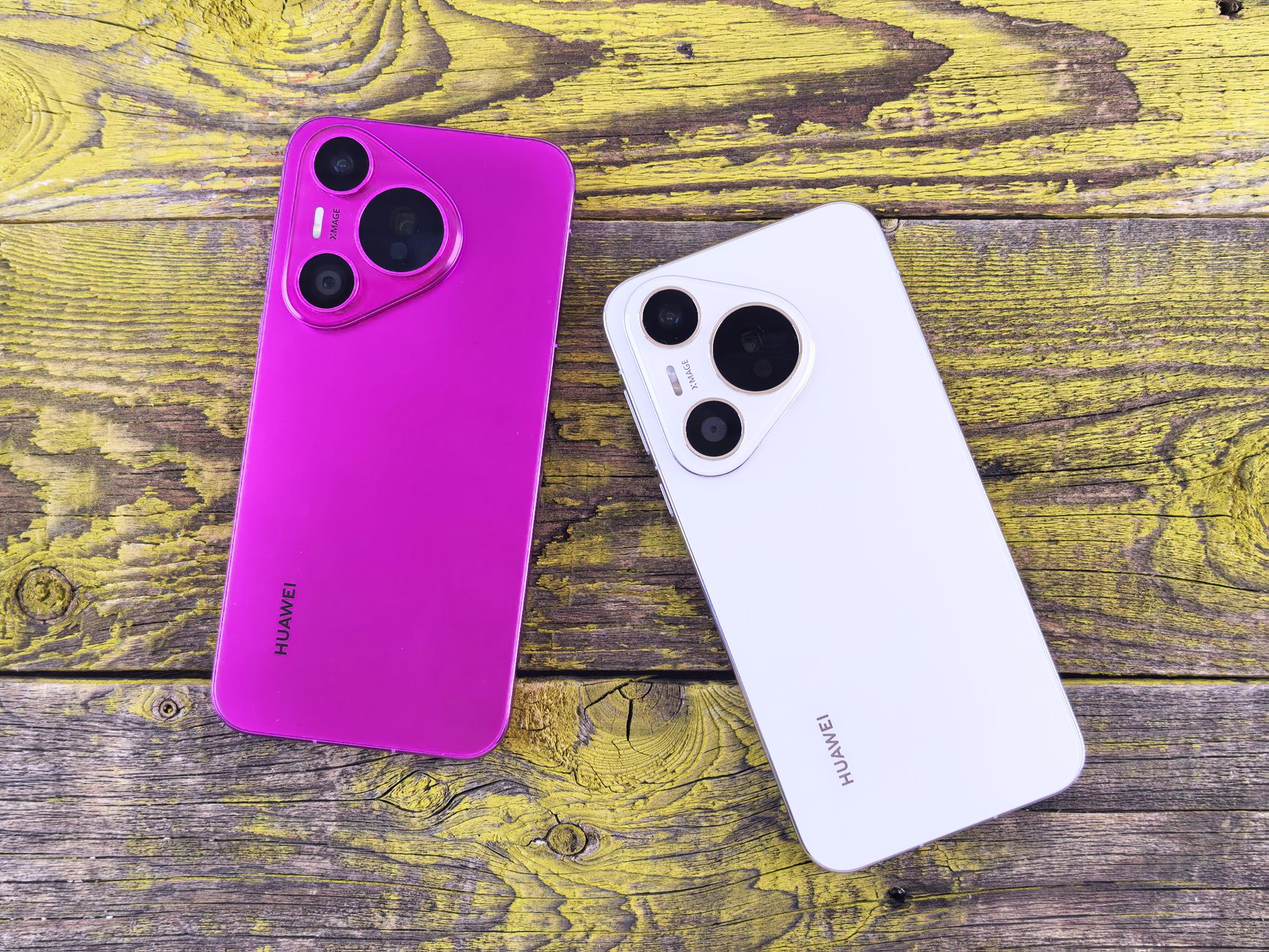
A vibrant purple and sleek white smartphone on a rustic wooden surface, showcasing modern technology and design.
Photo by Andrey Matveev on Pexels

Understanding the technology behind AI generated backgrounds for product photography helps you make better creative decisions. Modern AI background generators use a combination of computer vision, diffusion models, and semantic understanding to create contextually appropriate environments for your products.

The process begins with object detection and segmentation. When you upload a product image, the AI identifies the product boundaries using instance segmentation algorithms—the same technology that powers AI background removal tools. This creates a precise mask separating your product from its original background, preserving fine details like hair, fabric texture, or transparent materials that challenge traditional masking techniques.

The Three-Stage Generation Pipeline

Stage one involves semantic analysis. The AI examines your product to understand what it is (a watch, a candle, athletic shoes), its key attributes (luxury, minimalist, sporty), and appropriate contextual environments. This analysis draws from training on millions of product images across categories, learning which backgrounds enhance specific product types.

Stage two generates the background using diffusion models—the same underlying technology powering tools like Midjourney and Stable Diffusion. Unlike simple background replacement, these models create entirely new scenes from scratch based on text prompts or style parameters. The AI considers lighting direction, perspective, depth of field, and color harmony to ensure the generated background appears photographically authentic.

Stage three involves compositing and refinement. The AI doesn’t simply paste your product onto the new background. Advanced systems adjust edge lighting, add subtle shadows, match color temperature, and apply appropriate depth-of-field blur to create the illusion that product and background were captured together. This compositing intelligence separates professional results from amateur cutouts.

1
Object Segmentation
AI identifies product boundaries and creates precise masks while preserving fine details like transparent materials or complex edges.
2
Context Generation
Diffusion models create photorealistic backgrounds based on product category, brand aesthetic, and specified environmental parameters.
3
Intelligent Compositing
AI adjusts lighting, shadows, color temperature, and depth effects to create seamless integration between product and background.

Training Data and Model Architecture

The quality of AI-generated backgrounds depends heavily on training data diversity. Leading platforms train on datasets containing 10-50 million product images across categories—furniture, fashion, electronics, food, beauty products. This breadth enables the AI to understand category-specific conventions: jewelry benefits from clean, minimalist backgrounds with subtle gradients; outdoor gear performs better in natural environment contexts; tech products often convert best against modern, architectural settings.

Model architecture matters for output quality. Newer systems use latent diffusion models that operate in compressed latent space rather than pixel space, enabling faster generation without quality compromise. Control mechanisms like ControlNet allow precise specification of composition, perspective, and lighting direction—critical for maintaining visual consistency across product lines.

“The best AI background generators don’t just replace backgrounds—they understand product context and generate environments that enhance perceived value while maintaining photographic authenticity.”

Best AI Background Generator Tools for Product Photography in 2026

The AI background generation market has matured significantly, with distinct tools optimizing for different use cases. Selecting the right platform depends on your specific requirements: volume needs, quality standards, customization depth, and workflow integration capabilities.

Platform Best For Price Range Key Strength
PixelPanda E-commerce brands needing volume $29-$199/mo Batch processing + API access
Canva Magic Studio Social media content creators $12.99-$30/mo Template integration
Pebblely Fashion and apparel brands $19-$99/mo Lifestyle scene generation
Photoroom Mobile-first workflows Free-$19.99/mo On-device processing speed
Claid.ai Enterprise catalog management Custom pricing Advanced API + webhooks

Volume and Workflow Considerations

For brands processing 100+ images monthly, batch processing capabilities become non-negotiable. Tools like PixelPanda and Claid.ai offer bulk upload with consistent style application across entire product lines. This consistency ensures your catalog maintains visual coherence—critical for brand perception and customer trust.

API access matters for brands with existing fulfillment automation workflows. Direct API integration enables automatic background generation as part of your product onboarding pipeline: new SKUs get photographed, backgrounds automatically generated, and listings published without manual intervention. This automation reduces time-to-market from days to hours.

Key Takeaway

Select AI background tools based on workflow integration capabilities rather than just output quality—the best individual images mean nothing if they create production bottlenecks.

Quality vs Speed Tradeoffs

Generation speed varies dramatically across platforms. Mobile-optimized tools like Photoroom prioritize speed, processing images in 2-5 seconds but with less customization depth. Enterprise platforms sacrifice speed (15-30 seconds per image) for quality control, offering granular adjustments to lighting, perspective, and environmental details.

Your optimal choice depends on use case. Social media content benefits from speed—you need quick iterations for testing. Flagship product launches demand quality—these hero images justify the extra processing time. Many successful brands use a hybrid approach: fast tools for testing and social content, premium platforms for main product listings and advertising creative.

How to Create Professional AI-Generated Backgrounds Step-by-Step

Futuristic abstract artwork showcasing AI concepts with digital text overlays.
Photo by Google DeepMind on Pexels

Generating backgrounds requires more strategic thinking than simply clicking “generate.” Professional results come from understanding how to brief AI systems effectively and recognizing which creative parameters drive conversion performance.

Starting with Quality Source Images

AI background generators work best with clean source images. Photograph products on neutral backgrounds (white, gray, or light blue) with even lighting. Shadows and reflections in your source image will conflict with AI-generated lighting, creating obvious compositing artifacts. If you’re working with existing product photos that have complex backgrounds, use an AI background remover first to isolate the product cleanly.

Resolution matters more than many realize. Upload images at least 2000 pixels on the longest side. AI upscaling can enhance resolution post-generation, but starting with adequate resolution preserves fine product details—texture, stitching, material qualities—that influence purchase decisions. Low-resolution source images produce backgrounds that look sharp while the product appears soft, creating visual discord that signals inauthenticity.

Crafting Effective Background Prompts

Prompt engineering significantly impacts output quality. Vague prompts like “nice background” produce generic results. Specific, detailed prompts generate contextually appropriate environments. Instead of “outdoor setting,” try “natural sunlight filtering through leaves onto a wooden deck, soft shadows, morning light, shallow depth of field.”

Include technical photography terms in your prompts. Specifying “bokeh,” “f/2.8 depth of field,” “golden hour lighting,” or “high-key lighting” helps the AI understand the photographic aesthetic you’re targeting. These technical references tap into the model’s training on professional photography, producing more sophisticated results than casual descriptive language.

1
Prepare Clean Source Images
Photograph products on neutral backgrounds with even lighting, minimum 2000px resolution. Remove existing backgrounds if necessary.
2
Write Detailed Prompts
Include specific environmental details, lighting conditions, and technical photography terms like “bokeh” or “shallow depth of field.”
3
Generate Multiple Variations
Create 5-10 variations per product to identify which environmental contexts resonate best with your target audience.
4
Refine and Enhance
Use AI photo enhancement tools to adjust brightness, contrast, and sharpness. Apply subtle color grading for brand consistency.
5
Test Performance
A/B test different background styles against conversion metrics to identify which environments drive the highest purchase intent.

Category-Specific Background Strategies

Different product categories perform optimally with distinct background approaches. Electronics benefit from clean, modern environments—minimalist interiors, architectural details, technology workspaces. These contexts signal innovation and professionalism without overwhelming the product’s technical features.

Fashion and apparel require lifestyle contexts that communicate aspiration. Outdoor apparel converts better against natural environments (hiking trails, mountain vistas, forest paths). Urban fashion performs well in city settings (brick walls, street scenes, modern architecture). The background should answer the implicit question: “Where would I wear this?”

Home goods and furniture need spatial context that demonstrates scale and application. A throw pillow photographed in isolation provides limited purchase confidence. The same pillow styled on a contemporary sofa in a well-designed living room helps customers visualize the product in their own spaces. This contextual visualization directly impacts conversion rates—internal data shows lifestyle backgrounds increase furniture sales by 45-60% compared to isolated product shots.

Optimization Strategies That Actually Improve Conversion Rates

Creating beautiful AI-generated backgrounds means nothing if they don’t drive business results. Conversion optimization requires systematic testing, data analysis, and continuous refinement based on actual customer behavior rather than aesthetic preferences.

The A/B Testing Framework

Test background variations systematically rather than randomly. Start with environmental context: compare product-only white backgrounds against lifestyle backgrounds for the same SKU. Track not just conversion rate but also average order value—lifestyle backgrounds often increase both metrics by encouraging customers to envision broader product ecosystems.

Once you’ve validated that lifestyle backgrounds outperform plain backgrounds, test environmental variations. For outdoor products, compare forest settings against mountain environments against beach contexts. Track which specific environments drive the highest conversion for each product subcategory. This granular data enables you to build a background strategy matrix: product type X performs best in environment Y.

2.3x
average conversion rate increase when brands systematically A/B test background variations rather than selecting based on aesthetic preference alone

Color Psychology and Brand Consistency

Background color significantly influences perception and conversion. Warm backgrounds (earth tones, warm grays, soft pastels) create comfort and approachability—ideal for home goods, wellness products, and comfort-focused apparel. Cool backgrounds (blues, grays, whites) communicate professionalism and precision—optimal for technology, business products, and performance gear.

Maintain color consistency across your catalog. If your brand aesthetic leans minimalist with cool tones, don’t suddenly introduce vibrant, warm backgrounds for one product line. This inconsistency confuses customers and dilutes brand recognition. Use AI-generated backgrounds to expand creative variety within your established color palette rather than abandoning it entirely.

Consider seasonal adjustments. Winter product launches benefit from cooler color temperatures and indoor settings. Summer products convert better with bright, outdoor environments and warmer color palettes. These seasonal alignments tap into customer mindset—they’re already thinking about seasonal contexts, so your product imagery should reinforce rather than conflict with those associations.

Mobile Optimization Requirements

Over 70% of e-commerce traffic now originates from mobile devices, but many brands still optimize product images for desktop viewing. AI-generated backgrounds must work at mobile dimensions—typically 400-600 pixels wide on actual screens. Complex backgrounds with intricate details become visual noise at mobile sizes, reducing rather than enhancing product focus.

Test your AI-generated backgrounds on actual mobile devices before deployment. Details that appear subtle and sophisticated on desktop monitors often disappear entirely on mobile screens. Simpler backgrounds with clear product focus consistently outperform complex environments in mobile conversion metrics. When generating backgrounds, create mobile-specific variations with reduced environmental complexity and stronger product-to-background contrast.

Key Takeaway

Mobile-optimized backgrounds require less complexity than desktop versions—what appears sophisticated on a 27-inch monitor becomes distracting clutter on a 6-inch phone screen.

Loading Speed and Technical SEO

High-resolution AI-generated backgrounds can create page speed problems if not optimized properly. Images should be compressed without visible quality loss—aim for 100-200KB per product image rather than the 1-2MB files many AI generators produce by default. Use modern formats like WebP for 25-35% smaller file sizes compared to JPEG at equivalent quality.

Implement lazy loading for product images below the fold. This ensures your initial page load remains fast while still delivering high-quality visuals as users scroll. Fast page loads directly impact conversion—Amazon found that every 100ms of latency costs them 1% in sales. Your beautiful AI-generated backgrounds mean nothing if slow loading causes customers to abandon before images render.

For brands managing complex logistics alongside visual content, consider how reducing shipping times complements conversion optimization. Fast, beautiful product pages that convert visitors into customers need to be backed by reliable fulfillment that converts customers into repeat buyers.

Common Mistakes That Make AI Backgrounds Look Fake

Abstract glass surfaces reflecting digital text create a mysterious tech ambiance.
Photo by Google DeepMind on Pexels

Even sophisticated AI systems produce obviously artificial results when used incorrectly. Understanding common failure modes helps you avoid them and recognize quality issues before publishing.

Lighting Direction Mismatches

The most common tell for AI-generated backgrounds is inconsistent lighting between product and environment. If your product was photographed with front lighting but the AI generates a background with strong side lighting, the result appears obviously composited. Shadows fall in wrong directions, highlight positions don’t match, and the overall image lacks photographic coherence.

Solve this by photographing products with neutral, even lighting—soft front lighting or complete diffusion. This lighting neutrality gives AI systems maximum flexibility to generate backgrounds with any lighting direction while maintaining believability. If you must work with existing product photos that have directional lighting, specify lighting direction in your background generation prompts: “background with strong lighting from camera left to match product lighting.”

Scale and Perspective Errors

AI sometimes generates backgrounds at incorrect scales relative to the product. A coffee mug photographed from slightly above appears to sit on a table photographed from eye level—the perspective mismatch creates subtle wrongness that viewers perceive even without consciously identifying the problem.

Prevent this by maintaining consistent camera angles across your product photography. Shoot all products from the same height and angle, then generate backgrounds that match this perspective. Most advanced AI tools offer perspective control parameters—use them to specify camera height and angle matching your source photography.

Common Mistake Why It Happens How to Fix
Mismatched lighting direction Product and background lit from different angles Use neutral product lighting or specify lighting direction in prompts
Floating products Missing or incorrect shadows Enable shadow generation and adjust opacity to match lighting intensity
Color temperature conflicts Product shot in cool light, background in warm light Match color temperature in post-processing or specify in generation prompts
Overly sharp backgrounds No depth-of-field blur applied Add background blur to simulate realistic camera focus
Inconsistent style across catalog Random prompt variations without strategy Create prompt templates for each product category

The Uncanny Valley of Perfection

Ironically, AI-generated backgrounds sometimes look fake because they’re too perfect. Real photography includes subtle imperfections—slight grain, minor focus variations, natural color shifts. AI systems trained to produce technically flawless images can create results that appear sterile and artificial despite being photographically accurate.

Introduce subtle imperfections intentionally. Add slight grain in post-processing (1-3% grain at high ISO simulation). Apply minimal chromatic aberration along high-contrast edges. These tiny imperfections paradoxically increase perceived authenticity by mimicking real camera characteristics. Professional photographers understand this principle—technical perfection often produces less emotionally engaging images than slightly imperfect but characterful photography.

“The goal isn’t to create perfect images—it’s to create believable images that customers trust enough to make purchase decisions.”

The trajectory of AI generated backgrounds for product photography points toward increasing sophistication, automation, and personalization. Understanding emerging trends helps you prepare for capabilities that will become standard within 12-24 months.

Dynamic Background Personalization

Next-generation systems will generate different backgrounds for the same product based on viewer demographics and behavior. A hiking boot might appear against mountain trails for users who browse outdoor content, urban streets for city dwellers, or indoor gym settings for fitness enthusiasts. This dynamic personalization leverages the same targeting data used for ad personalization but applies it to product imagery itself.

Early implementations already exist in email marketing, where product images adapt based on recipient data. Expect this capability to expand to website product pages, with AI generating personalized backgrounds in real-time based on browsing history, location data, and inferred preferences. The technical infrastructure exists—it’s a matter of platforms building the integration layers.

Video and 360-Degree Background Generation

Static images represent just the beginning. AI systems are rapidly advancing toward generating video backgrounds where products appear in dynamic environments—rotating displays, parallax effects, subtle environmental motion. These video backgrounds increase engagement time and provide richer context than static images while remaining more cost-effective than traditional video production.

360-degree product photography with AI-generated environments represents another frontier. Instead of photographing products from multiple angles against multiple backgrounds, brands will capture a single 360-degree product scan and generate infinite background variations for each viewing angle. This creates immersive product experiences previously limited to enterprise brands with massive production budgets.

89%
of e-commerce platforms plan to implement AI-generated video backgrounds by end of 2026

Integration with Augmented Reality

AI-generated backgrounds will increasingly integrate with AR try-on experiences. Instead of viewing a product against a generic AI background, customers will see it composited into their actual environment via smartphone camera. The AI generates appropriate lighting, shadows, and reflections matching the customer’s real space, creating unprecedented purchase confidence for furniture, home decor, and large products where spatial fit matters.

This convergence of AI background generation and AR visualization solves the fundamental e-commerce problem: helping customers confidently answer “Will this work for me?” without physical product interaction. Brands implementing these technologies early will establish competitive advantages in conversion rates and return reduction—returns driven by “doesn’t fit my space” drop dramatically when customers preview products in their actual environments.

For logistics-focused businesses, these visual innovations complement operational improvements. Just as AI image enhancement improves product presentation, advanced fulfillment systems improve delivery experience. The combination of better visual content and better operational execution creates compound competitive advantages.

Ethical Considerations and Disclosure

As AI-generated backgrounds become indistinguishable from traditional photography, ethical questions around disclosure emerge. Should brands indicate when product images use AI-generated backgrounds? Current consensus suggests transparency builds trust—subtle indicators like “Lifestyle image” or “Illustrative setting” communicate that the background represents suggested use context rather than actual product photography.

Regulatory frameworks will likely develop around AI-generated commercial imagery, particularly for categories where environmental context influences safety or performance expectations. A power tool shown in a professional workshop setting creates different liability implications than the same tool in a home garage. Brands should establish internal guidelines now for appropriate AI background usage rather than waiting for regulatory mandates.

Frequently Asked Questions

Are AI-generated backgrounds actually indistinguishable from real photography?

Modern AI systems produce backgrounds that most consumers cannot distinguish from real photography when properly implemented. However, professional photographers can often identify AI-generated content through subtle tells: overly perfect lighting, slightly unusual perspective relationships, or minor physics violations. For e-commerce purposes, the relevant question isn’t “Is it perfect?” but rather “Does it help customers make confident purchase decisions?” By that metric, quality AI backgrounds perform equivalently to traditional photography.

How much do AI background generation tools cost compared to traditional photography?

Traditional product photography costs $20-$50 per finished image when accounting for studio time, photographer fees, and post-production. AI background generation tools range from $0.10-$2.00 per image depending on platform and volume. For a 500-product catalog, traditional photography costs $10,000-$25,000 while AI generation costs $50-$1,000. The cost advantage becomes more pronounced as catalog size increases, making AI particularly valuable for brands with large SKU counts.

Can AI-generated backgrounds help with SEO and product discoverability?

AI-generated backgrounds indirectly support SEO through improved engagement metrics. Google’s ranking algorithms consider bounce rate, time on page, and user engagement signals. High-quality product images with contextual backgrounds increase these engagement metrics by helping visitors quickly assess product fit. Additionally, diverse background variations enable creation of category-specific landing pages with unique imagery, supporting long-tail SEO strategies. However, the backgrounds themselves don’t directly influence rankings—it’s the user behavior they enable that matters.

What resolution should AI-generated backgrounds be for e-commerce use?

Generate backgrounds at 2000-3000 pixels on the longest side for primary product images. This resolution supports both desktop displays and allows customers to zoom for detail inspection without pixelation. For mobile-optimized versions, 1200-1500 pixels suffices. Always maintain aspect ratios consistent with your product page layout—typically 1:1 (square) for grid displays or 4:5 for Instagram-style layouts. Higher resolutions provide no user benefit and create unnecessary page load delays.

How do I maintain brand consistency when using AI to generate backgrounds?

Create detailed prompt templates for each product category that specify your brand’s visual language—color palettes, environmental styles, lighting preferences, and compositional rules. Save successful backgrounds as reference images and use them to guide future generations. Most AI platforms allow you to upload style references that influence output. Document your background strategy in brand guidelines just as you would logo usage or typography standards. Consistency comes from systematic process, not individual artistic decisions.

Can AI-generated backgrounds work for all product categories?

Most product categories benefit from AI-generated backgrounds, but some require more careful implementation. Fashion and apparel, home goods, electronics, and accessories work exceptionally well. Food products can be challenging—AI sometimes generates unrealistic food styling or plating that sophisticated customers recognize as artificial. Medical devices and regulated products may have compliance requirements around how products can be depicted. Luxury goods at very high price points may still benefit from traditional photography to justify premium positioning, though this gap narrows as AI quality improves.

How often should I update AI-generated backgrounds for my product catalog?

Refresh backgrounds seasonally (quarterly) for fashion and seasonal products, annually for evergreen products, and whenever you rebrand or shift visual strategy. However, avoid changing backgrounds purely for change’s sake—consistency aids brand recognition. Focus refresh efforts on underperforming products where new backgrounds might improve conversion, or when launching new product lines that need distinct visual positioning. Use A/B testing to validate that new backgrounds actually improve performance before replacing existing imagery across your entire catalog.

What’s the best way to test if AI-generated backgrounds are improving my conversion rates?

Implement controlled A/B tests using your e-commerce platform’s built-in testing tools or dedicated optimization platforms like Optimizely or VWO. Split traffic 50/50 between original product images and AI-generated background versions for at least two weeks or until you reach statistical significance (typically 95% confidence, minimum 100 conversions per variation). Track not just conversion rate but also average order value, cart abandonment rate, and return rates—sometimes backgrounds that increase initial conversion actually increase returns if they set unrealistic expectations. Test one product category at a time to isolate variables and build category-specific background strategies.

{
“@context”: “https://schema.org”,
“@type”: “FAQPage”,
“mainEntity”: [
{
“@type”: “Question”,
“name”: “Are AI-generated backgrounds actually indistinguishable from real photography?”,
“acceptedAnswer”: {
“@type”: “Answer”,
“text”: “Modern AI systems produce backgrounds that most consumers cannot distinguish from real photography when properly implemented. However, professional photographers can often identify AI-generated content through subtle tells: overly perfect lighting, slightly unusual perspective relationships, or minor physics violations. For e-commerce purposes, the relevant question isn’t “Is it perfect?” but rather “Does it help customers make confident purchase decisions?” By that metric, quality AI backgrounds perform equivalently to traditional photography.”
}
},
{
“@type”: “Question”,
“name”: “How much do AI background generation tools cost compared to traditional photography?”,
“acceptedAnswer”: {
“@type”: “Answer”,
“text”: “Traditional product photography costs $20-$50 per finished image when accounting for studio time, photographer fees, and post-production. AI background generation tools range from $0.10-$2.00 per image depending on platform and volume. For a 500-product catalog, traditional photography costs $10,000-$25,000 while AI generation costs $50-$1,000. The cost advantage becomes more pronounced as catalog size increases, making AI particularly valuable for brands with large SKU counts.”
}
},
{
“@type”: “Question”,
“name”: “Can AI-generated backgrounds help with SEO and product discoverability?”,
“acceptedAnswer”: {
“@type”: “Answer”,
“text”: “AI-generated backgrounds indirectly support SEO through improved engagement metrics. Google’s ranking algorithms consider bounce rate, time on page, and user engagement signals. High-quality product images with contextual backgrounds increase these engagement metrics by helping visitors quickly assess product fit. Additionally, diverse background variations enable creation of category-specific landing pages with unique imagery, supporting long-tail SEO strategies. However, the backgrounds themselves don’t directly influence rankingsu2014it’s the user behavior they enable that matters.”
}
},
{
“@type”: “Question”,
“name”: “What resolution should AI-generated backgrounds be for e-commerce use?”,
“acceptedAnswer”: {
“@type”: “Answer”,
“text”: “Generate backgrounds at 2000-3000 pixels on the longest side for primary product images. This resolution supports both desktop displays and allows customers to zoom for detail inspection without pixelation. For mobile-optimized versions, 1200-1500 pixels suffices. Always maintain aspect ratios consistent with your product page layoutu2014typically 1:1 (square) for grid displays or 4:5 for Instagram-style layouts. Higher resolutions provide no user benefit and create unnecessary page load delays.”
}
},
{
“@type”: “Question”,
“name”: “How do I maintain brand consistency when using AI to generate backgrounds?”,
“acceptedAnswer”: {
“@type”: “Answer”,
“text”: “Create detailed prompt templates for each product category that specify your brand’s visual languageu2014color palettes, environmental styles, lighting preferences, and compositional rules. Save successful backgrounds as reference images and use them to guide future generations. Most AI platforms allow you to upload style references that influence output. Document your background strategy in brand guidelines just as you would logo usage or typography standards. Consistency comes from systematic process, not individual artistic decisions.”
}
},
{
“@type”: “Question”,
“name”: “Can AI-generated backgrounds work for all product categories?”,
“acceptedAnswer”: {
“@type”: “Answer”,
“text”: “Most product categories benefit from AI-generated backgrounds, but some require more careful implementation. Fashion and apparel, home goods, electronics, and accessories work exceptionally well. Food products can be challengingu2014AI sometimes generates unrealistic food styling or plating that sophisticated customers recognize as artificial. Medical devices and regulated products may have compliance requirements around how products can be depicted. Luxury goods at very high price points may still benefit from traditional photography to justify premium positioning, though this gap narrows as AI quality improves.”
}
},
{
“@type”: “Question”,
“name”: “How often should I update AI-generated backgrounds for my product catalog?”,
“acceptedAnswer”: {
“@type”: “Answer”,
“text”: “Refresh backgrounds seasonally (quarterly) for fashion and seasonal products, annually for evergreen products, and whenever you rebrand or shift visual strategy. However, avoid changing backgrounds purely for change’s sakeu2014consistency aids brand recognition. Focus refresh efforts on underperforming products where new backgrounds might improve conversion, or when launching new product lines that need distinct visual positioning. Use A/B testing to validate that new backgrounds actually improve performance before replacing existing imagery across your entire catalog.”
}
},
{
“@type”: “Question”,
“name”: “What’s the best way to test if AI-generated backgrounds are improving my conversion rates?”,
“acceptedAnswer”: {
“@type”: “Answer”,
“text”: “Implement controlled A/B tests using your e-commerce platform’s built-in testing tools or dedicated optimization platforms like Optimizely or VWO. Split traffic 50/50 between original product images and AI-generated background versions for at least two weeks or until you reach statistical significance (typically 95% confidence, minimum 100 conversions per variation). Track not just conversion rate but also average order value, cart abandonment rate, and return ratesu2014sometimes backgrounds that increase initial conversion actually increase returns if they set unrealistic expectations. Test one product category at a time to isolate variables and build category-specific background strategies.”
}
}
]
}

{“@context”: “https://schema.org”, “@type”: “Article”, “headline”: “AI Background Generator for Product Photos: Complete 2026 Guide”, “description”: “Discover how AI generated backgrounds for product photography reduce costs by 95% while improving conversion rates. Complete guide with tools, strategies, and optimization tips for 2026.”, “datePublished”: “2026-04-24T00:10:35+00:00”, “dateModified”: “2026-04-24T00:10:35+00:00”, “url”: “https://pixelpanda.ai/blog/ai-generated-backgrounds-product-photography-complete-guide/”, “mainEntityOfPage”: {“@type”: “WebPage”, “@id”: “https://pixelpanda.ai/blog/ai-generated-backgrounds-product-photography-complete-guide/”}, “keywords”: “ai generated backgrounds for product photography”, “publisher”: {“@type”: “Organization”, “name”: “pixelpanda.ai”, “url”: “https://pixelpanda.ai”}}
{“@context”: “https://schema.org”, “@type”: “FAQPage”, “mainEntity”: [{“@type”: “Question”, “name”: “Are AI-generated backgrounds actually indistinguishable from real photography?”, “acceptedAnswer”: {“@type”: “Answer”, “text”: “Modern AI systems produce backgrounds that most consumers cannot distinguish from real photography when properly implemented. However, professional photographers can often identify AI-generated content through subtle tells: overly perfect lighting, slightly unusual perspective relationships, or minor physics violations. For e-commerce purposes, the relevant question isn’t “Is it perfect?” but rather “Does it help customers make confident purchase decisions?” By that metric, quality AI backgrounds perform equivalently to traditional photography.”}}, {“@type”: “Question”, “name”: “How much do AI background generation tools cost compared to traditional photography?”, “acceptedAnswer”: {“@type”: “Answer”, “text”: “Traditional product photography costs $20-$50 per finished image when accounting for studio time, photographer fees, and post-production. AI background generation tools range from $0.10-$2.00 per image depending on platform and volume. For a 500-product catalog, traditional photography costs $10,000-$25,000 while AI generation costs $50-$1,000. The cost advantage becomes more pronounced as catalog size increases, making AI particularly valuable for brands with large SKU counts.”}}, {“@type”: “Question”, “name”: “Can AI-generated backgrounds help with SEO and product discoverability?”, “acceptedAnswer”: {“@type”: “Answer”, “text”: “AI-generated backgrounds indirectly support SEO through improved engagement metrics. Google’s ranking algorithms consider bounce rate, time on page, and user engagement signals. High-quality product images with contextual backgrounds increase these engagement metrics by helping visitors quickly assess product fit. Additionally, diverse background variations enable creation of category-specific landing pages with unique imagery, supporting long-tail SEO strategies. However, the backgrounds themselves don’t directly influence rankings—it’s the user behavior they enable that matters.”}}, {“@type”: “Question”, “name”: “What resolution should AI-generated backgrounds be for e-commerce use?”, “acceptedAnswer”: {“@type”: “Answer”, “text”: “Generate backgrounds at 2000-3000 pixels on the longest side for primary product images. This resolution supports both desktop displays and allows customers to zoom for detail inspection without pixelation. For mobile-optimized versions, 1200-1500 pixels suffices. Always maintain aspect ratios consistent with your product page layout—typically 1:1 (square) for grid displays or 4:5 for Instagram-style layouts. Higher resolutions provide no user benefit and create unnecessary page load delays.”}}, {“@type”: “Question”, “name”: “How do I maintain brand consistency when using AI to generate backgrounds?”, “acceptedAnswer”: {“@type”: “Answer”, “text”: “Create detailed prompt templates for each product category that specify your brand’s visual language—color palettes, environmental styles, lighting preferences, and compositional rules. Save successful backgrounds as reference images and use them to guide future generations. Most AI platforms allow you to upload style references that influence output. Document your background strategy in brand guidelines just as you would logo usage or typography standards. Consistency comes from systematic process, not individual artistic decisions.”}}, {“@type”: “Question”, “name”: “Can AI-generated backgrounds work for all product categories?”, “acceptedAnswer”: {“@type”: “Answer”, “text”: “Most product categories benefit from AI-generated backgrounds, but some require more careful implementation. Fashion and apparel, home goods, electronics, and accessories work exceptionally well. Food products can be challenging—AI sometimes generates unrealistic food styling or plating that sophisticated customers recognize as artificial. Medical devices and regulated products may have compliance requirements around how products can be depicted. Luxury goods at very high price points may still benefit from traditional photography to justify premium positioning, though this gap narrows as AI quality improves.”}}, {“@type”: “Question”, “name”: “How often should I update AI-generated backgrounds for my product catalog?”, “acceptedAnswer”: {“@type”: “Answer”, “text”: “Refresh backgrounds seasonally (quarterly) for fashion and seasonal products, annually for evergreen products, and whenever you rebrand or shift visual strategy. However, avoid changing backgrounds purely for change’s sake—consistency aids brand recognition. Focus refresh efforts on underperforming products where new backgrounds might improve conversion, or when launching new product lines that need distinct visual positioning. Use A/B testing to validate that new backgrounds actually improve performance before replacing existing imagery across your entire catalog.”}}, {“@type”: “Question”, “name”: “What’s the best way to test if AI-generated backgrounds are improving my conversion rates?”, “acceptedAnswer”: {“@type”: “Answer”, “text”: “Implement controlled A/B tests using your e-commerce platform’s built-in testing tools or dedicated optimization platforms like Optimizely or VWO. Split traffic 50/50 between original product images and AI-generated background versions for at least two weeks or until you reach statistical significance (typically 95% confidence, minimum 100 conversions per variation). Track not just conversion rate but also average order value, cart abandonment rate, and return rates—sometimes backgrounds that increase initial conversion actually increase returns if they set unrealistic expectations. Test one product category at a time to isolate variables and build category-specific background strategies.”}}]}

Try PixelPanda

Remove backgrounds, upscale images, and create stunning product photos with AI.