Step-by-Step: Setting Up Automated Order Fulfillment
Now that you understand the core components, here’s exactly how to execute an automated order fulfillment setup from scratch. This process typically takes two to six weeks depending on the complexity of your catalog and the number of sales channels you operate.
Step 1: Audit Your Current Fulfillment Process
Before automating anything, map out every step of your existing process—from order receipt to delivery confirmation. Document how long each step takes, where errors commonly occur, and which tasks eat the most time. This baseline lets you measure improvement later and identifies the highest-priority areas for automation.
Most businesses discover that order entry, inventory checks, and carrier selection consume 60-70% of total fulfillment time. These are your first automation targets.
Step 2: Choose Your Order Management System
Select an OMS that integrates natively with your existing sales channels and has room to grow as you add new ones. Consider factors like API reliability, customer support responsiveness, and whether the platform charges per order or per month—pricing models matter significantly at scale.
In 2026, most leading OMS platforms offer native TikTok Shop and social commerce integrations alongside the traditional Shopify, Amazon, and Walmart Marketplace connections. If you sell on newer channels, confirm integration support before committing.
Step 3: Connect Shipping Carriers and Set Routing Rules
Link your carrier accounts (or sign up for discounted rates through your OMS/shipping software) and define the rules that determine carrier selection. Common rules include cheapest rate under a weight threshold, fastest delivery for orders flagged as expedited, and specific carrier preference for certain regions or product types.
Test these rules with sample orders before going live. A misconfigured rule can route hundreds of orders through an expensive carrier before anyone notices.
Step 4: Set Up Inventory Sync Across Channels
Connect your inventory management system to every sales channel and warehouse location. Run a full inventory reconciliation before activating real-time sync to ensure your starting numbers are accurate. Inaccurate starting inventory is the number one cause of overselling incidents in the first month after automation.
Step 5: Automate Customer Notifications
Configure your email and SMS triggers for order confirmation, shipping confirmation with tracking, delivery confirmation, and delay notifications. Personalize these templates with your branding—automation doesn’t mean generic. Many platforms now support AI-generated subject lines that improve open rates by 10-15%.
Step 6: Automate Your Product Visuals
As you bring new SKUs online faster through automation, your visual content pipeline needs to keep pace. This is where tools like AI Product Photography become part of your automated order fulfillment setup rather than a separate manual task. Instead of scheduling a photoshoot for every new product variant, you can generate studio-quality images in minutes, clean up backgrounds with an AI Background Remover, and sharpen low-resolution supplier photos using an AI Image Upscaler. For brands that want polished team or founder photos for their About page or marketplace seller profile, AI Headshots offer a fast, professional alternative to a studio session.
Step 7: Test With a Controlled Order Volume
Before fully automating, run a pilot with 10-20% of your order volume. Monitor every step closely, fix issues as they arise, and gradually increase the automated percentage as confidence grows. Most businesses reach full automation within three to four weeks of starting the pilot phase.
Step 8: Monitor, Refine, and Scale
Automation isn’t “set and forget.” Review your KPIs weekly for the first two months, then monthly after that. Carrier rates change, new sales channels emerge, and your product mix evolves—your automated order fulfillment setup should evolve with it.
Comparing Automated Order Fulfillment Platforms
Choosing the right platform is one of the most consequential decisions in your automated order fulfillment setup. Below is a comparison of common platform categories based on 2026 pricing and capabilities.
| Platform Type | Best For | Typical Cost (2026) | Setup Time | Key Limitation |
|---|---|---|---|---|
| All-in-one OMS + WMS (e.g., ShipStation-style) | Growing DTC brands, 20-500 orders/day | $50–$500/month | 1–2 weeks | Limited physical warehousing; you still pick/pack |
| Third-party logistics (3PL) | Brands wanting to outsource storage and shipping entirely | $2–$8 per order + storage fees | 2–6 weeks | Less control over packaging/branding experience |
| Marketplace-native fulfillment (e.g., FBA-style) | Sellers concentrated on one marketplace | 15–30% of order value | Days | High fees; locked into marketplace ecosystem |
| Custom API-built system | High-volume brands with dev resources | $10,000+ build cost | 2–4 months | High upfront cost and maintenance burden |
| Hybrid (OMS + 3PL) | Scaling brands, 500+ orders/day | $300–$2,000/month + per-order fees | 3–8 weeks | Requires ongoing vendor management |
Most small-to-mid-size stores find the best ROI starting with an all-in-one OMS and transitioning to a hybrid or 3PL model once they consistently exceed 200-300 orders per day. The key is choosing a platform that won’t require a painful migration as you scale—ask any vendor directly about their largest customer’s order volume to gauge headroom.
Integration Strategies for Multi-Channel Sellers
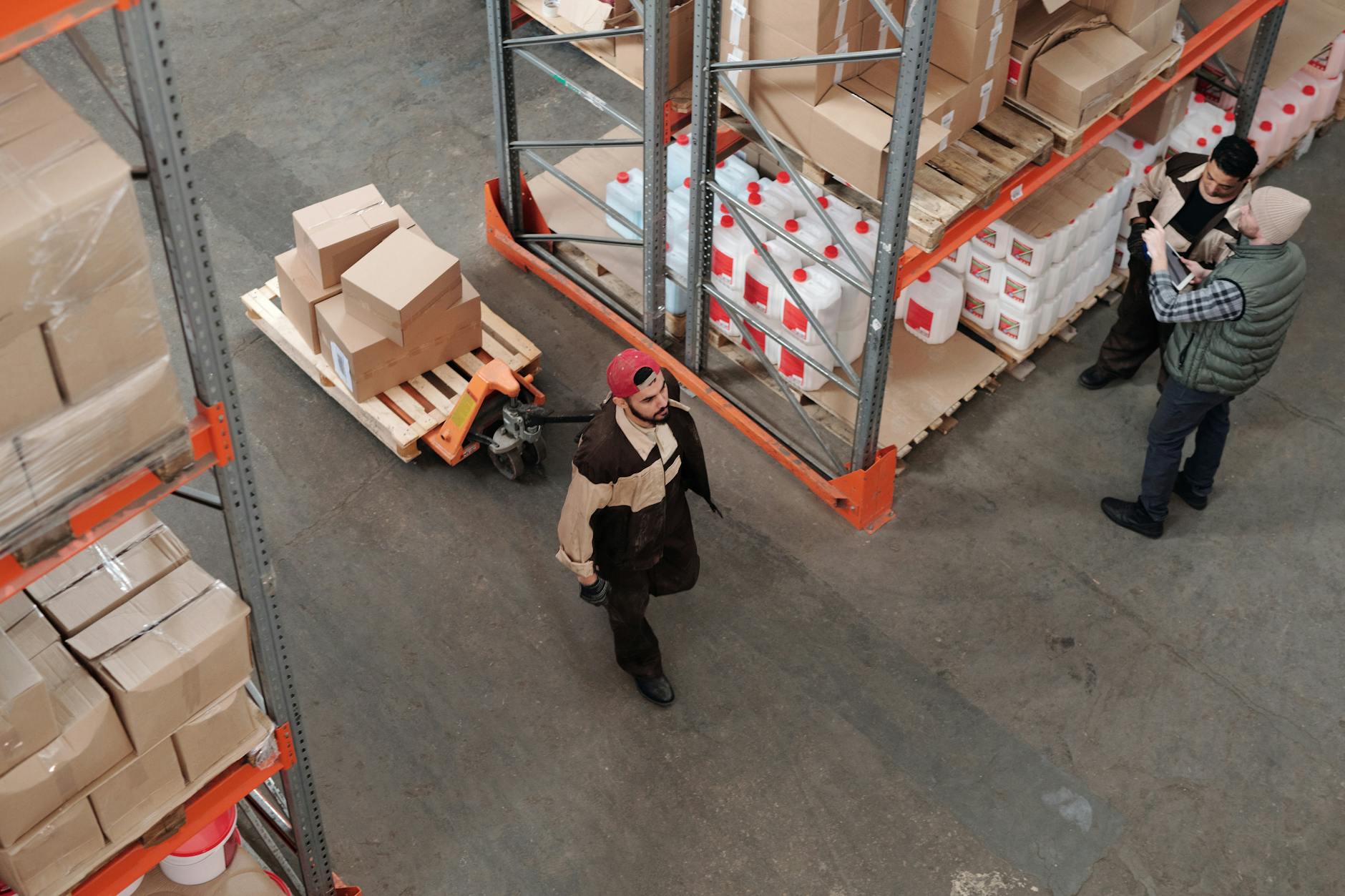
Selling across multiple channels multiplies the complexity of your automated order fulfillment setup, but it also multiplies revenue opportunity. The key is centralizing order flow so that each channel feeds into one system rather than maintaining separate fulfillment workflows per platform.
Start by auditing which channels actually drive profitable volume. It’s common for sellers to discover that one or two marginal channels consume disproportionate fulfillment overhead relative to their revenue contribution. Consider consolidating or dropping channels that don’t justify the integration complexity.
When connecting multiple channels, pay close attention to SKU mapping. The same product often has different identifiers on Shopify, Amazon, and Etsy. A robust automated order fulfillment setup uses a master SKU system that maps every channel-specific identifier back to one true inventory record. Mismatched SKUs are a leading cause of fulfillment errors in multi-channel operations.
Another consideration is order batching logic. If a customer places separate orders on two different channels within a short window, some advanced OMS platforms can detect and merge them into a single shipment, cutting shipping costs and reducing packaging waste. This feature alone can save mid-size sellers thousands of dollars annually.
Automating Product Visuals for Faster Listings
One of the most underrated levers in a modern automated order fulfillment setup is how quickly you can get new products photographed, listed, and ready to ship. Traditional product photography—booking a studio, hiring a photographer, scheduling shoots—can delay a product launch by days or weeks. That delay directly limits how fast your fulfillment pipeline can start processing orders for new SKUs.
By 2026, AI-generated product imagery has become mainstream enough that most fast-moving DTC brands use it as a standard part of their catalog workflow. Tools like AI Product Photography let you upload a simple product shot and generate multiple professional, on-brand variations—lifestyle scenes, white backgrounds, seasonal themes—without a physical shoot. This shortens the time between “product arrives at warehouse” and “product is live and orders start flowing through your automated fulfillment system.”
If you’re working with supplier-provided images that are low resolution or poorly cropped, an AI Background Remover and an AI Image Upscaler can clean those up in seconds rather than requiring a designer. This matters more than it might seem: listings with inconsistent or low-quality images see higher return rates because customer expectations don’t match the product they receive—an issue that directly impacts your reverse logistics and refund workflows.
Brands building out seller profiles, press kits, or About pages as part of their fulfillment and customer trust strategy can also use AI Headshots to produce professional founder or team photos without scheduling a photographer. A polished, trustworthy storefront reduces chargebacks and pre-sale support questions, which indirectly lightens the load on your fulfillment and customer service teams.
Cost Analysis: DIY vs Third-Party Fulfillment

Understanding true costs is essential before committing to any automated order fulfillment setup. Many businesses underestimate hidden costs like packaging materials, software subscription stacking, and the opportunity cost of founder time spent on manual tasks.
For a store processing 500 orders per month, DIY fulfillment with automation software typically costs $0.80–$1.50 per order in software fees, plus labor and materials. Outsourcing to a 3PL typically runs $3–$6 per order all-in at this volume, but eliminates labor, storage, and the need to manage packaging inventory. The breakeven point varies by product size and weight, but most analyses find 3PL becomes cost-competitive once you factor in the founder’s time at even a modest hourly rate.
Don’t overlook the cost of errors. A single mis-shipped order can cost $15–$50 in replacement shipping, customer service time, and potential refunds—plus intangible brand damage. Automated systems that reduce error rates by even a few percentage points often pay for themselves through avoided mistakes alone.
Common Pitfalls and How to Avoid Them
Even well-planned automated order fulfillment setups run into predictable problems. Here are the most common pitfalls and how experienced operators avoid them.
Automating a broken process. Automation speeds up whatever process you already have—including bad ones. If your current workflow has inefficiencies, automating it just means you make mistakes faster. Fix the process first, then automate it.
Ignoring edge cases. International orders, address corrections, partial shipments, and backorders all require special handling. Businesses that only design rules for the “happy path” often find their automation breaks down for 10-15% of orders that fall outside standard patterns.
Underestimating integration maintenance. APIs change, carriers update their systems, and sales channels modify their requirements. Budget time each month for integration health checks rather than discovering a broken connection only after orders start failing.
Skipping the testing phase. Going live with 100% of orders immediately, without a pilot phase, is one of the most common and costly mistakes. Problems that would affect 5% of a test batch can affect 100% of your live orders if you skip testing.
Neglecting returns automation. Many businesses automate the outbound fulfillment flow but leave returns entirely manual. As automation matures in 2026, leading operators now treat reverse logistics—return label generation, refund triggers, and restocking workflows—as equally important to automate.
Measuring Success: KPIs That Actually Matter
Once your automated order fulfillment setup is live, track these key performance indicators to confirm it’s delivering value:
- Order processing time — from order placed to label generated, ideally under 2 hours
- Shipping error rate — target under 1% of total orders
- On-time shipment rate — percentage of orders shipped within your stated SLA
- Cost per order — total fulfillment cost divided by order volume, tracked monthly
- Customer support tickets related to shipping — should decline significantly post-automation
- Inventory accuracy rate — percentage match between system count and physical count
Review these metrics monthly for the first six months, then quarterly once your system stabilizes. A sudden spike in any metric usually signals an integration issue or a rule that needs adjustment.
Advanced Tactics for 2026 and Beyond
As automated order fulfillment setup matures from a competitive advantage into table stakes, forward-thinking merchants are layering in more sophisticated tactics. Predictive inventory allocation uses machine learning to pre-position stock across regional warehouses based on anticipated demand, cutting average delivery times by one to two days. Dynamic carrier selection now factors in real-time weather and traffic data, automatically rerouting shipments before delays occur rather than reacting after the fact.
Sustainability is also becoming a measurable KPI within fulfillment automation. Several platforms now let you set rules that prioritize carbon-neutral shipping options or consolidate shipments specifically to reduce packaging waste, appealing to increasingly eco-conscious customers without adding manual overhead.
Finally, the line between fulfillment automation and marketing automation continues to blur. Post-purchase flows now commonly trigger AI-personalized upsell offers, review requests timed to actual delivery (rather than estimated delivery), and loyalty point allocations—all stitched into the same automated order fulfillment setup that handles the physical shipment.
Frequently Asked Questions
What is automated order fulfillment setup?
Automated order fulfillment setup is the process of configuring software and systems so that orders are processed, picked, packed, shipped, and tracked with minimal manual intervention. It typically involves an order management system, inventory sync, shipping software, and customer notification automation working together.
How much does automated order fulfillment setup cost?
Costs vary widely based on order volume and chosen model. A DIY approach using OMS and shipping software typically runs $50–$500 per month plus per-label shipping costs. Outsourcing to a 3PL costs $3–$8 per order including storage. Custom-built systems can exceed $10,000 upfront. Most small businesses start with an all-in-one OMS platform before scaling to a hybrid model.
How long does it take to set up automated order fulfillment?
A basic setup using an off-the-shelf OMS and shipping software can be operational in one to two weeks. More complex multi-channel or multi-warehouse setups typically take four to eight weeks, including a testing and pilot phase. Custom-built systems can take two to four months.
Can I automate fulfillment without a 3PL or warehouse partner?
Yes. Many small businesses successfully automate order processing, label generation, inventory sync, and customer notifications while still picking and packing orders themselves. This “DIY automation” approach is often the most cost-effective starting point until order volume justifies outsourcing physical fulfillment.
What’s the biggest mistake businesses make with automated order fulfillment setup?
The most common mistake is automating a broken or inefficient process without fixing it first. Automation accelerates whatever workflow you put into it, so unresolved bottlenecks or errors simply happen faster and at greater scale. Running a small-scale pilot before full rollout helps catch these issues early.
Do I need separate software for product photography as part of fulfillment automation?
While not traditionally considered part of fulfillment, visual content speed increasingly affects how fast new products can start generating orders. Many merchants now use AI tools like AI Product Photography alongside their fulfillment stack to eliminate the bottleneck of traditional photoshoots, ensuring new SKUs go live and start flowing through the automated order fulfillment setup faster.
How do I handle returns within an automated order fulfillment setup?
Leading platforms in 2026 support automated return label generation, refund triggers tied to warehouse scan confirmation, and automatic restocking of returned inventory. If your current OMS doesn’t support this, check whether it integrates with a dedicated returns management add-on, since manual returns handling quickly becomes a bottleneck as order volume grows.
Is automated order fulfillment setup worth it for a small store doing under 50 orders a day?
<p
Try PixelPanda
Remove backgrounds, upscale images, and create stunning product photos with AI.