Free AI Selfie Generator
Upload your photo, pick a style, get a stunning AI selfie or professional AI headshot in seconds.
Daily Limit Reached
You've used your free selfie today. Sign in to get 3 free per day.
Sign in for 2 more free todayUnlock Unlimited AI Selfies & Headshots
3 free per day not enough? Sign up to unlock unlimited access — plus AI videos, product photos, and more.
See It in Action
Watch the AI selfie generator transform a photo in seconds.
AI Selfie & AI Headshot Examples
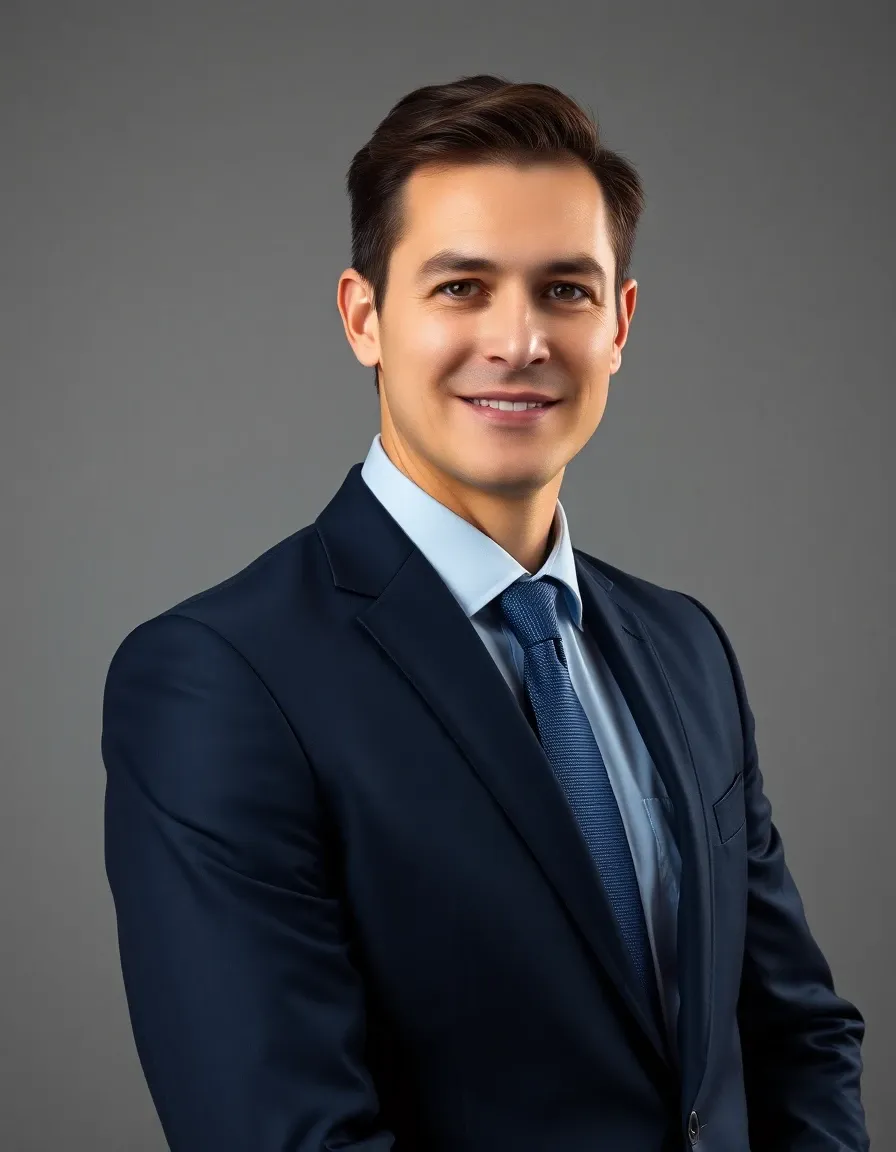
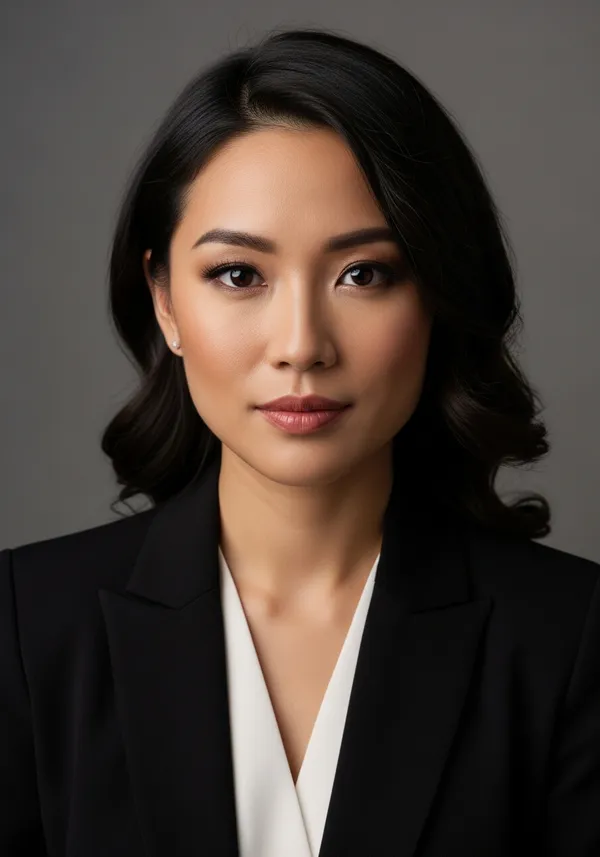
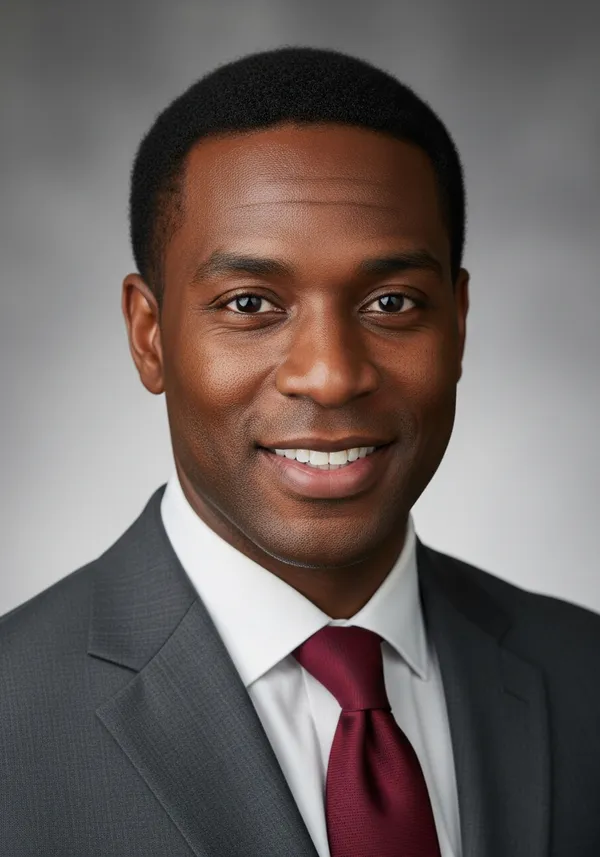

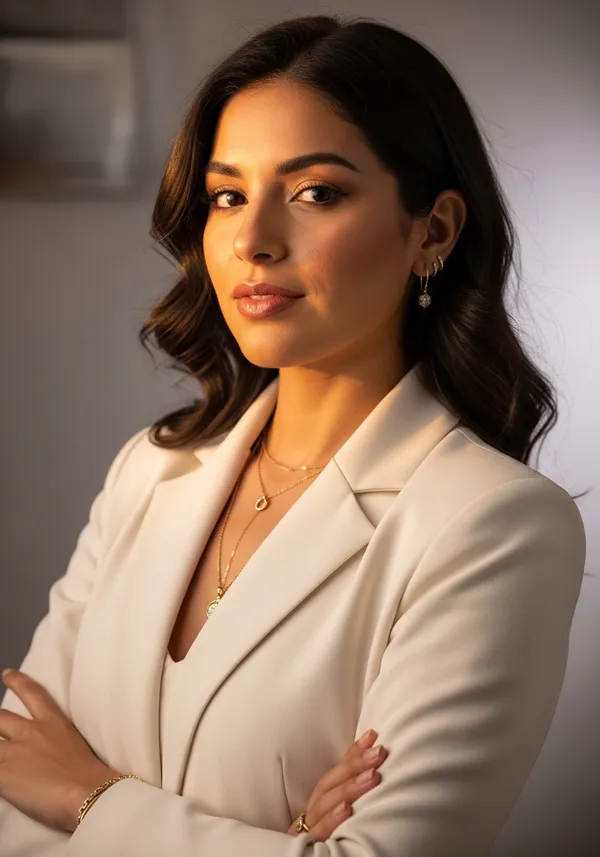
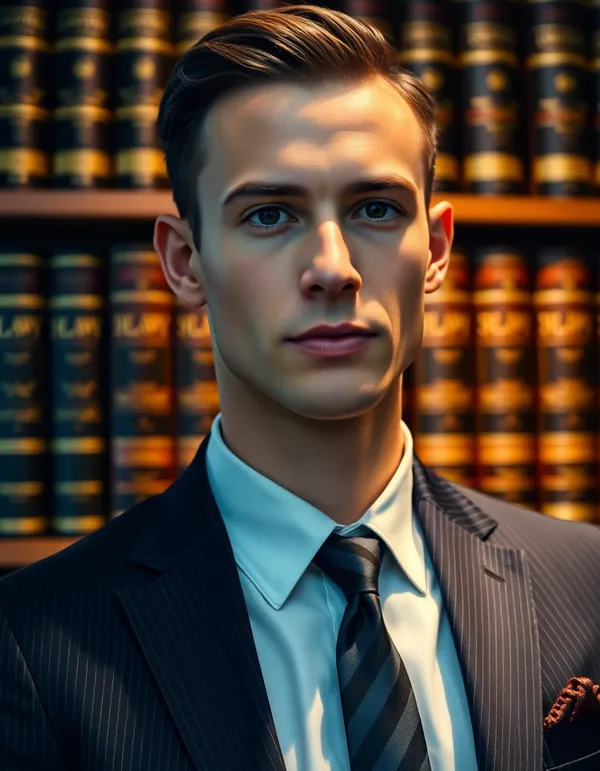
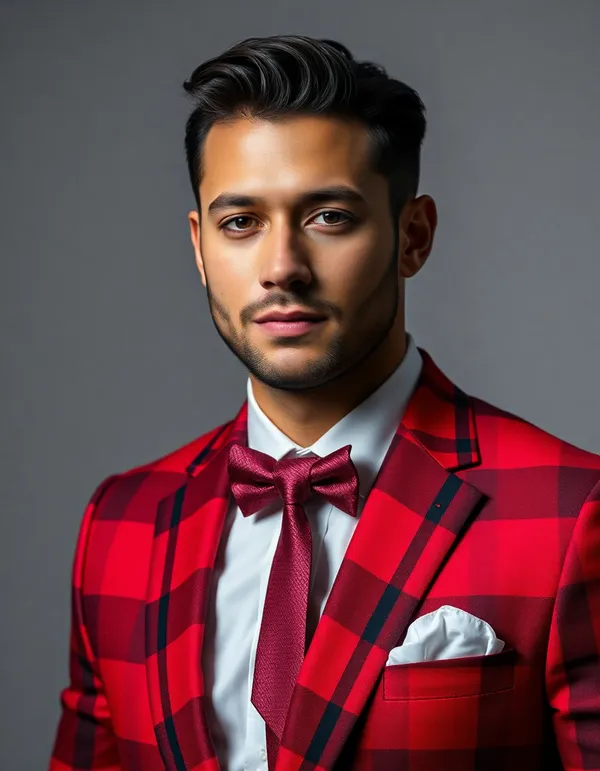
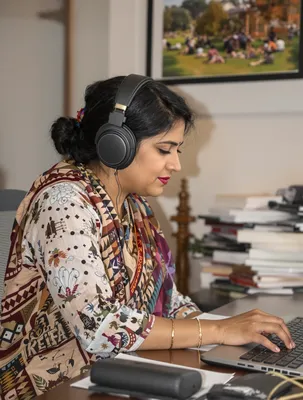
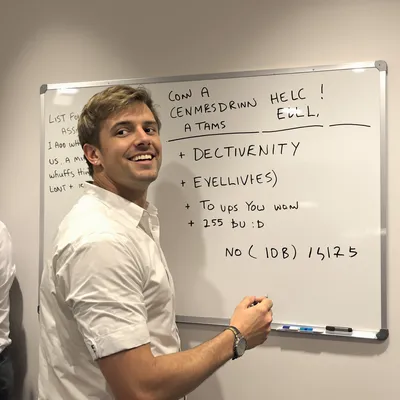
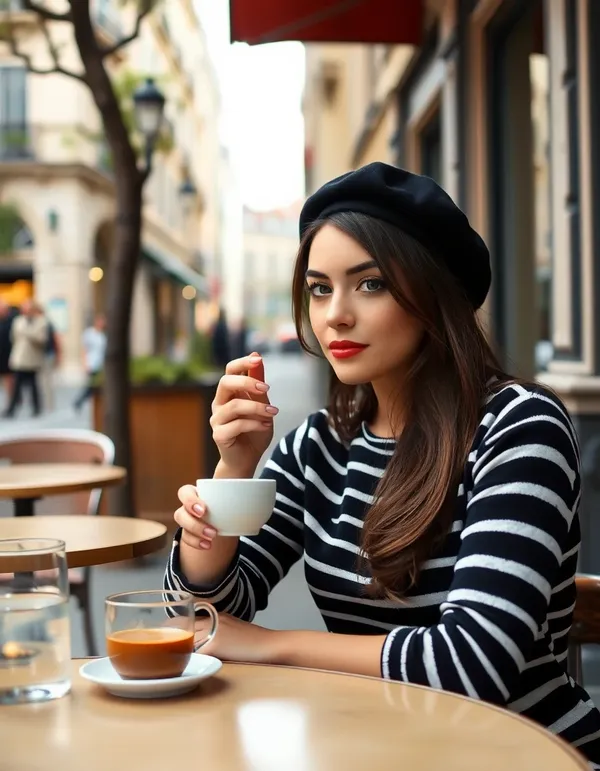
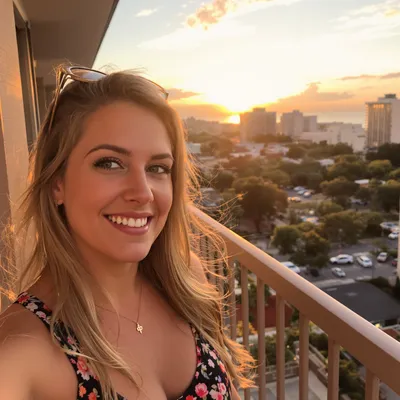
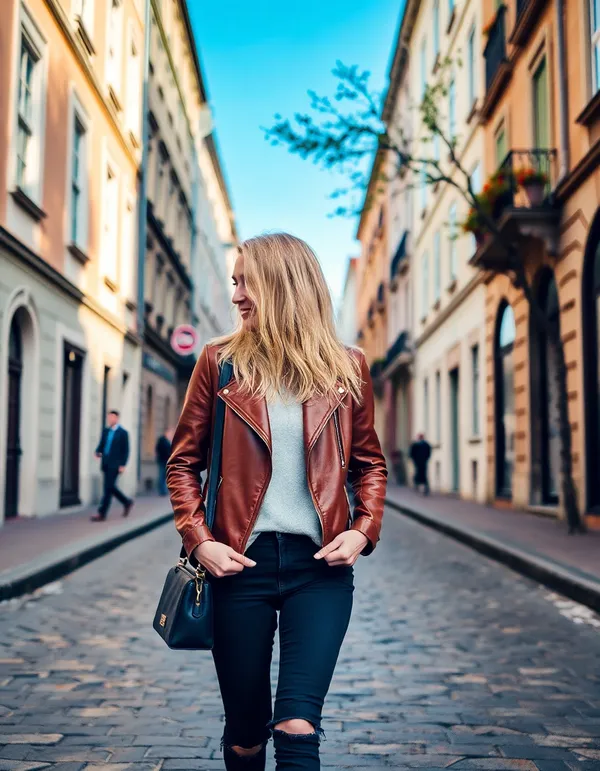
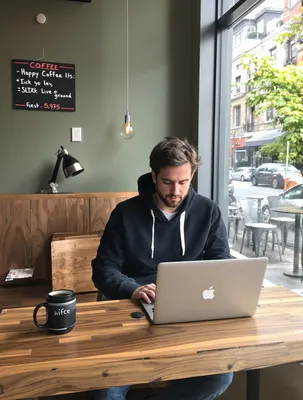
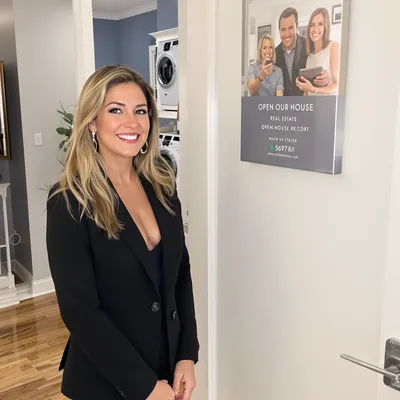
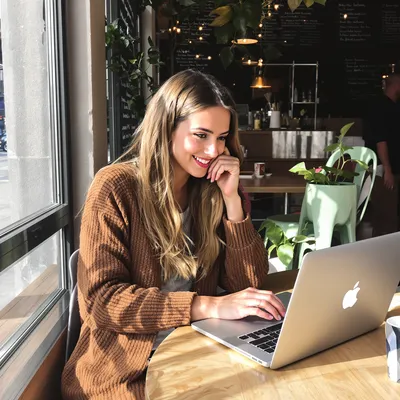
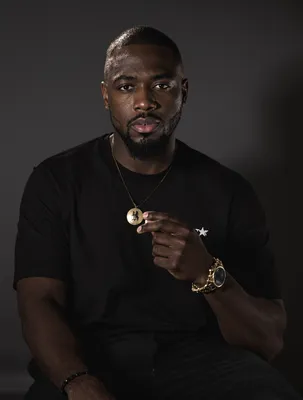
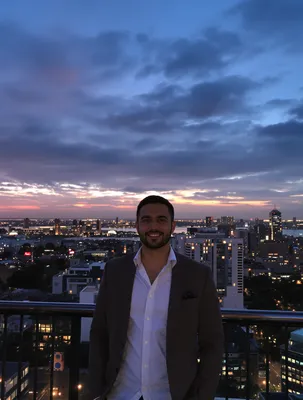
How It Works
Upload Your Photo
Drop in any selfie or portrait photo of yourself.
Pick a Style
Choose from 12 styles - professional, dating, lifestyle and more.
Download
Get your AI-enhanced selfie in seconds. Free, no sign-up.
What Is an AI Selfie Generator?
It's a tool that uses AI to create or transform selfie portraits based on photos you upload -- not generic faces, but photos that actually look like you.
This isn't Instagram filters. Those just overlay color grading or smooth your skin on top of whatever photo you already have. What we're talking about here is fundamentally different -- the AI completely reimagines your photo. New background, adjusted lighting, different outfit, entirely new setting. But your face? That stays recognizably you. The result looks like it was taken by a professional photographer, not run through an app.
Here's why that matters. Most people don't have access to a photographer. They don't have great lighting at home. They definitely don't have a studio. But they need a solid headshot for LinkedIn, an eye-catching dating profile photo, or some decent Instagram content that doesn't look like it was shot in their bathroom. Upload one selfie here, pick a style, and you'll have something genuinely usable in under 30 seconds.
Under the hood, this runs on image-to-image diffusion models -- the same class of technology behind tools like Stable Diffusion and Midjourney. These models have been trained on millions of photographs, so they understand how lighting, composition, clothing, and environments interact to make a portrait look compelling. When you pick "Golden Hour" or "Professional," the AI applies that whole visual language to your photo while keeping your features intact.
So what actually separates this from FaceTune or a Snapchat filter? Filters tweak what's already there. This tool rebuilds the entire image from scratch -- generating a new background, creating realistic shadows, adjusting wardrobe, composing the shot with real photography principles. The AI understands depth, perspective, and directional lighting in ways no filter can replicate. That's the gap between "I ran this through an app" and "wait, who took this photo of you?"
Curious how the AI sees your finished selfie? Drop it into our free AI image analyzer and you'll get a breakdown of composition, color palette, lighting, and detected objects — a useful before/after if you're comparing multiple style variants or trying to reverse-engineer what the model did well.
AI Generator Selfie, Selfie AI Generator, AI Selfies Free — Same Tool?
Yes — these are all different ways people search for the same thing. Whether you typed "ai generator selfie," "selfie ai generator," "ai selfie free," "selfie ai generator free," "ai selfies free," or "free ai selfies" into Google, you ended up here for the same reason: you want to make a selfie with AI without paying for it. This tool covers all of those searches. Upload your photo, pick a style, get a polished AI selfie back in about 30 seconds. No signup, no watermark, no credit card.
Some people search for an "ai image generator selfie free" — same idea, just with "image generator" added. Others type "make selfie" or "make a selfie," skipping the AI part entirely. A few search "random selfie generator" expecting AI faces of strangers, but most people who land here are after the upload-your-photo workflow because that's the one that produces something that actually looks like you, not a generic stranger. Whichever phrase brought you here, the workflow is the same: drop in a photo, pick a style, hit generate, download.
Free AI Headshot Generator
Turn any photo into a polished professional headshot. Perfect for LinkedIn, resumes, corporate directories, and business profiles.
PixelPanda also works as a full-on headshot generator. Just pick "AI Headshot" or "Professional" as your style, upload any photo, and you'll get back a polished, studio-quality portrait in seconds. The kind that normally requires a photographer, a rented studio, and $200-500 in sitting fees.
What Makes a Great AI Headshot
A professional headshot needs to communicate competence and approachability in a single image. That's a surprisingly specific set of requirements -- clean directional lighting that sculpts the face, a simple non-distracting background, an expression that reads as confident without being stiff. Our AI understands all of this. It even adjusts attire to match a professional context, so even if you're uploading a selfie in a t-shirt, the output can look boardroom-ready.
Headshots for LinkedIn
LinkedIn profiles with professional headshots get 14x more views. That's a real stat. But not everyone has $300 to drop on a photographer. Upload any clear photo here and you'll get back a LinkedIn-ready portrait -- proper framing, professional lighting, clean background, confident expression. Probably the fastest way to upgrade your LinkedIn presence without spending anything.
Headshots for Teams
Here's a use case that keeps coming up: companies need consistent headshots across their whole team, but scheduling individual photo sessions for every new hire is a logistical nightmare. The workaround is simple -- have everyone upload a selfie and generate matching corporate headshots. You get consistent lighting, framing, and background across all images, which is actually hard to achieve even with a professional photographer shooting over multiple days.
Headshots for Job Seekers
First impressions matter, and your headshot is often the first thing a recruiter sees. Don't let the lack of a professional photo slow down your job search. A phone selfie is genuinely all you need -- the AI turns it into something you can put on your resume, LinkedIn, job board profiles, and email signature. Interview-ready results from a bathroom mirror selfie. We live in wild times.
Headshots for Real Estate Agents
Real estate agents need headshots everywhere -- business cards, yard signs, listing presentations, MLS profiles. And a lot of agents refresh their headshot every year or two. Instead of rebooking a photographer each time, just upload a recent photo and generate something that looks professional and approachable. Works across all those touchpoints.
AI Headshots vs. Traditional Photography
A traditional headshot session costs $150-500 once you factor in the photographer, scheduling, travel, wardrobe coordination, and waiting days for edited proofs. This delivers comparable results in about 30 seconds at zero cost. For digital use cases -- LinkedIn, email signatures, company websites, business cards -- an AI-generated headshot is honestly tough to distinguish from a traditional studio shot. For a magazine cover? You'd still want a real photographer. But for everything else, this gets the job done.
AI Selfie Generator & AI Headshot Generator Use Cases
From dating apps to corporate directories, here's how people actually use this tool every day.
Dating Profile Photos
First impressions on dating apps happen in milliseconds. The "Dating Profile" style gives you warm, natural-looking photos with flattering light and a genuine smile -- optimized for Tinder, Hinge, Bumble, all of them. No expensive photoshoot, no awkward poses in a studio. Research shows profiles with high-quality photos get up to 3x more matches, and honestly, the lighting alone makes a huge difference.
Professional Headshots
Need something for LinkedIn or a corporate directory? Upload a casual selfie, pick "AI Headshot" or "Professional," and you'll get back a polished studio-quality portrait. Clean lighting, neutral background, business-appropriate styling -- the whole package. It saves you hundreds compared to booking a photographer, and you can do it in your pajamas on a Sunday night.
Social Media Content
Creators and influencers burn through content fast. This tool lets you produce fresh, on-brand photos for Instagram, TikTok, and other platforms without leaving your apartment. Lifestyle shots, aesthetic portraits, street-style vibes -- generate a week's worth of content in 10 minutes and keep your posting schedule consistent without constant photoshoots.
Creative Projects
Artists and designers use the generated selfies as reference material, character concepts, or just creative inspiration. The "Creative / Artsy" style in particular produces some genuinely striking portraits -- the kind of thing that works as a mood board, an artistic reference, or even a standalone digital art piece if you push the right style.
Business Profiles & Directories
If you're a consultant, coach, therapist, or freelancer, you need a headshot for directory listings, speaking bios, your about page. And you probably need to update it every year or two. Instead of rebooking a photographer, just upload a recent photo and generate a fresh portrait. Takes 30 seconds, looks like you spent $200.
E-commerce & Personal Branding
Solopreneurs building a personal brand need consistent imagery across their website, email newsletters, and marketing materials. You can't coordinate a photoshoot every time you want a fresh headshot for a new landing page. Generate what you need on demand -- same polished, professional look every time, no scheduling hassle.
Resume & Job Applications
A lot of job seekers don't have a professional headshot and don't want to spend $200 to get one while they're between jobs. Fair enough. This gives you an interview-ready portrait from a phone selfie -- something polished enough for your resume, LinkedIn, and job board profiles. One less thing standing between you and that callback.
Avatar & Profile Pictures
Discord servers, gaming platforms, forums -- anywhere you need a profile picture that isn't a generic cartoon or a photo from 2017. This gives you something polished and eye-catching based on your actual appearance, which is a nice middle ground between "random stock avatar" and "here's my real face on the internet."
Why Choose PixelPanda's AI Selfie & Headshot Generator
Not all AI selfie generators and AI headshot generators are the same. Here's what sets PixelPanda apart.
Upload-Based
Upload your real photo instead of describing yourself with text. The AI selfie generator and AI headshot generator work with your actual face for true-to-life results.
Fast Generation
Get your AI selfie or AI headshot in 15-30 seconds. No queues, no waiting rooms, no batch processing delays.
14 Unique Styles
From AI headshots to beach vibes, choose the style that matches exactly what you need. Professional and casual options for every occasion.
Privacy First
Your uploaded photos are processed and never stored. We don't train on your images or share them with third parties.
Works on Any Device
Use the AI selfie generator and AI headshot generator on desktop, tablet, or phone. No app download required — works right in your browser.
Free to Use
Generate up to 3 free AI selfies or AI headshots per day. No sign-up, no credit card, no watermarks, no hidden fees.
How Our AI Selfie & Headshot Generator Works
A closer look at the technology that powers PixelPanda's AI selfie generation and AI headshot generation.
Step 1: Image Analysis
When you upload your photo, our AI first analyzes your facial features, skin tone, hair color, and overall composition. This analysis ensures that the generated AI selfie or AI headshot preserves your identity — the output looks like you, not someone else. The model identifies key landmarks in your face and builds an internal representation of your appearance that carries through to the final result.
Step 2: Style Application
Once your features are mapped, the AI selfie generator applies your selected style. Each style is a carefully crafted set of instructions that tells the AI how to transform the image — what kind of lighting to apply, what background to generate, how clothing should look, and what overall mood to create. For the AI headshot styles, this means studio lighting, professional backgrounds, and business-appropriate presentation. For casual selfie styles, it means natural lighting, candid compositions, and relaxed environments.
Step 3: Diffusion and Rendering
The actual image generation uses a diffusion model, the same class of AI technology behind tools like Stable Diffusion and DALL-E. The model starts with your original photo and iteratively transforms it, adding style elements while preserving your core identity. This process happens in seconds on high-performance GPUs, producing a full-resolution portrait ready for download. Whether you're generating an AI selfie or an AI headshot, the same powerful pipeline ensures consistent, high-quality results.
Step 4: Quality Assurance
The final AI selfie or AI headshot is rendered at high resolution suitable for printing, social media, and professional use. Colors are balanced, skin tones are natural, and the overall composition follows professional photography principles. AI headshots get extra attention to lighting direction and background cleanliness. The result is a photorealistic image that looks genuinely captured, not artificially generated.
AI Selfie & AI Headshot Styles Explained
Understand each style to pick the perfect AI selfie or AI headshot for your needs.
AI Selfie
The default AI selfie style. Produces a polished, enhanced version of your selfie with natural lighting and flattering composition. The AI selfie generator subtly improves the shot while keeping it looking authentic and candid. Great for general use across social media, messaging apps, and online profiles.
AI Headshot
Our dedicated AI headshot generator style. Creates a clean, professional headshot with sharp focus, simple background, and polished presentation. This AI headshot style is ideal for anyone who needs a quick professional portrait — LinkedIn profiles, resumes, business cards, corporate directories, and speaker bios. The AI headshot generator ensures consistent, studio-quality lighting every time.
Professional
A step beyond the AI headshot — full corporate portrait treatment. Studio lighting, neutral background, business attire, and a confident expression. The AI selfie generator applies business-appropriate styling for the most polished professional result. Perfect for executive bios, corporate team pages, and formal business directories.
Casual Selfie
The most natural and versatile style. Produces a relaxed, candid-looking selfie with natural lighting — like a photo taken at home or out with friends. Ideal for social media profiles, messaging app avatars, or anywhere you want to look approachable and authentic.
Dating Profile
Optimized for dating apps, this style creates warm, inviting photos with flattering lighting and a genuine smile. Research shows that photos with warm tones and natural expressions get significantly more matches. Our AI selfie generator applies these principles automatically for Tinder, Hinge, Bumble, and other dating platforms.
Instagram Lifestyle
Trendy, aesthetic photos that look like they belong in an influencer's feed. Stylish outfits, curated backgrounds, and that signature golden-hour glow. Use this AI selfie style to maintain a consistent, aspirational social media presence without daily photoshoots.
Coffee Shop
Cozy cafe vibes with warm ambient lighting and a laid-back atmosphere. This is one of the most popular AI selfie styles because coffee shop photos feel relatable and authentic — they're the kind of photo friends share naturally. Works great for dating profiles and personal branding.
Beach Vibes
Sun, sand, and golden hour. The AI selfie generator places you in a beautiful beach setting with warm sunlight and summer energy. Great for seasonal social media content or whenever you want that vacation glow without the plane ticket.
Urban Street
City energy and street-style fashion. Graffiti walls, concrete textures, and confident poses. This AI selfie style is perfect for creative professionals, musicians, and anyone who wants an edgy, urban aesthetic in their portraits.
Golden Hour
The photographer's favorite time of day, captured by AI. Warm sunset light, glowing skin, and soft bokeh backgrounds. This is our most photogenic AI selfie style and produces consistently stunning results. A favorite for dating profiles and Instagram content.
Fitness
Athletic and energetic. The AI selfie generator creates gym-ready or outdoor workout portraits with athletic wear and a motivated expression. Popular with personal trainers, fitness influencers, and anyone building a health-focused personal brand.
Creative / Artsy
For those who want something different. Bold colors, artistic lighting, and editorial-style compositions. This AI selfie style pushes creative boundaries and produces visually striking portraits that stand out from the crowd.
Night Out
Dressed up and ready. City lights, elegant styling, and nightlife energy. Use this AI selfie style for event invitations, party announcements, or whenever you need a glamorous portrait with evening atmosphere.
Cozy at Home
Soft, warm, and comfortable. Sweaters, warm lighting, and a relaxed smile. This homey AI selfie style feels intimate and genuine — perfect for personal blogs, about pages, or holiday cards.
Frequently Asked Questions
Is the AI selfie generator and AI headshot generator really free?
Do I need to create an account to generate an AI headshot?
How realistic are the AI-generated selfies and headshots?
Is my uploaded photo stored or used for training?
What kind of photo should I upload for the best AI headshot?
Can I use AI headshots on LinkedIn and my resume?
Can I use AI selfies for commercial purposes?
How is this different from a photo filter or FaceTune?
What AI model powers the selfie and headshot generator?
How many AI selfies and AI headshots can I generate per day?
What's the difference between AI Selfie and AI Headshot styles?
Can the AI selfie generator create photos of someone else?
What's the resolution of generated AI selfies and AI headshots?
Does the AI headshot generator work on mobile phones?
How does the AI headshot generator compare to services like HeadshotPro?
Is there an AI selfie generator that's free?
How do I make a selfie with AI?
What's the difference between an AI generator selfie tool and a random selfie generator?
Is this an AI image generator selfie free option, or do I need a paid plan?
How is everyone making those AI selfies?
What is the best AI to generate selfies?
AI Selfie Generator & AI Headshot Generator vs. Traditional Photography
For years, getting a decent professional portrait meant booking a photographer, finding the right location, figuring out what to wear, spending a couple hours on the shoot, then waiting days for the edited proofs. A headshot session runs $150-500. Dating profile photo services charge $200-400 for a set of curated images. Content creators? They spend thousands annually just keeping their social feeds looking fresh.
This tool bypasses all of that. One photo, multiple style variations, seconds per generation. LinkedIn headshot? Done. Dating profile photo? Done. A week's worth of Instagram content? Done. All from a single selfie on your phone, at zero cost on the free tier.
The quality gap has closed dramatically, too. The images you get out of this have natural lighting, realistic skin tones, proper depth of field, and professional composition. For most digital use cases -- social media, dating apps, website profiles, email signatures, business cards -- it's functionally indistinguishable from something a professional photographer would deliver. Most people genuinely can't tell the difference.
That said, this doesn't make photographers obsolete. High-end editorial work, product campaigns, once-in-a-lifetime events -- a real photographer with creative vision still matters for those. But for the everyday "I just need to look good online" use case? This is faster, cheaper, and more convenient by a mile.
Tips for Getting the Best AI Selfies and AI Headshots
Follow these tips to get the most realistic, professional results from our AI selfie generator and AI headshot generator.
Upload a High-Quality Source Photo
The quality of your AI selfie or AI headshot depends heavily on your input photo. Use a well-lit, sharp image where your face is clearly visible. Natural daylight or even indoor lighting works fine — the AI selfie generator and AI headshot generator are designed to handle a wide range of input quality. Avoid blurry photos, extreme angles, or images where your face is partially hidden behind sunglasses or hats.
Face the Camera Directly
For the best AI headshot results, upload a photo where you're looking directly at the camera. Front-facing photos give the AI headshot generator the most information to work with, resulting in more natural and professional output. Slight angles work too, but extreme profile shots may produce less consistent results.
Choose the Right Style for the Occasion
Using the AI headshot generator for a LinkedIn photo? Select "AI Headshot" or "Professional." Creating content for Instagram? Try "Instagram Lifestyle" or "Golden Hour." The style you choose dramatically affects the output, so think about where you'll use the AI selfie or AI headshot before generating. You get 3 free tries per day, so experiment with different styles to see which you prefer.
Keep It Simple
The AI selfie generator and AI headshot generator work best with clean, straightforward input. A simple selfie with a plain background produces more consistent results than a busy photo with multiple people or complex scenes. If you want the best AI headshot, a basic phone selfie with decent lighting is all you need — the AI handles the rest.
Try Multiple Styles
Don't settle for the first result. Use all 3 of your daily free generations to try different styles. Many users discover that the AI selfie generator produces surprisingly good results in styles they didn't initially consider. The "Golden Hour" style, for example, is a favorite for dating profiles even among users who started by looking for an AI headshot.
Unlock Unlimited AI Selfies
Subscribe to PixelPanda and generate endless variations — professional headshots, dating profiles, social media content, and more. Plus AI videos, product photos, and marketing tools.
Get Started — $7.99/week for 280 CreditsPro Version
Upgrade AI Selfie Generator
- Unlimited generations — no 3/day cap
- 111+ AI avatar styles to choose from
- Build a custom avatar from your face — consistent look across all content
- Use your avatar in product photos, UGC videos, and ad campaigns
Related Free Tools
More free image tools — no signup required
Most Popular Free Tools
Quick, browser-based image tools loved by thousands daily