Ecommerce Product Photos, Generated in Seconds
AI product photography online — upload your product, pick a studio scene, and get product images for your website, Amazon, Shopify or Etsy listing. Free, no signup required.
Daily Limit Reached
You've used all 3 free product photos today. Create a free account to keep generating — unlimited photos, batch your whole catalog, plus AI videos & ads.
Create Free AccountUnlock Unlimited Product Photos
3 free per day not enough? Sign up to unlock unlimited access — plus batch processing, AI videos, and more.
Watch It In Action
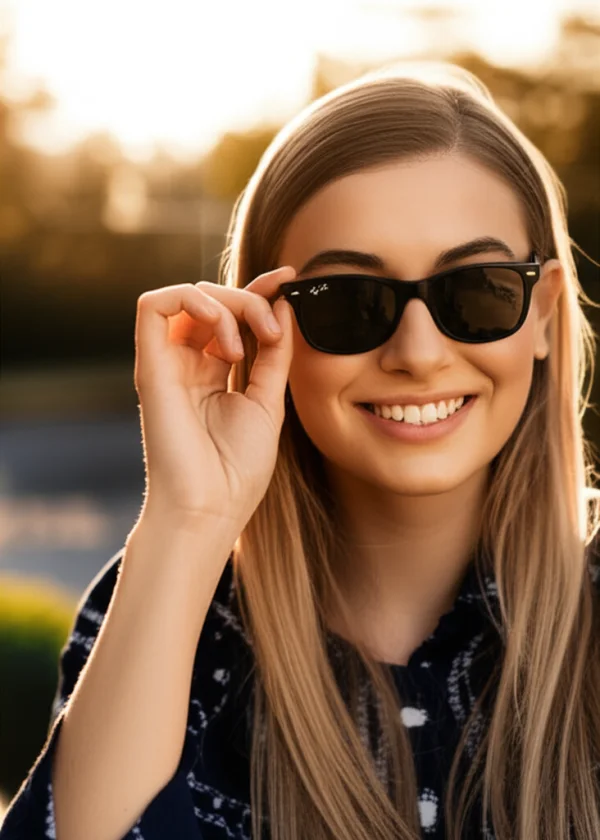
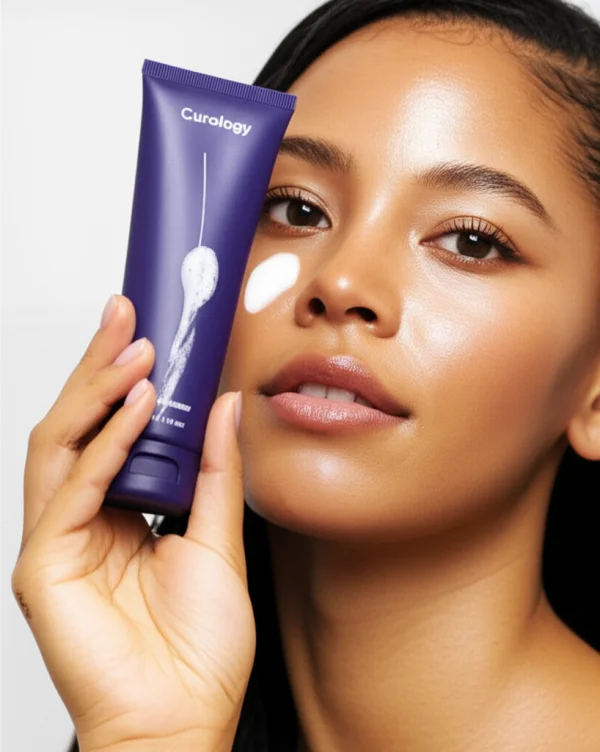
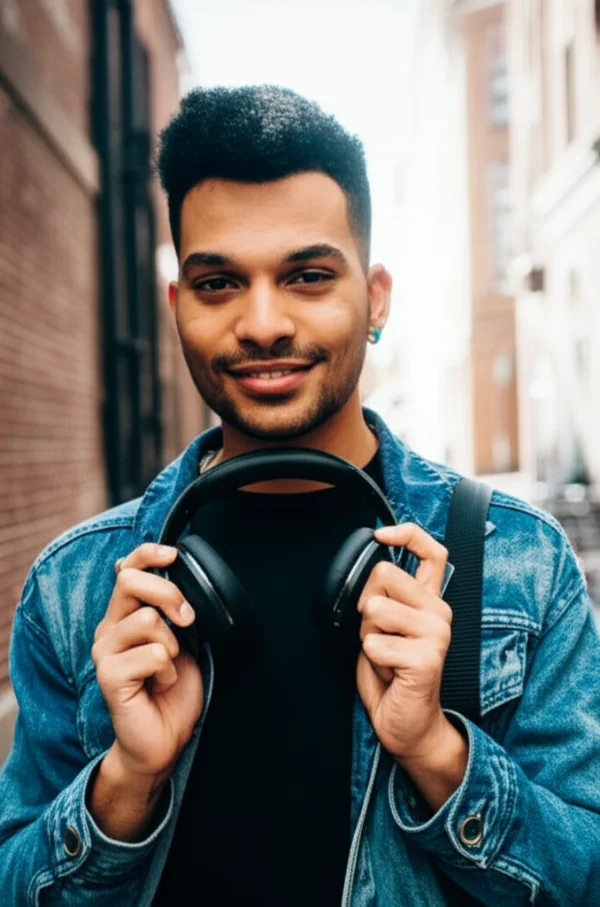
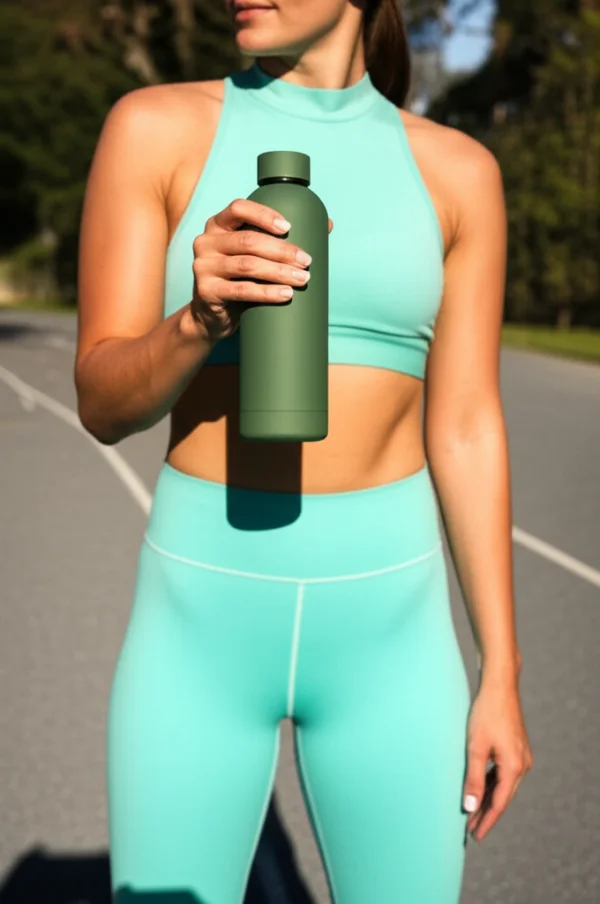
AI Product Photography Examples


How It Works
Upload Your Product
Drop in any photo of your product — phone camera is fine.
Pick a Scene
Choose from 10 studio and lifestyle backgrounds.
AI Generates
Our AI places your product in the scene with pro lighting.
Download
Get your studio-quality product photo in seconds. Free.
What Is Ecommerce Product Photography?
Product photos are the single biggest factor in whether someone buys from your online store or bounces. That's not an opinion -- it's backed by data.
Ecommerce product photography covers everything visual on your listing: the main hero image, lifestyle shots showing the product in context, those mandatory white-background images Amazon wants, detail close-ups that let buyers examine texture and craftsmanship. All of it matters, and all of it needs to look professional.
The numbers are pretty clear on this. Shopify's research shows 75% of online shoppers rely heavily on product photos when making purchase decisions. Listings with high-quality images convert at 2-3x the rate of those with amateur photography. On Amazon, professional-looking product shots consistently outperform the competition in search rankings. Your product might be great, but if the photos look like they were taken on a flip phone in a dimly lit garage, nobody's clicking "Add to Cart."
The problem? Traditional product photography is brutal on a budget. A professional photographer charges $25-75 per image. A typical product needs 5-8 images for a complete listing. Do the math on a single product and you're looking at $125-600. Scale that to a catalog of 100 products? $12,500-$60,000 -- and that's before props, studio rental, and post-production editing. For a small ecommerce seller, that's often more than the entire marketing budget.
AI changes the economics completely. Instead of booking a studio and spending days on a shoot, you upload a simple product photo (phone camera works fine) and get studio-quality results in seconds. The AI places your product in professional scenes with realistic lighting, proper shadows, and clean composition. It's not a hack or a workaround -- the output genuinely looks like professional product photography.
Whether you're launching a Shopify store, listing on Amazon, or refreshing a catalog that's gotten stale, this gets you the visual quality that drives sales without the traditional price tag.
Free AI Product Photo Generator
Generate professional ecommerce product photos for free. No studio, no photographer, no expensive equipment needed.
PixelPanda's free AI product photo generator transforms ordinary product snapshots into studio-quality ecommerce images. Upload any product photo — even one taken with your phone — and our AI generates a polished, professional result ready for your online store.
How It Works
Our AI product photo generator analyzes your uploaded product image, intelligently extracts the product from its original background, and places it into your chosen scene with physically accurate lighting, shadows, and reflections. The AI understands how light interacts with different materials — glass, metal, fabric, plastic — and renders realistic environmental lighting that matches the selected scene.
Cost Comparison: AI vs Traditional Product Photography
Traditional ecommerce product photography costs add up fast. A professional photographer charges $200-500 per product for a basic studio session. Lifestyle photography — showing products in real-world scenes — costs even more because of location fees, props, and styling. For a small ecommerce business with 50 products, photography alone can cost $10,000-25,000.
With our free AI product photo generator, you can create the same caliber of images at zero cost. Each generation takes seconds instead of hours, and you can experiment with multiple scenes to find what converts best. Ecommerce sellers who switch to AI product photography report saving 80-95% on their image production costs while maintaining or improving listing performance.
Quality That Converts
AI-generated product photos aren't just cheaper — they're consistent. Every image has the same professional quality, perfect lighting, and clean composition. This consistency builds trust with online shoppers and creates a cohesive brand experience across your entire product catalog. Traditional photography often varies between sessions, photographers, and lighting conditions, making your catalog feel inconsistent.
Ecommerce Product Photography Use Cases
From Amazon listings to social media ads, professional product photography is essential for every ecommerce channel.
Amazon Product Listings
Amazon's main image rule: pure white background. No exceptions. The White Studio preset gives you exactly that -- Amazon-compliant product photos in seconds. No lightbox, no studio, no Photoshop. Upload your product, download the result, list it.
Shopify Stores
First-time Shopify sellers often launch with inconsistent, poorly-lit product photos. It immediately looks amateur. This gets your entire catalog looking polished and consistent from day one -- same professional lighting, same clean composition across every product page. Trust goes up, conversions follow.
Etsy Listings
Etsy shoppers respond to warmth and craftsmanship in product photos. The Wooden Table and Linen Backdrop presets nail that handmade, artisan aesthetic that Etsy buyers gravitate toward. Better photos = more clicks, more favorites, more sales. It's the cheapest marketing lever you can pull on Etsy.
eBay Auctions
There's real data on this: eBay listings with professional-looking photos sell for 5-11% more than those with amateur images. For auction items especially, clean product shots build buyer confidence and drive higher bids. A few seconds of AI generation can literally put more money in your pocket per sale.
Social Media Marketing
You need scroll-stopping product images for Instagram, Pinterest, TikTok, Facebook ads. Lifestyle scenes like Kitchen Counter and Natural Light create the aspirational look that actually gets people to stop scrolling and click through. Way more effective than flat product-on-white for social channels.
Dropshipping
The classic dropshipping problem: your supplier gives you the same generic product photos that every other store selling the same item is using. Run those through here with a different scene and suddenly your listing looks completely different from the competition. It's the single easiest way to differentiate a dropshipping store.
Email Marketing
Product emails with strong imagery see 2-3x higher click-through rates. That's a big gap. Use this for hero images in promotional emails, abandoned cart reminders, new product announcements -- anywhere a polished product photo needs to convince someone to click through.
Product Launches
Don't wait weeks for a photography session before launching a new product. Generate professional imagery on launch day. Try multiple scenes, A/B test which images convert best, and scale with the winner. The speed advantage alone is worth it -- you can iterate in minutes instead of weeks.
Why Choose PixelPanda for Product Photography
Not all AI product photo tools are the same. Here's what makes PixelPanda's ecommerce product photography generator stand out.
Upload-Based
Upload your real product photo. The AI works with your actual product for accurate representation — not a generic render or stock image.
Fast Generation
Get your product photo in 15-30 seconds. No queues, no batch processing. Generate and iterate quickly to find the perfect shot.
10 Scene Presets
From white studio to lifestyle scenes. Choose the background that best fits your product category, brand aesthetic, and sales channel requirements.
No Equipment Needed
No studio, no lights, no camera gear. A phone photo of your product is all you need. The AI handles lighting, shadows, and professional composition.
Any Device
Works on desktop, tablet, or phone. No app download required — generate professional product photos right in your browser, anywhere.
Free to Use
Generate up to 3 free product photos per day. No sign-up, no credit card, no watermarks, no hidden fees. Full resolution downloads.
Product Photography Scenes Explained
Understand each scene to choose the perfect background for your product category and brand aesthetic.
White Studio
The gold standard for ecommerce product photography. A pure white seamless background with soft, even studio lighting eliminates all distractions and puts the focus entirely on your product. This is the required format for Amazon main images, Google Shopping, and most marketplace listings. The White Studio preset is ideal for product catalog images where clarity and consistency matter most.
Gray Gradient
A step up from flat white, the smooth gray gradient adds depth and dimension while maintaining a clean, professional look. Directional key lighting creates subtle shadows that give the product a premium, high-end feel. Gray gradient backgrounds are popular for electronics, tech accessories, jewelry, and luxury goods where you want the product to feel elevated and sophisticated.
Dark Studio
Dramatic spotlight on a dark background creates the ultimate luxury product photography aesthetic. This scene emphasizes product materials, textures, and details through high-contrast lighting. Best for premium products — watches, spirits, high-end electronics, leather goods, and anything you want to position as luxury or premium-tier. The dark studio conveys exclusivity and quality.
Marble Surface
White marble with subtle veining places your product in a beauty and luxury context. Overhead soft lighting creates a flat-lay aesthetic that's hugely popular in beauty, skincare, cosmetics, and wellness product photography. Marble surfaces communicate elegance and care — perfect for brands that want to convey premium quality and attention to detail.
Wooden Table
Natural wood grain surfaces with warm side lighting create an artisan, handmade aesthetic. This scene is perfect for food products, craft items, handmade goods, natural/organic products, and anything with a story behind its creation. The warm tones and natural materials build an emotional connection with buyers who value authenticity and craftsmanship.
Kitchen Scene
A clean kitchen countertop with natural window light provides lifestyle context that helps customers imagine the product in their own home. This scene works brilliantly for kitchenware, food products, small appliances, spices, cookbooks, and anything used in the kitchen. Lifestyle context has been shown to increase conversion rates by 20-40% compared to plain white backgrounds.
Natural Light
Outdoor garden settings with greenery and golden natural light create an organic, eco-friendly aesthetic. This scene is ideal for natural and organic brands, plant-based products, sustainable goods, and wellness items. The lush greenery and warm sunlight communicate freshness, vitality, and connection to nature — values that resonate strongly with eco-conscious consumers.
Minimalist Shelf
A floating shelf in a clean Scandinavian interior places your product in a modern home decor context. This scene communicates design-forward thinking and appeals to customers who value aesthetics and simplicity. Ideal for home decor, candles, books, small accessories, and products that complement a minimalist lifestyle. The clean lines and muted tones let the product speak for itself.
Linen Backdrop
Natural linen fabric texture with soft overhead light creates a warm, tactile aesthetic popular in wellness, beauty, and lifestyle product photography. The neutral tones and organic texture communicate softness, comfort, and natural ingredients. This scene works beautifully for skincare, textiles, jewelry, candles, and artisanal products where texture and craftsmanship are selling points.
Modern Concrete
Smooth concrete surfaces in an industrial loft setting create a modern, urban aesthetic. This scene is ideal for tech products, accessories, gadgets, modern home goods, and anything targeting a design-savvy, urban audience. The raw material texture communicates modernity, durability, and industrial design — a strong fit for brands with a contemporary, edgy identity.
How Our AI Product Photography Works
A closer look at the technology powering PixelPanda's free ecommerce product photography tool.
Step 1: Product Analysis
When you upload your product photo, our AI first analyzes the product itself — its shape, materials, color, reflectivity, and edges. This analysis allows the AI to understand how the product should interact with different lighting conditions and backgrounds. A glass bottle reflects light differently than a matte fabric pouch, and our AI accounts for these physical properties when generating the final image.
Step 2: Scene Composition
Based on your selected scene, the AI generates a professional background environment and determines optimal product placement. It considers composition rules used by professional product photographers — the rule of thirds, visual weight, negative space, and focal points. The product is placed naturally within the scene, not just pasted on top of a background.
Step 3: Lighting and Shadows
This is where AI product photography truly shines. The AI generates physically accurate lighting that matches the selected scene — soft diffused light for white studio, dramatic spotlights for dark studio, warm window light for kitchen scenes. Realistic shadows are rendered beneath and around the product based on the light source direction and intensity, grounding the product in the scene and making the result look genuinely photographed.
Step 4: High-Resolution Output
The final product photo is rendered at high resolution in 1:1 square format — the standard for most ecommerce platforms and marketplaces. Colors are balanced for accuracy, the product remains sharp and detailed, and the overall composition follows professional product photography standards. The result is a download-ready image suitable for product listings, social media, print materials, and marketing campaigns.
AI vs Traditional Product Photography
How does AI-generated product photography compare to hiring a professional photographer?
| Factor | Traditional Photography | AI Product Photography |
|---|---|---|
| Cost per image | $25-75 | Free (3/day) or $0.029 with account |
| Turnaround time | 3-14 days | 15-30 seconds |
| Equipment needed | Camera, lights, studio, props | Any phone or computer |
| Scene variations | 1-2 per session | 10 presets, unlimited iterations |
| Consistency | Varies by session and photographer | Identical quality every time |
| Scaling (100+ products) | Weeks of shooting + editing | Hours |
| Minimum order | Usually 10-25 products | 1 product |
| Revisions | Limited, often extra cost | Unlimited, instant re-generation |
AI product photography doesn't replace traditional photography for every use case. High-end catalog shoots, packaging photography, and editorial campaigns still benefit from a professional photographer's creative direction. But for the everyday need to produce clean, consistent, conversion-driving product images at scale, AI product photography offers a dramatically faster, cheaper, and more accessible solution. Most ecommerce businesses find that AI-generated product photos perform identically to traditional photography in A/B conversion tests.
Tips for Best Ecommerce Product Photography Results
Follow these tips to get the most professional results from our free AI product photo generator.
Start with a Clean Product Photo
The better your input photo, the better the AI output. Use a well-lit image of your product against a simple, uncluttered background. Natural daylight or a desk lamp works fine. The AI will replace the background, but a clean starting image helps it accurately identify and preserve your product's details, colors, and edges.
Fill the Frame
Position your product so it fills most of the frame in your upload photo. The closer and more detailed the product shot, the more information the AI has to work with. Avoid tiny product images shot from far away — the AI produces better results when it can see the product's texture, labeling, and fine details.
Shoot on a Plain Background
While our AI can handle complex backgrounds, you'll get the cleanest results by starting with a plain white, gray, or solid-color surface. A sheet of white paper behind and beneath your product is all you need. This gives the AI a clear boundary between your product and the background, resulting in cleaner, more precise scene placement.
Good Lighting Helps
Natural daylight near a window is the best free lighting setup for product photography. Avoid harsh direct sunlight that creates strong shadows, and avoid mixed lighting (like a warm lamp plus cool daylight). Even, diffused light shows your product's true colors and details, giving the AI the best possible starting material.
Match Scene to Product
Choose a scene that makes sense for your product category. Kitchen products on the Kitchen Scene. Beauty products on Marble Surface. Tech gadgets on Modern Concrete. When the scene matches the product category, the resulting image feels natural and authentic — exactly the kind of product photography that builds trust with online shoppers and drives conversions.
Experiment with Multiple Scenes
You get 3 free generations per day, so try different scenes to see which works best. Many sellers are surprised to find that lifestyle scenes (Kitchen, Natural Light, Wooden Table) outperform plain studio backgrounds in conversion tests. The context helps customers imagine the product in their own life, which is a powerful psychological trigger for purchase decisions.
For a deeper walkthrough of the AI product-photo workflow — sourcing input shots, picking scenes, and reviewing outputs — read our guide: How to Create Product Photos with AI in 2026.
Frequently Asked Questions
Is the ecommerce product photography tool really free?
Can I use these product photos on Amazon?
What kind of products work best?
Do I need professional photography equipment?
How does AI product photography compare to hiring a photographer?
What resolution are the generated product photos?
Can I use these photos commercially?
How many product photos can I generate per day?
Which scene should I choose for my product?
Does the tool work on mobile phones?
Is my product photo stored or shared?
Can I process my entire product catalog?
What file formats are supported?
How does this compare to Photoroom or Remove.bg?
Can I customize the background beyond the 10 presets?
How does PixelPanda compare to Canva for product photography?
How does PixelPanda compare to Adobe Express for product photos?
What is the best free AI product photo generator?
Can I use PixelPanda for Etsy and print-on-demand products?
Need Professional Product Photos?
Turn any product image into studio-quality lifestyle scenes, model shots, and marketplace-ready photos — in seconds, not days. AI product photography starting at $0.029/image.
Explore AI Product PhotographyUnlock Unlimited Product Photography
Subscribe to PixelPanda and generate unlimited studio-quality product photos — plus batch processing, AI videos, product marketing tools, and more.
Get Started for Free