PixelPanda Logo PixelPanda
  • Features
    • Product Photos
    • UGC Video Ads
    • AI Avatars
    • Content Studio
    • AI Product Photography
    • Product Catalog
    • Integrations

    • Free Tools
  • Resources
    • How-To Guides
    • Blog
    • API Docs
    • FAQ
    • Help Center
  • Pricing
  • Login
Home / Gallery / Fashion - Boho Festival / Photo
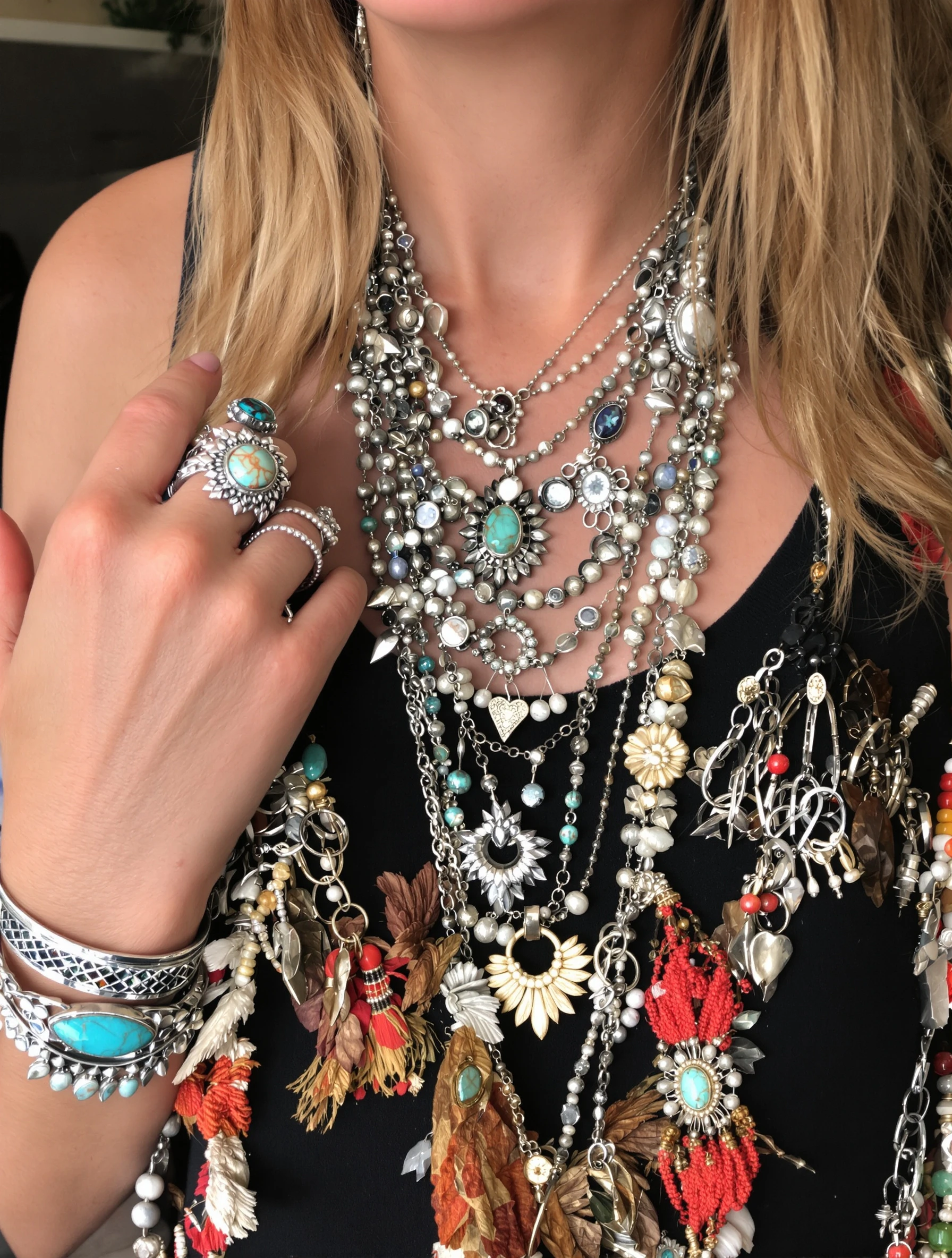
Woman with layered boho jewelry - necklaces, rings, bracelets stacked. Bohemian accessories, silver and turquoise, collected treasures, personal adornment.
Fashion Boho Festival AI Generated

Woman with layered boho jewelry - necklaces, rings, bracelets stacked. Bohemian accessories, silver and turquoise, collected treasures, personal adornment.

female jewelry fashion
AI Prompt Used

Woman with layered boho jewelry - necklaces, rings, bracelets stacked. Bohemian accessories, silver and turquoise, collected treasures, personal adornment.

Create Your Own Version

Generate personalized fashion photos with AI

Start Creating

Free to Use (CC BY 4.0)

This AI-generated image is free for personal and commercial use. Just include a link back to PixelPanda.

Image by <a href="https://pixelpanda.ai">PixelPanda AI</a>
Download Free

Perfect For

Etsy and handmade jewelry shop listings Festival fashion Instagram carousels Boho boutique lookbooks Pinterest jewelry styling boards Vintage and estate silver resale posts Craft market vendor banners AI Reference

About This AI-Generated Fashion Photo

The frame centers on hands and collarbone rather than a full face-forward portrait. Necklaces drop in tiers, a short choker-length piece, a mid-chest pendant, and a longer chain that breaks up the torso line. Rings sit on multiple fingers including mid-knuckle placements, and bracelets stack until they nearly become a cuff. Oxidized silver against turquoise gives the metal a warm, handled look, and the loose earthy wardrobe stays neutral so nothing competes with the stones.

For boho festival content, jewelry is the whole message, and that changes how the shot has to work. Feeds show these images small, so a single dainty ring disappears while a stacked wrist still reads as texture at thumbnail size. Turquoise also survives compression better than pale stones because the blue-green holds against skin tones and denim. If you sell pieces, this layered approach lets one photo show five products at once and demonstrate how they sit together, which is exactly what a buyer wants to see before committing.

To recreate it, group by metal first and keep everything silver-toned, then vary chain length deliberately instead of letting pieces bunch. Add stone size variation so the eye has a focal point. For warmer skin tones, swap turquoise for amber, coral, or carnelian. For a men's version, drop the necklace tiers to one and lean on heavier cuffs, signet rings, and leather cord.

Tips for Fashion Photography

  • Stagger necklace lengths by at least two inches so chains do not tangle or read as one messy mass.
  • Keep all metal in the same tone, oxidized silver here, so stacked pieces look collected rather than accidentally mismatched.
  • Pose hands with slightly bent fingers near the collarbone to show rings and bracelets in one frame.
  • Wear plain neutral linen or cotton so turquoise stays the only color competing for attention.

Frequently Asked Questions

How many rings and bracelets is too many for a jewelry photo?

Aim for three to five rings per hand and four to six bracelets per wrist. Beyond that, individual pieces stop being readable and the stack turns into a single blur. Leave one or two fingers bare so the eye has resting points, and vary ring widths so thin bands frame the statement pieces instead of crowding them.

Should turquoise jewelry be photographed against skin or fabric?

Skin works better. Turquoise reads as blue-green, and warm skin tones give it the contrast it needs to pop. Against pale fabric it can look washed out, and against patterned boho prints it competes and loses. If you need fabric, use unbleached linen or dark leather, both of which push the stone forward.

How do I stop silver jewelry from blowing out in photos?

Oxidized or antiqued silver photographs far more forgivingly than high polish, which throws hard specular highlights. Shoot in soft diffused light rather than direct sun, and angle wrists so bracelets catch light along their length instead of straight back at the lens. Slight underexposure preserves detail in the brightest metal edges.

Technical Details

Soft diffused side light rakes across the metal to reveal texture without hard specular hits, with a shallow depth of field isolating hands and collarbone. Tight framing crops the face, and warm earthy grading keeps turquoise cool against skin.
More Boho Festival Photos

View All
Man at festival in relaxed linen shirt, unbuttoned and breezy. Bohemian masculine, natural fabrics, easy going style, festival vibes.
Man with layered boho jewelry, leather and beads. Festival accessories, masculine bohemian, collected pieces, earthy adornment.
Man at desert festival with bandana and round sunglasses. Festival essentials, Burning Man vibes, practical style, desert cool.
Man in patterned bohemian shirt, relaxed festival style. Printed fabric, loose fit, cultural patterns, free-spirited fashion.
Man in fedora or wide-brim hat at outdoor festival. Boho headwear, sun style, festival essential, wanderer aesthetic.
Woman in flowing floral maxi dress with bohemian jewelry layers. Free-spirited style, natural fabrics, romantic aesthetic, boho goddess.
Woman in festival outfit with fringe and crochet details. Coachella vibes, desert sun, music festival ready, free spirit fashion.
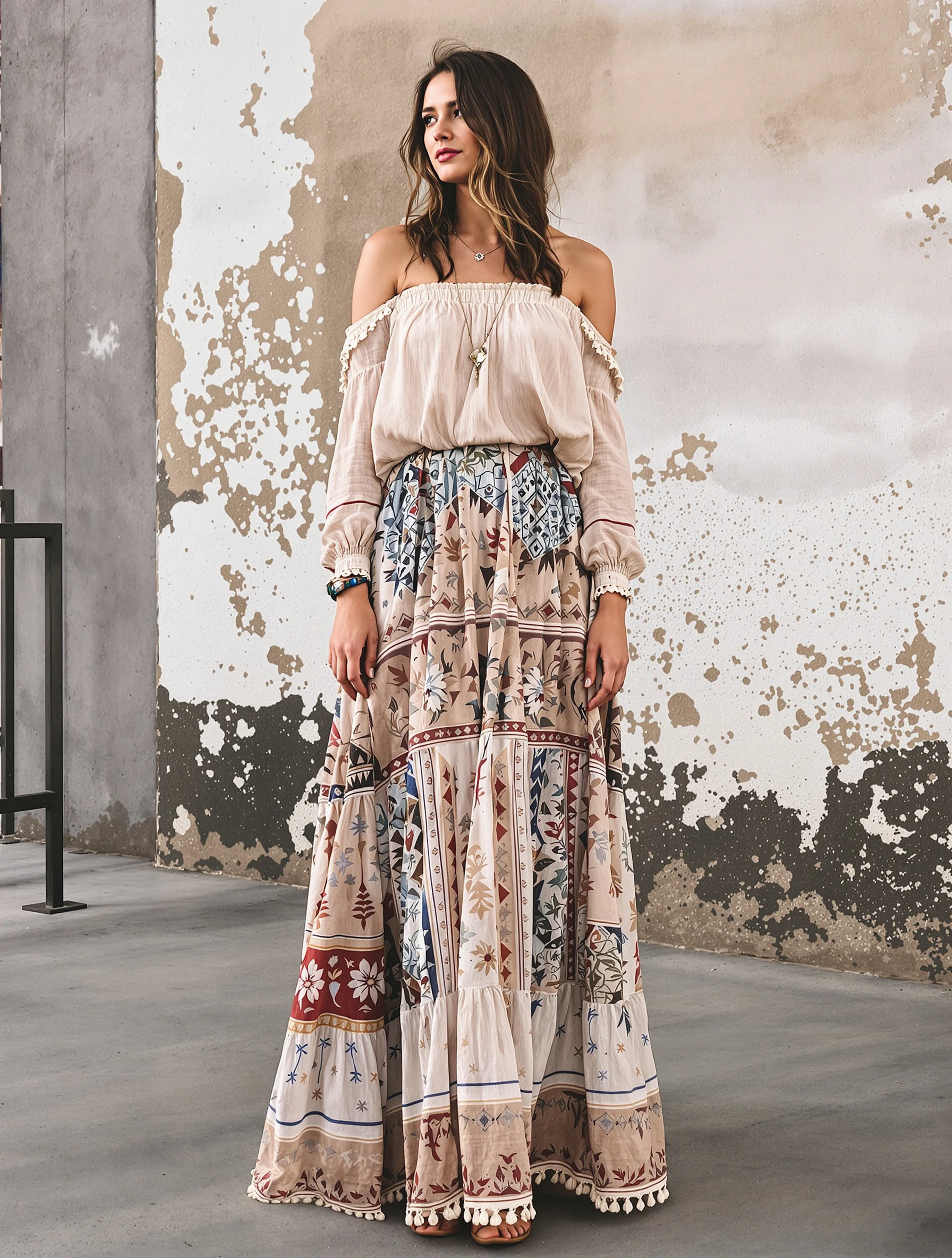
Woman in boho maxi skirt with off-shoulder peasant top. Layered bohemian look, flowing fabrics, earthy colors, romantic wanderer.
PixelPanda PixelPanda

Your AI photoshoot platform. Run AI photoshoots, remove backgrounds, generate product photos, and create UGC videos - all in seconds.

Product

  • AI Avatar Builder
  • Content Studio
  • Product Studio
  • AI Product Photography
  • Product Catalog
  • Integrations

Resources

  • How-To Guides
  • Demos
  • API Documentation
  • Blog
  • Help Center
  • FAQ

Company

  • About Us
  • Pricing
  • Contact
  • Careers
  • Affiliates

Use Cases

  • AI Ad Generator
  • AI Face Generator
  • AI UGC
  • E-commerce
  • Marketing
  • Alternatives
  • Tool Reviews
  • Photo Ideas
  • Background Removal
  • Background Removal API

Free Tools

AI-Powered
  • AI Selfie Generator
  • Background Remover
  • Image Upscaler
  • AI Image Editor
  • Remove Text from Image
  • Image Analyzer
  • AI Image Describer
  • Image to Prompt
  • Photo Description
  • Ecommerce Product Studio
  • AI Ad Generator
  • White Background
  • AI UGC Video
Transform
  • Resize Image
  • Crop Image
  • Rotate Image
  • Flip Image
  • Compress Image
  • Convert Format
  • HEIC to JPG
  • SVG to PNG
Adjust & Color
  • Brightness & Contrast
  • Black & White Converter
  • Image Inverter
  • Color Picker
  • Palette Extractor
  • Make Transparent
Effects & Overlay
  • Blur Image
  • Pixelate Image
  • Add Border
  • Round Corners
  • Add Watermark
  • Unblur Image
Utilities
  • Merge Images
  • Image to Base64
  • PDF to Image
  • Image to PDF
  • Profile Picture Maker
  • Photo Enhancer
  • Photo Collage
  • WebP to GIF

© 2026 PixelPanda. All rights reserved.

Terms of Service Privacy Policy
Featured on Fazier PixelPanda - SaaS Hub Approved Startup Benchmarks Good AI Tools
Home
Free Tools
Pricing
Sign In

Report a Bug

Found something broken? Let us know and earn bonus credits for confirmed bugs.

Drop files here or click to browse
Images & videos up to 20MB each