AI UGC for <span>Ecommerce</span> on Twitter
Generate authentic ecommerce influencer videos optimized for Twitter. No creators, no agencies, no hassle.
100+ AI Avatars Ready to Go
Diverse, realistic, customizable. Build your own or pick from our library.









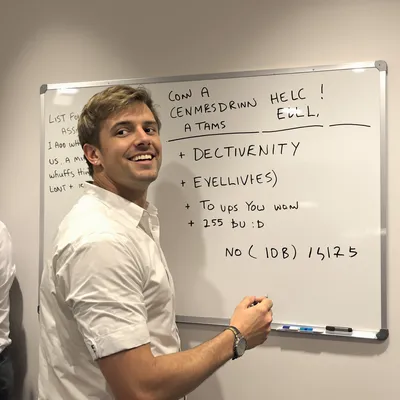




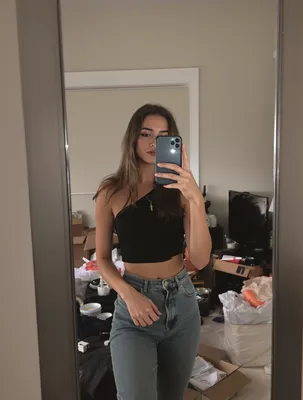













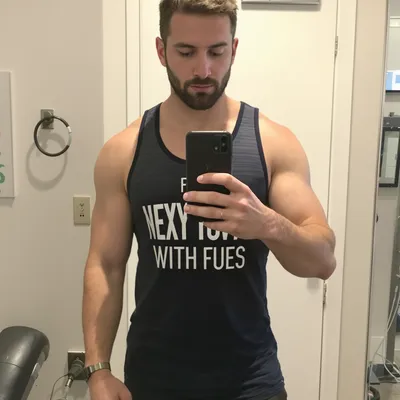





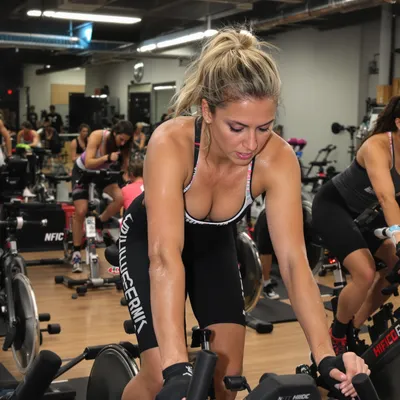










































X is a text-first feed where video is the guest, not the host. A UGC clip for an ecommerce product has to work inside a scroll of replies, quote tweets and screenshots, playing automatically with the sound off, next to a tweet that people will read first. Nobody opened the app to shop, so the clip is doing cold-traffic work on a platform where the actual purchase happens somewhere else.
That changes what the video has to prove. An ecommerce buyer on X is deciding two things at once: whether the product is real and worth the money, and whether the account selling it will actually ship. So the clip needs the honest signals that reduce refund anxiety, like what comes out of the mailer, how big the thing really is next to a hand or a coffee cup, how the fabric or finish behaves in normal light, and how it looks after a week of use.
Get four things right and the rest is craft: square or landscape framing that survives timeline cropping, burned-in text that reads with sound off, a product reveal inside the first second or two, and a link placement that does not fight the video card.
Stop Overpaying for UGC Content
Traditional UGC is expensive, slow, and unpredictable. AI changes everything.
Traditional UGC Creators
$150-500+ per video
Plus weeks of back-and-forth, revision requests, and no guarantee you'll get content that converts.
UGC Agencies
$2,000+ per month
Long contracts, slow turnaround, limited revisions, and you're still waiting weeks for content.
PixelPanda AI
Under $2 per video
Instant generation, unlimited variations, complete control over messaging. Scale your UGC without limits.
See It In Action
Real AI-generated UGC videos. Click to play. No actors, no cameras, no studio.
How It Works
Create professional UGC videos in three simple steps.
Choose Avatar
Select an AI creator that matches your ecommerce brand
Add Script
Write your ecommerce product message
Post on Twitter
Download your Twitter-ready video
Everything You Need
Powerful features to create professional UGC videos at scale.
Product Focused
Videos that showcase and sell products
Conversion Optimized
Content designed to drive purchases
Scalable Content
Create videos for your entire catalog
Thread-Ready Content
Short videos perfect for Twitter threads
Quick Hooks
Attention-grabbing first frames for fast scrollers
Flexible Formats
1:1, 16:9, and vertical options
Muted Autoplay, 1:1 Framing, and Caption Safe Zones
Export MP4 with H.264 video and AAC audio, 30 or 60 fps, at least 720p. For UGC product clips, 1:1 (1200x1200) is the safest bet because it fills more timeline height than 16:9 without getting the preview crop that tall 9:16 exports can suffer on some surfaces. If you only have a vertical original, keep the product and any text inside the center square and treat the top and bottom strips as disposable.
Assume the sound never plays. Burn captions in yourself rather than relying on an SRT, and keep them out of the bottom sixth of the frame where the progress bar, timestamp and engagement row sit. The product itself has to be identifiable at thumbnail size, which means one item, filling a good third of the frame, in the opening beat. And strip TikTok watermarks and TikTok-style caption fonts before uploading; on X, off-platform UI reads as recycled ad, not as a real customer.
Pairing Tweet Copy With Purchase Proof
On X the tweet does the selling that the muted video cannot. Put the concrete commerce facts in the text: price, what shipping costs, sizes or variants in stock, return window. Let the video carry the things text is bad at, like texture, drape, scale against a hand, the sound-off unboxing, the before and after. Written in the first person by whoever is holding the product, not in brand voice.
Keep the link out of the main tweet if you want the video card to render full size, and drop the product URL in the first reply along with specs, sizing notes and a screenshot of real reviews. That reply thread is where skeptical buyers go, so answer the questions your support inbox already gets. Never write "link in bio": it signals the clip was made for another platform, and on X that alone invites the quote tweet you do not want.
Perfect For
Related Topics
Frequently Asked Questions
Everything you need to know about ecommerce twitter ugc generation.
AI Actors That Look Real






Ready to Create Ecommerce Twitter UGC?
Start generating professional UGC videos in minutes.
Start Creating