AI UGC for <span>Gaming</span> on Twitter
Generate authentic gaming influencer videos optimized for Twitter. No creators, no agencies, no hassle.
100+ AI Avatars Ready to Go
Diverse, realistic, customizable. Build your own or pick from our library.

























































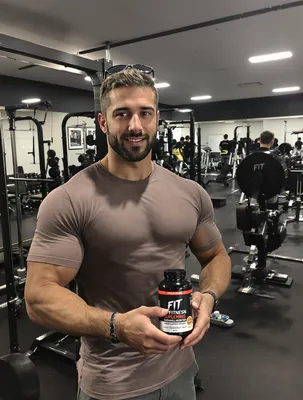















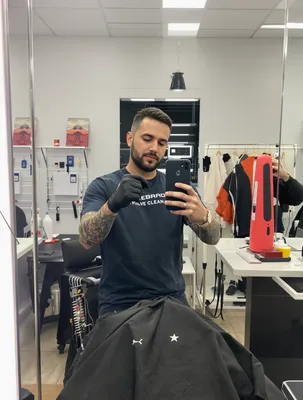

Gaming X (Twitter) is built on clip culture. The timeline is already full of raw captures, clutch plays, bug compilations and patch note screenshots posted by players themselves, which means a UGC gaming video has to pass as one more clip from someone's capture folder rather than an ad drop. That is the whole advantage of this pairing: a first-person voiceover over real footage sits natively in a feed where polished CG trailers get scrolled past or quote-tweeted with a joke.
It is also the riskiest platform to fake it on. X rewards reply and quote-tweet volume, so a video that reads as a hired actor pretending to love your roguelike does not just underperform, it gets amplified for the wrong reason. Gaming audiences on X read HUDs, frame pacing, UI language and store badges frame by frame.
What you need to get right is short: a visual hook that lands inside the first second and a half of muted autoplay, burned-in captions positioned clear of X's own overlays, footage that survives re-encoding of fast motion, and clear answers to the buying questions (platform, price, monetization, build state) before the clip ends.
Stop Overpaying for UGC Content
Traditional UGC is expensive, slow, and unpredictable. AI changes everything.
Traditional UGC Creators
$150-500+ per video
Plus weeks of back-and-forth, revision requests, and no guarantee you'll get content that converts.
UGC Agencies
$2,000+ per month
Long contracts, slow turnaround, limited revisions, and you're still waiting weeks for content.
PixelPanda AI
Under $2 per video
Instant generation, unlimited variations, complete control over messaging. Scale your UGC without limits.
See It In Action
Real AI-generated UGC videos. Click to play. No actors, no cameras, no studio.
How It Works
Create professional UGC videos in three simple steps.
Choose Avatar
Select an AI creator that matches your gaming brand
Add Script
Write your gaming product message
Post on Twitter
Download your Twitter-ready video
Everything You Need
Powerful features to create professional UGC videos at scale.
Gamer Personas
AI avatars that speak the language of gaming culture
Hype Content
Launch trailers and excitement-building announcements
Game Reviews
Authentic-feeling reviews that influence purchases
Thread-Ready Content
Short videos perfect for Twitter threads
Quick Hooks
Attention-grabbing first frames for fast scrollers
Flexible Formats
1:1, 16:9, and vertical options
Cutting Gameplay Clips That Survive X Compression
Deliver MP4, H.264, AAC audio, 1080p, and export from a 60fps source even if you finish at 30. Gaming footage is the worst case for X's re-encode: particle effects, foliage, muzzle flash, smoke and fast camera whips all turn to mush at low bitrates. Give the encoder an easy job by holding the camera steadier during your caption moments, avoiding heavy film grain and chromatic aberration in the capture settings, and putting your hook on a high-contrast, low-motion frame.
For the timeline, 16:9 and 1:1 both display cleanly and 16:9 matches how gameplay is actually captured. If you want a 9:16 cut for the full-screen vertical viewer, master it separately with the HUD repositioned or zoomed rather than letting a center crop slice off the minimap, health bar and ammo counter. Keep captions and any store badge out of the bottom 15 percent, where view counts, timestamps and card text sit.
Trust Signals Gaming Buyers Check Before Wishlisting
A gaming purchase decision on X usually happens in the replies, not on the video. People ask the same things every time: what platform, is it out or in early access, what build is this, is it PvP or PvE, is there a battle pass, is it gacha, does it have controller support, is it Steam Deck verified. Answer as many as you can inside the clip so the answers cannot be argued with.
Concretely: keep the real HUD visible instead of cropping it out, show the actual store page or price screen on camera, put a version or build number in the corner if the footage is pre-release, and label captured footage as such. If the CTA is a Steam wishlist, say wishlist and show the button; if it is a mobile install, show the store listing frame. Avoid stitching in pre-rendered cinematic shots next to gameplay, because that mismatch is the single fastest way to get quote-tweeted as bait.
Perfect For
Related Topics
Frequently Asked Questions
Everything you need to know about gaming twitter ugc generation.
AI Actors That Look Real






Ready to Create Gaming Twitter UGC?
Start generating professional UGC videos in minutes.
Start Creating